Kangaroo™ Console | 13
Set Up and Use
1. Read all warnings and precautions prior to tube insertion.
2. Explain procedure to the conscious patient. Prepare supplies (ENFit™*
syringe, feeding tube water, wipes, and stethoscope).
Position console in a direct line of sight. Console can be pole mounted, propped on
bedside table, or handheld.
CAUTION
Do not place console on patient’s bed during procedure.
Check battery life of console. If low, connect console to AC power outlet.
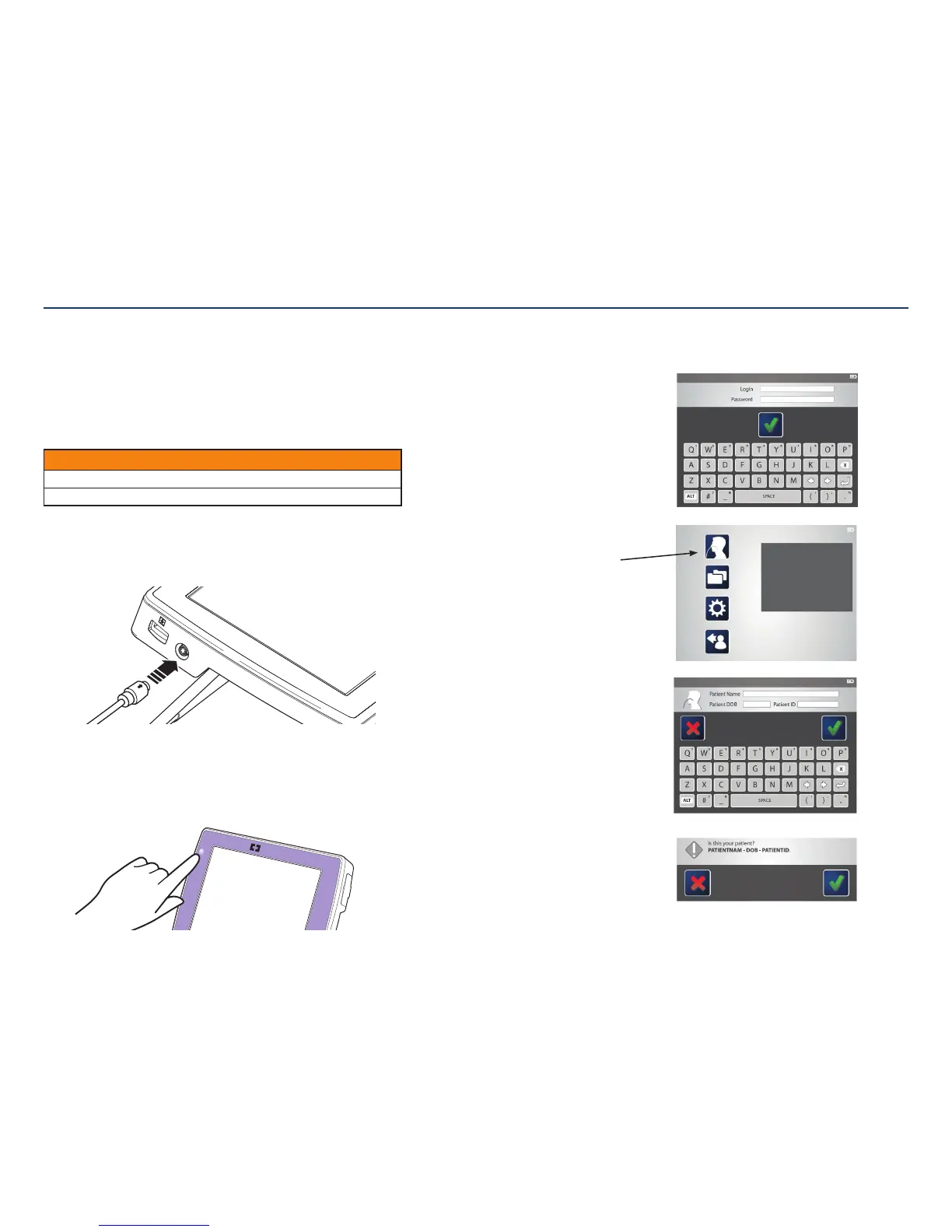
3. Plug in the power cable (if necessary).
If desired, connect the power cord to the console. To connect, arrow on power
adapter should be facing up (same side as screen).
4. Power the console on.
Press the power button. The system should start up shortly after and display a
loginscreen.
Note: After a period of inactivity (no user input to the console), the console will
automatically log the user out. This log-out will not occur during aprocedure.
5. Enter login, password, and patient information.
The system will request a login name and password. After
typing, tap the check mark to proceed to the mainmenu.
Note: First time users need to have an administrator set
up a login name and password prior to use.
The main menu will appear.
Tap on the procedure icon to begin the
placementprocedure.
Follow the screen commands to enter the patient
information. When complete, tap the check mark
toproceed.
The system will ask for confirmation that the
information is entered correctly. If yes, tap the check
mark. If not, tap the red “x” to go back and re-enter
theinformation.
Section III: Setting Up and Using the Kangaroo Feeding Tube with IRIS Technology for Placement



 To Next Page