Kangaroo™ Console | 24
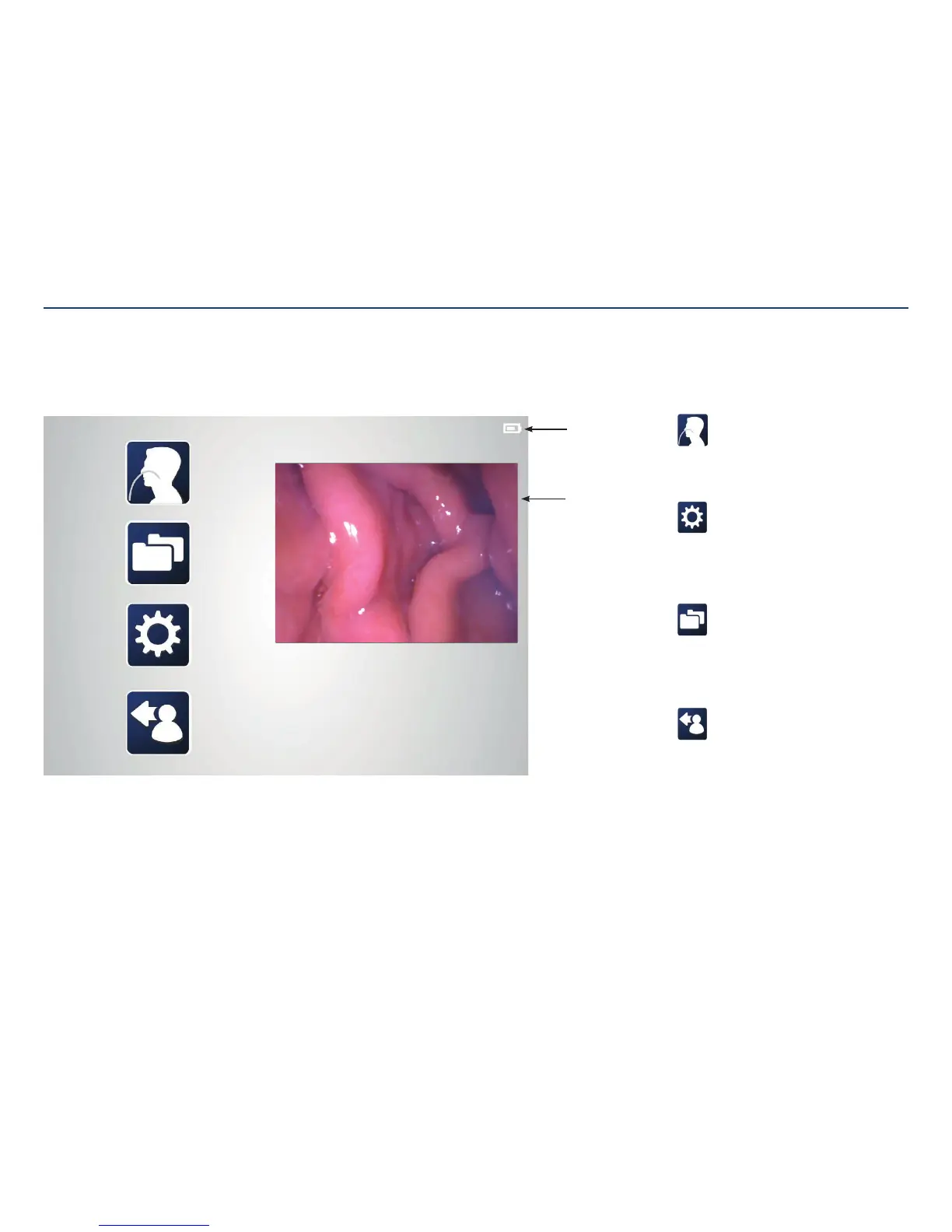
Battery level
indicator
Log out:
Clicking the log out icon ends the session.
Settings menu:
The settings menu provides links
to modify language, date/time, file
formats, passwords, device options, and
usersettings.
Folders menu:
The folders menu launches the data
browser of patient folders. Each folder
contains images captured during
theprocedure.
Procedure:
Use the procedure feature to launch
the functional flow for entering patient
information and procedure activities.
Main Menu
The main menu provides links to log out, settings, file management, and procedure Initiation. Clicking any of these
icons brings you to those screens.
Section V: User Interface Features
Live feed from
nasogastric
tubecamera



 To Next Page