Kangaroo™ Console | 33
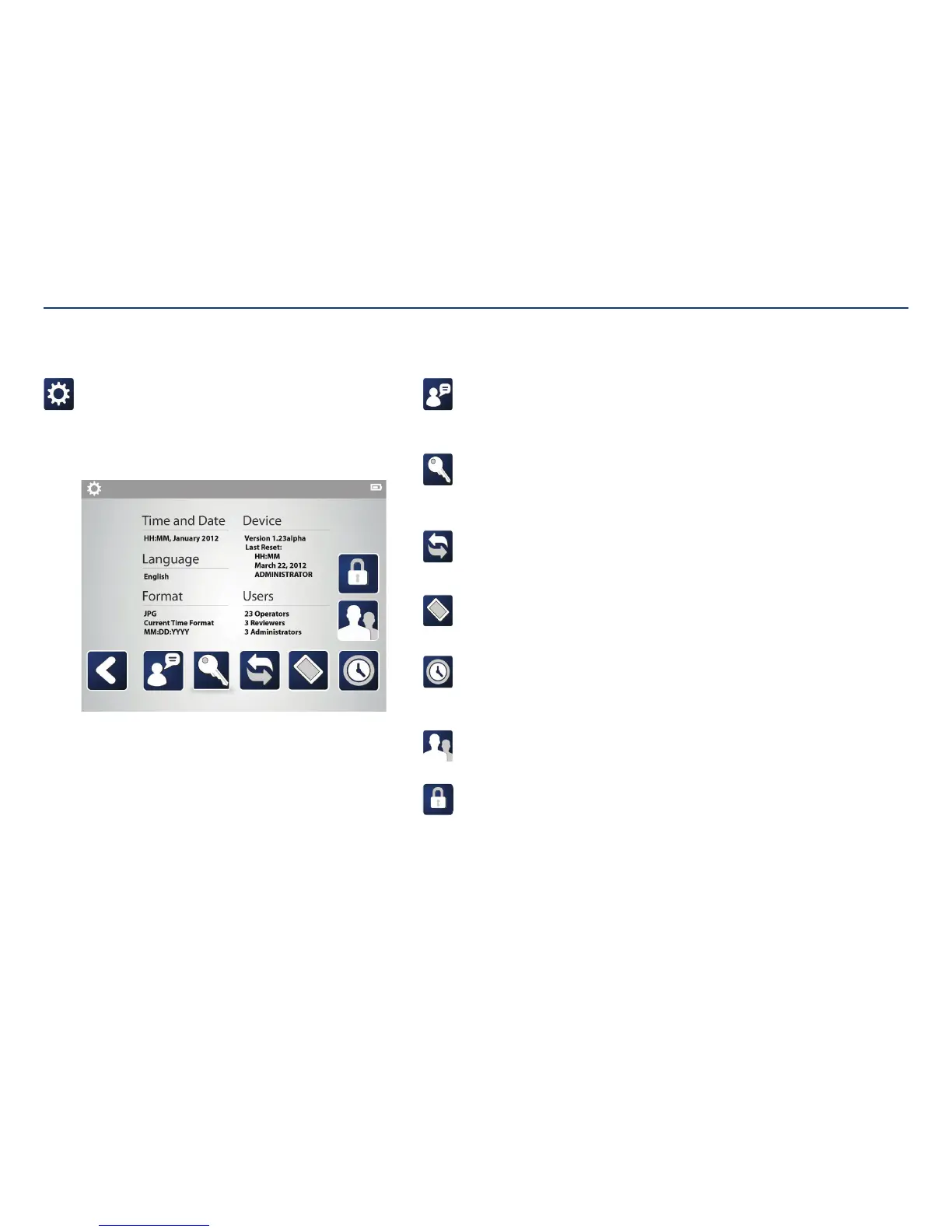
Settings:
Administrators can make changes to the time, date, language, image format,
user information, and update the device.
The current settings for the console are shown on the screen. The Device
Version shown indicates the software version currently on the console.
Administrator Settings
Change language:
Tapping on the language icon displays a screen giving optional language
preferences. Tap once on the preferred language, then tap the check mark to
save changes.
Change password:
To change the account password, tap on the key icon. Use the keyboard to
enter a new password, then repeat the password in the second text field.
Tapping the check mark saves the changes.
Format images:
Choose between exporting images as a .bmp or .jpg. Change the date format
to the preferred order. Edit the way time is displayed duringplacement.
Device:
Erase patient data, update the device software, or reset the device back to
factory settings.
Set or change date and time:
Use the touchscreen to select the time and date. If English language is
currently selected on the console, select preferred time format (24 hours or
12 hours), then tap the check mark to savechanges.
User groups:
Add or change user passwords.
Encryption password:
Change password used to decrypt/open patient images on a computer.
Passwords will be in all uppercase letters and are case sensitive.
Section V: User Interface Features



 To Next Page