Kangaroo™ Console | 10
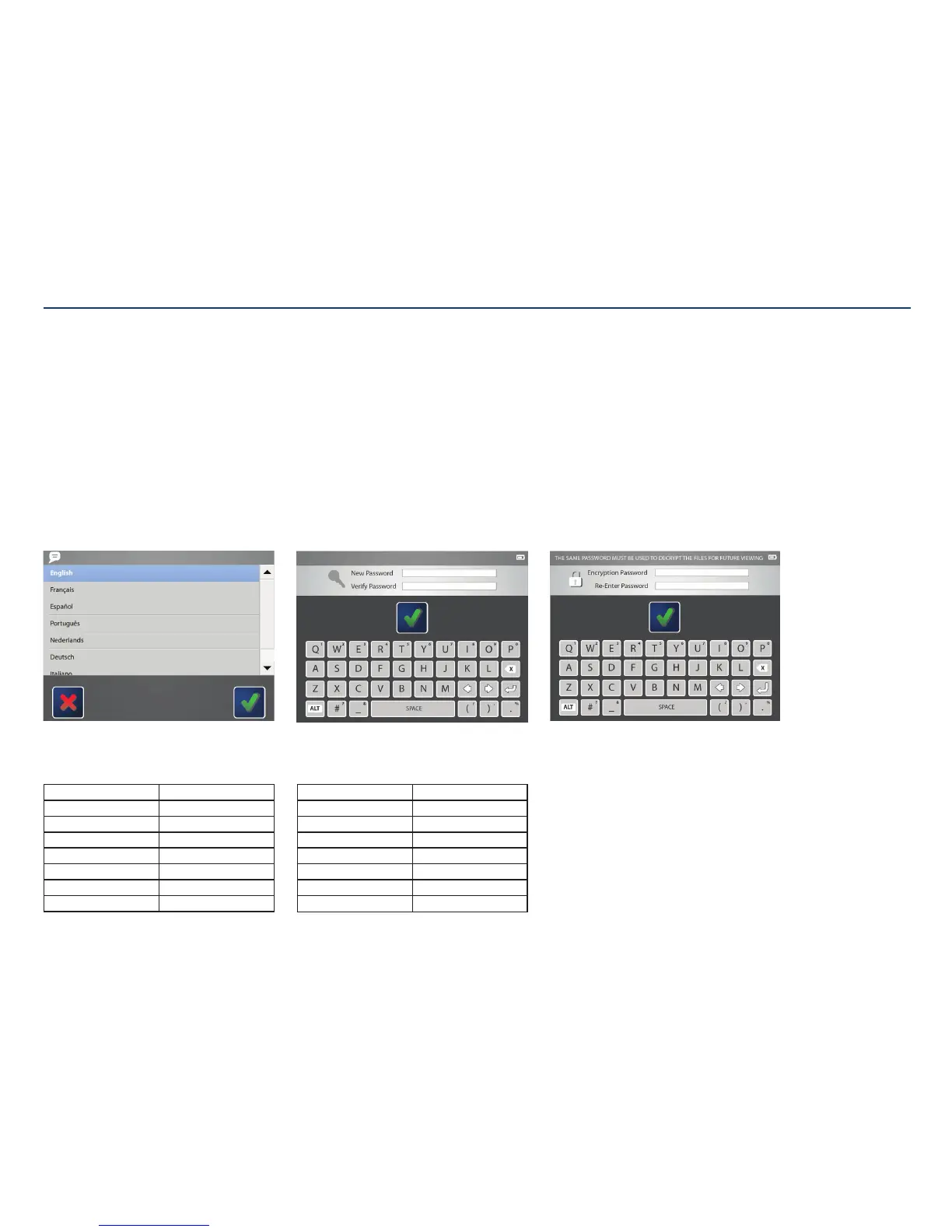
Choose language:
Choose the language for the console interface.
Initial Administrator Use
When the console is powered on for the first time, or after being reset to factory settings, the administrator account needs to set up the console settings.
This administrator login name is “ADMINISTRATOR” when English is selected.
If another language is selected, see table below.
Administrator password:
Create a password that will be used only for the system
administrator account. Use the on screen keyboard to
enter the password into the text fields. The password
must be between 8 and 12 characters. Password can
include uppercase letters, numbers, and symbols.
This administrator login name is “ADMINISTRATOR”.
Other administrator accounts can be created in
addition to this.
Encryption password:
The password created will be needed to open any files
exported from this console. The same password will be
used for any files exported.
Tap on the first text field to enter the desired password.
Then, re-enter the password in the text field below.
When satisfied, touch the check mark to save
thechanges.
Note: The password is case-sensitive and will be in all
upper-case.
Section II: Assembly and Initial Administrator Use
Language Administrator Login
English ADMINISTRATOR
Français ADMINISTRATEUR
Español ADMINISTRADOR
Português ADMINISTRADOR
Nederlands BEHEERDER
Deutsch ADMINISTRATOR
Italiano AMMINISTRATORE
Language Administrator Login
Dansk ADMINISTRATOR
Suomi PÄÄKÄYT TÄJÄ
Norsk ADMINISTRATOR
Pols ki ADMINISTRATOR
Русский АДМИНИСТРАТОР
Sve nska ADMINISTRATÖR
日本語 カンリシャ



 To Next Page