Electrical Installation
34 / 135
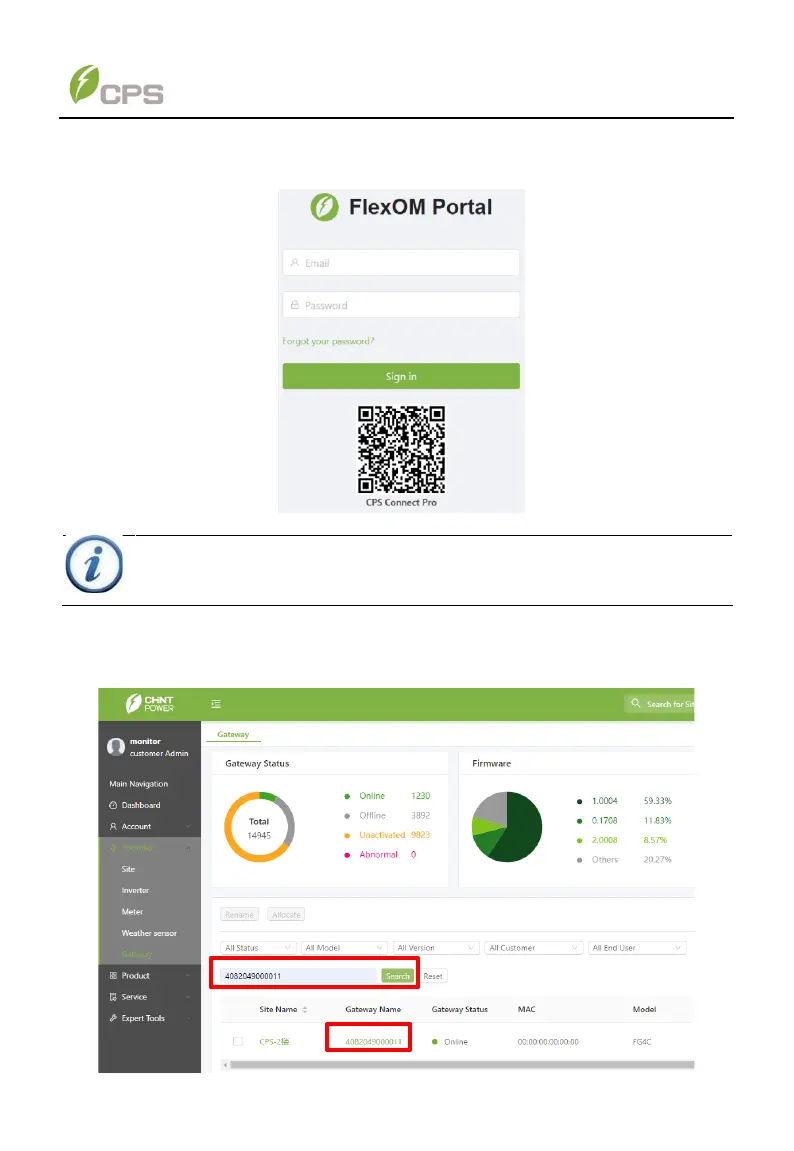
2. After connecting FlexOM gateway, open the following website to enter FlexOM
portal: monitor.chint_powersystems.com. Input your user name and password to
sign in.
Figure 4-16 FlexOM portal
3. Click Portfolio menu and then Gateway sub-menu, search for corresponding
device via the series number of 4G gateway. Then click the gateway name to
enter the next screen. For example, you can search for the right device that is
connected to the series number 4082049000011 of 4G gateway.
Figure 4-17 search for corresponding device



 To Next Page