Electrical Installation
36 / 135
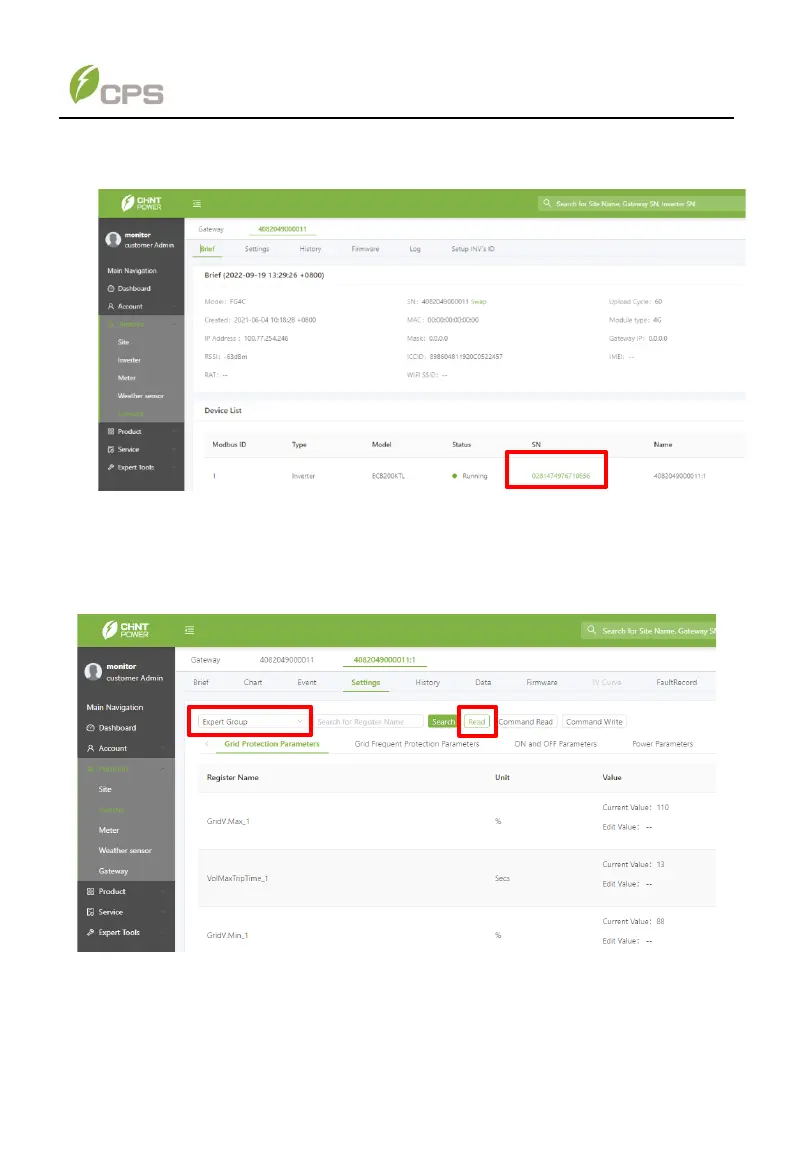
5. Click the series number of the device to enter Register Operation interface.
Figure 4-20 Enter Register Operation interface
6. Click Settings menu and then choose Expert Group from the drop-down menu,
you can see all kinds of register parameters. Now click the Read button to
refresh all the parameter values on this interface. Refreshed values also means
the successful connection of the PCS with CPS FlexOM Gateway.
Figure 4-21 Refresh all the register parameters values
For more information about remote communications and firmware upgrades using
the FlexOM Gateway, contact our after-sale department for help if necessary.



 To Next Page