Using Your Creative Prodikeys 3-2
Creating Music
Instantly with
Penta Tunes
In the Penta Tunes sub-mode, the white keys on the music keyboard can be
switched from the usual seven-tone scale to a five-tone scale (pentatonic scale).
With this five-tone scale, whatever music notes you play will produce a melody.
The black keys on the music keyboard will be assigned to rhythms, effects and
instrumental fill-ins, which you can use to enhance your melody. Follow the steps
below to learn how to create music instantly in the Penta Tunes sub-mode.
Step 1: Selecting
the Penta Tunes
Sub-mode
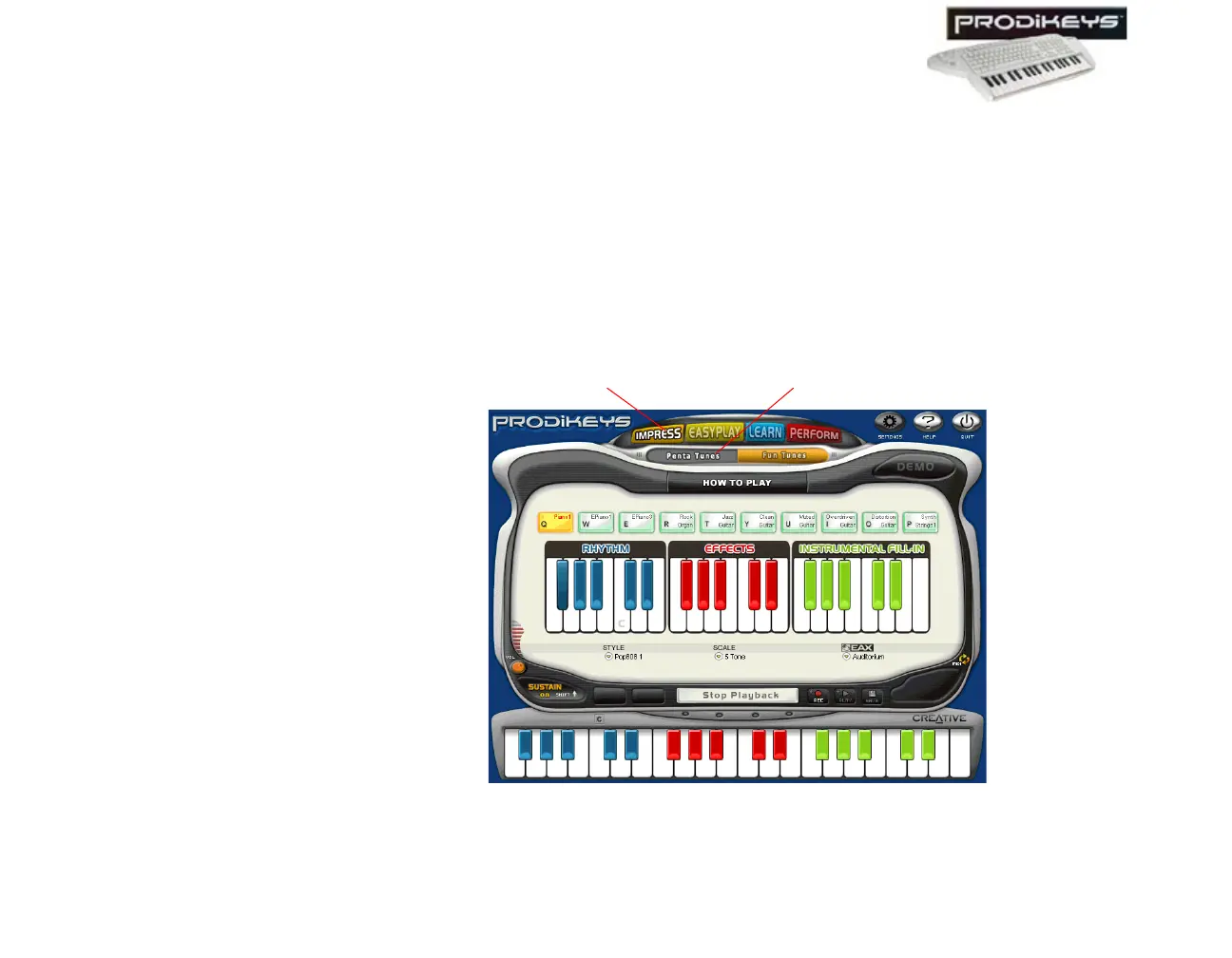
To select the Penta Tunes sub-mode: In the Creative Prodikeys software, click
the Impress button, and then click the Penta Tunes button.
The Creative Prodikeys software should look similar to the figure below.
Figure 3-2: Creative Prodikeys software in Penta Tunes sub-mode.
Penta Tunes button
Impress button



 To Next Page