Using Your Creative Prodikeys 3-25
Step 6: Selecting
Instruments
Each voiceset lets you define 10 instruments that you can access quickly from the
Creative Prodikeys software. While playing, you can easily select and change to
another main or second instrument.
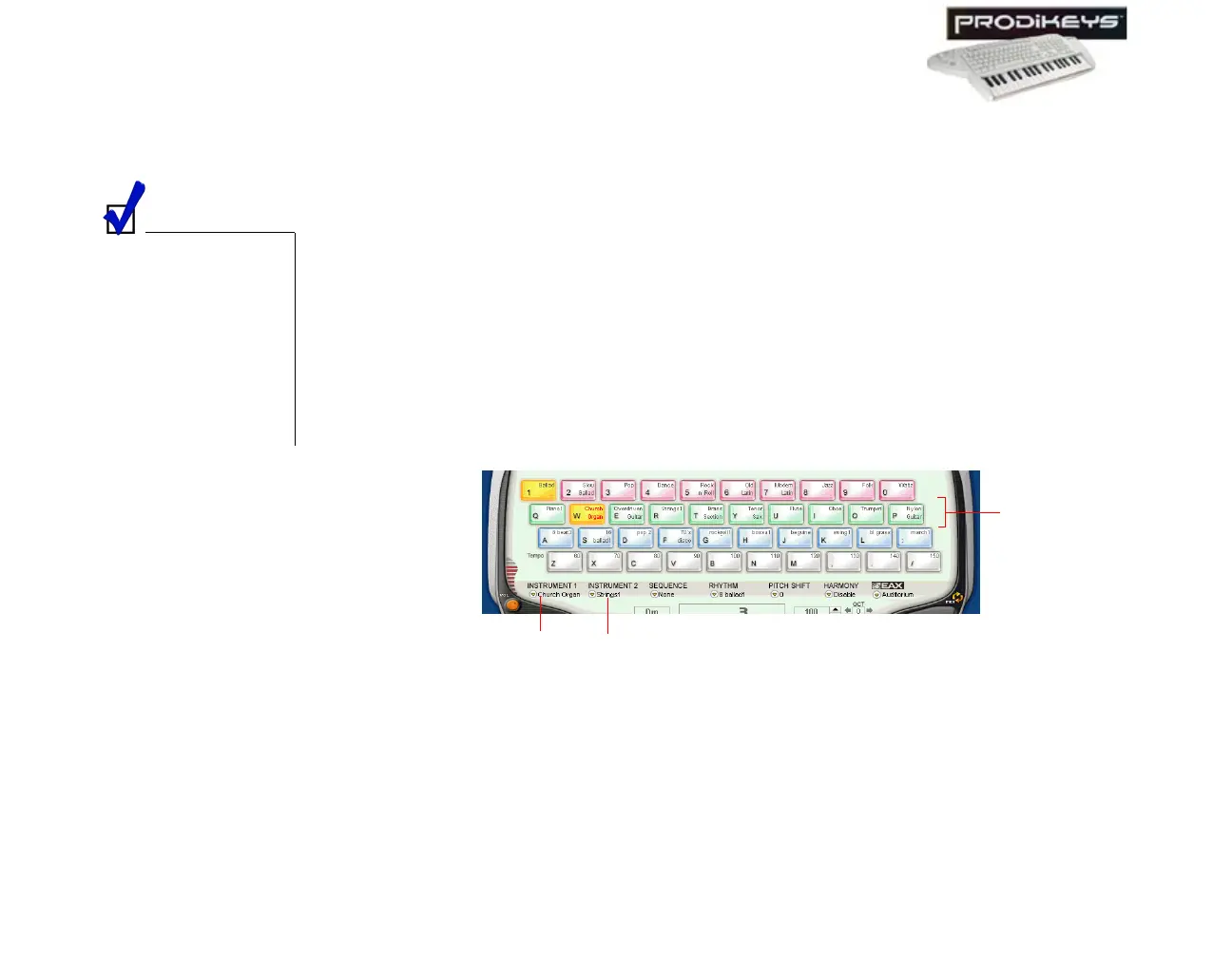
To select a main instrument: Click the Instrument keys in the Creative
Prodikeys software, or press the corresponding keys on your computer keyboard.
To select a second instrument (or cancel the selection): Double-click the
Instrument keys on the Creative Prodikeys software, or press the corresponding
keys quickly twice on your computer keyboard.
You can also select other instruments not displayed in the Creative Prodikeys
software by clicking the
Instrument 1
or
Instrument 2
button, and then
selecting the instrument you want.
To define the
instruments for the 10
quick access keys that
appear in the Creative
Prodikeys software for
a voiceset, you need
to configure the
voiceset. See "Step 4:
Configuring
Voicesets".
Figure 3-39
Instrument
keys
Instrument 1
button
Instrument 2
button



 To Next Page