Using Your Creative Prodikeys 3-9
Step 2: Selecting
the Type of
Intelligent Chord
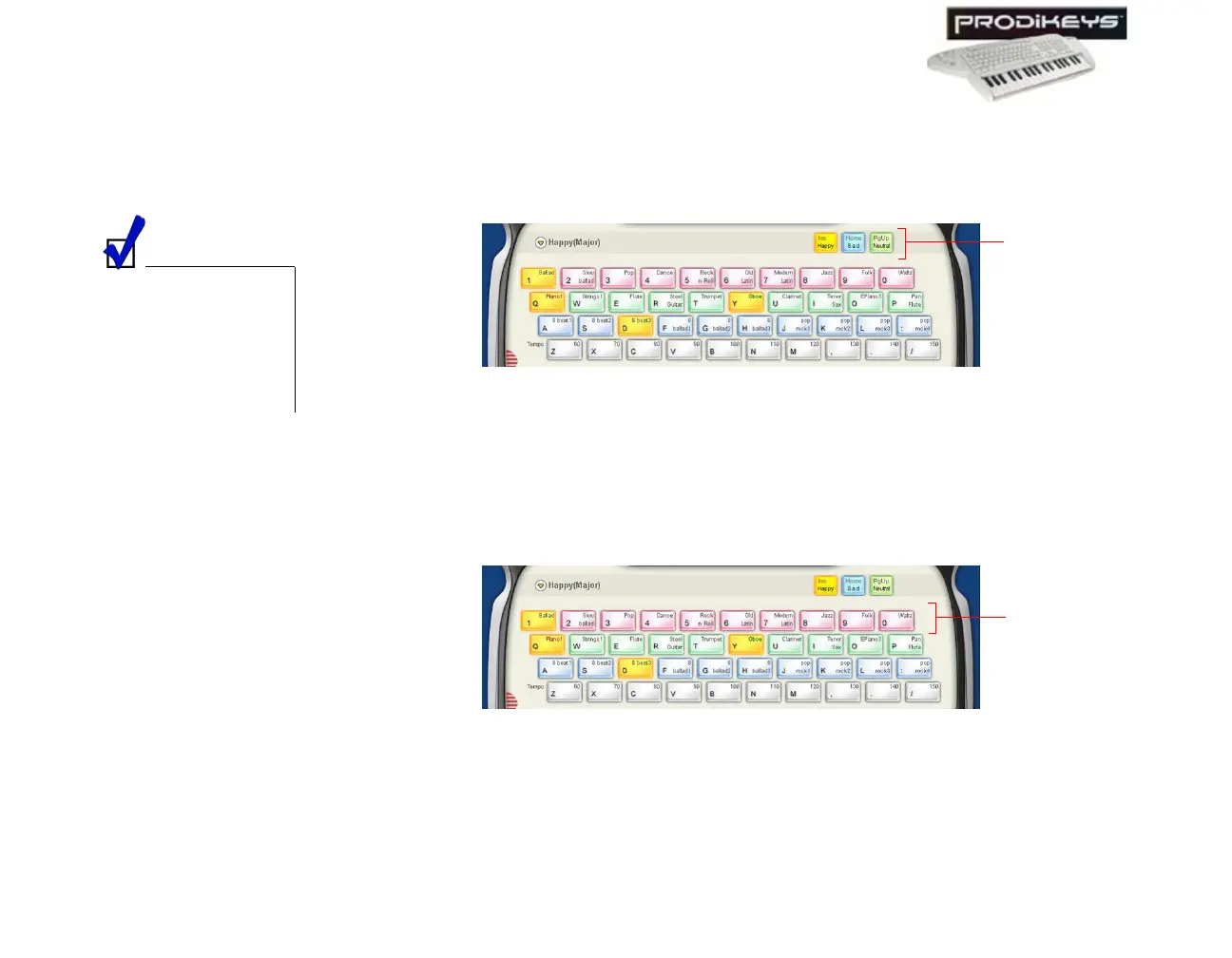
You can choose from 3 Intelligent Chords — "Happy", "Sad" or "Neutral".
To select the type of Intelligent Chord: Click the Happy, Sad or Neutral keys
in the Creative Prodikeys software, or press the corresponding keys on your
computer keyboard.
Step 3: Selecting
Music Styles
Different music styles provide different sets of matching instruments and rhythms
for you to play with.
To select a music style: Click the Style keys in the Creative Prodikeys software,
or press the corresponding keys on your computer keyboard.
Step 4: Selecting
Instruments
Besides selecting a main instrument for your music keyboard, you can also select a
second instrument that will be played together with your main instrument.
Selecting "Happy" will
play the major scale
chords, "Sad" will play
the minor scale chords
and "Neutral" will play
a combination of both
chords.
Figure 3-12
Happy, Sad
and Neutral
keys
Figure 3-13
Style
keys



 To Next Page