Using Your Creative Prodikeys 3-15
Playing Music
with Fixed
Progression
Chords
In the (Easy Play) Fixed Progression sub-mode, you select and play along to a set
of chords that will play repeatedly from chord to chord. This allows you to play
your melody and have Prodikeys accompany you with a virtual band! Follow the
steps below to learn how to use Fixed Progression Chords.
Step 1: Selecting
the (Easy Play)
Fixed Progression
Sub-mode
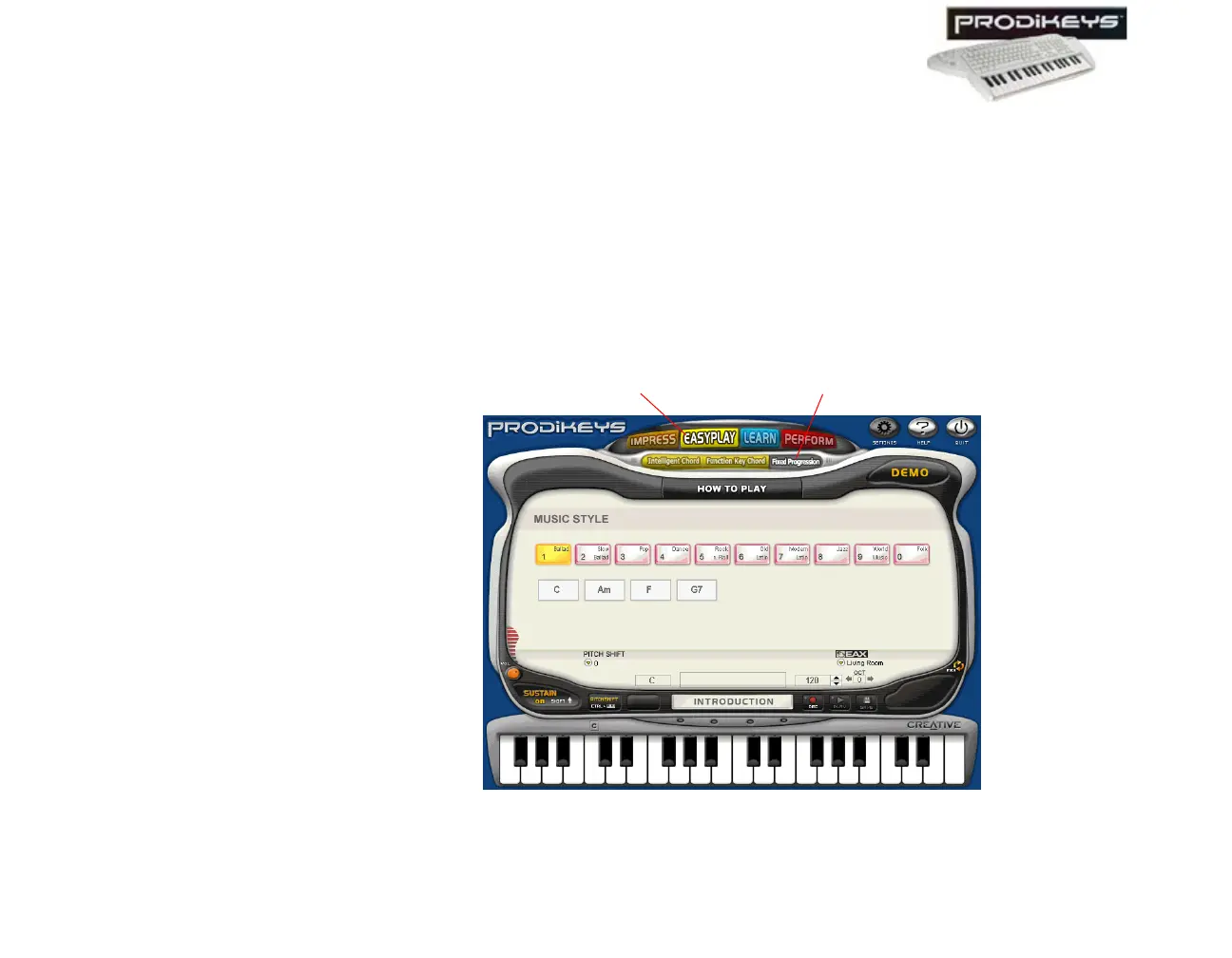
To select the (Easy Play) Fixed Progression sub-mode: In the Creative
Prodikeys software, click the Easy Play button, and then click the Fixed
Progression button.
The Creative Prodikeys software should look similar to the figure below.
Figure 3-23: Creative Prodikeys software in (Easy Play) Fixed Progression sub-mode.
Fixed Progression button
Easy Play button



 To Next Page