Using Your Creative Prodikeys 3-24
Step 4: Configuring
Voicesets
You can create, configure and delete voicesets, except for the default one.
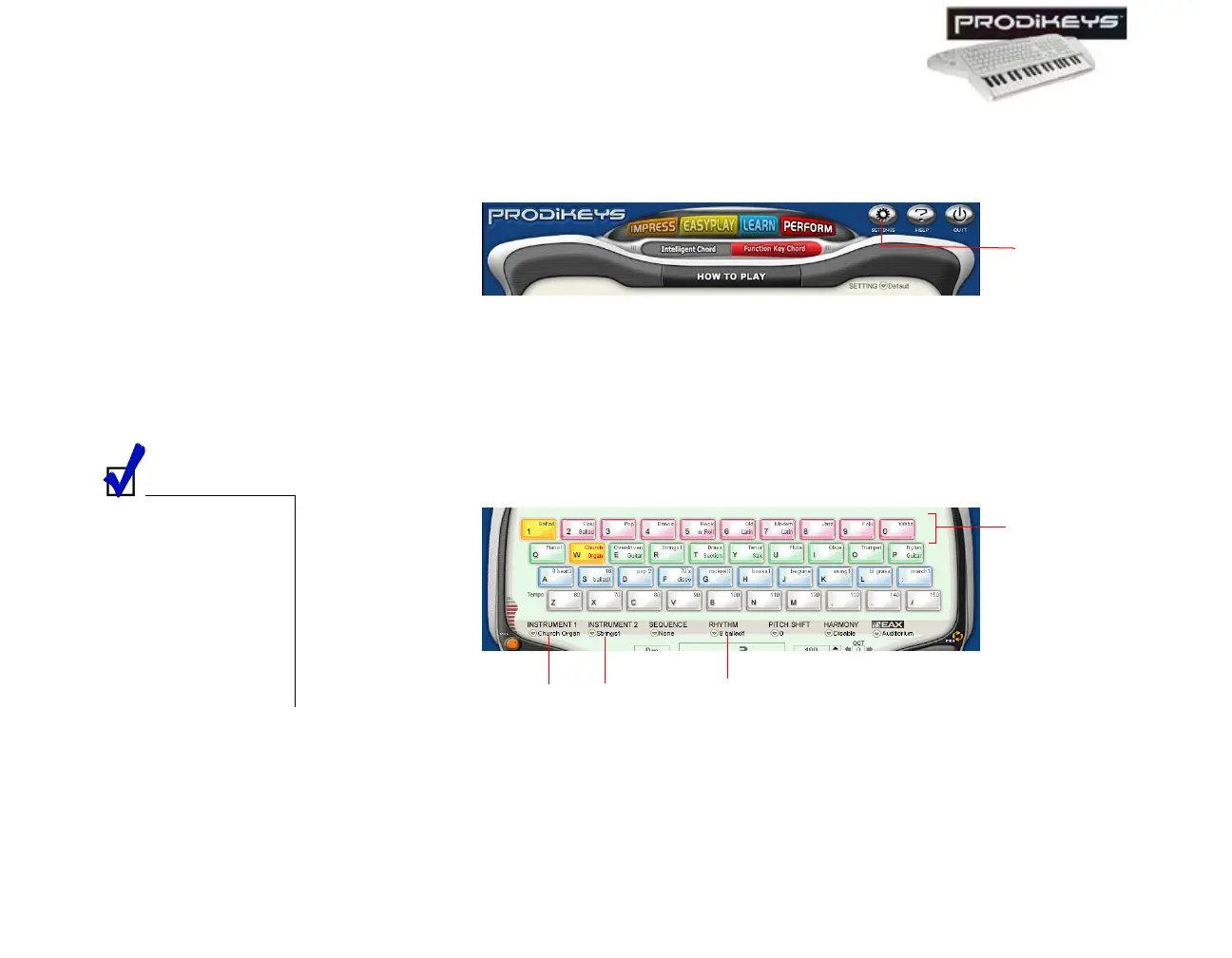
To configure voicesets: In the Creative Prodikeys software, click the Settings
button.
Step 5: Selecting
Music Styles
Each voiceset lets you define 10 music styles that you can access quickly from the
Creative Prodikeys software. Selecting a music style will select the instruments,
rhythm, tempo and other settings defined for the music style.
To select a music style: Click the Style keys in the Creative Prodikeys software,
or press the corresponding keys on your computer keyboard.
Figure 3-37
Settings
button
To define the
instruments, rhythm,
tempo and other
settings for a music
style, you need to
configure the voiceset
that the music style
belongs to. See "Step
4: Configuring
Voicesets".
Figure 3-38
Style
keys
Current selected
instruments will be
displayed here.
Current selected
rhythm will be
displayed here.



 To Next Page