Using Your Creative Prodikeys 3-6
Creating Music
Mixes with Fun
Tu n e s
In the Fun Tunes sub-mode, you can create music mixes like a music DJ. Just
select a music style for your mix and press the keys assigned to drums, bass,
accompaniment, phrases, and sound effects on your music keyboard to create
your music mix. Follow the steps below to learn how to use Fun Tunes.
Step 1: Selecting
the Fun Tunes
Sub-mode
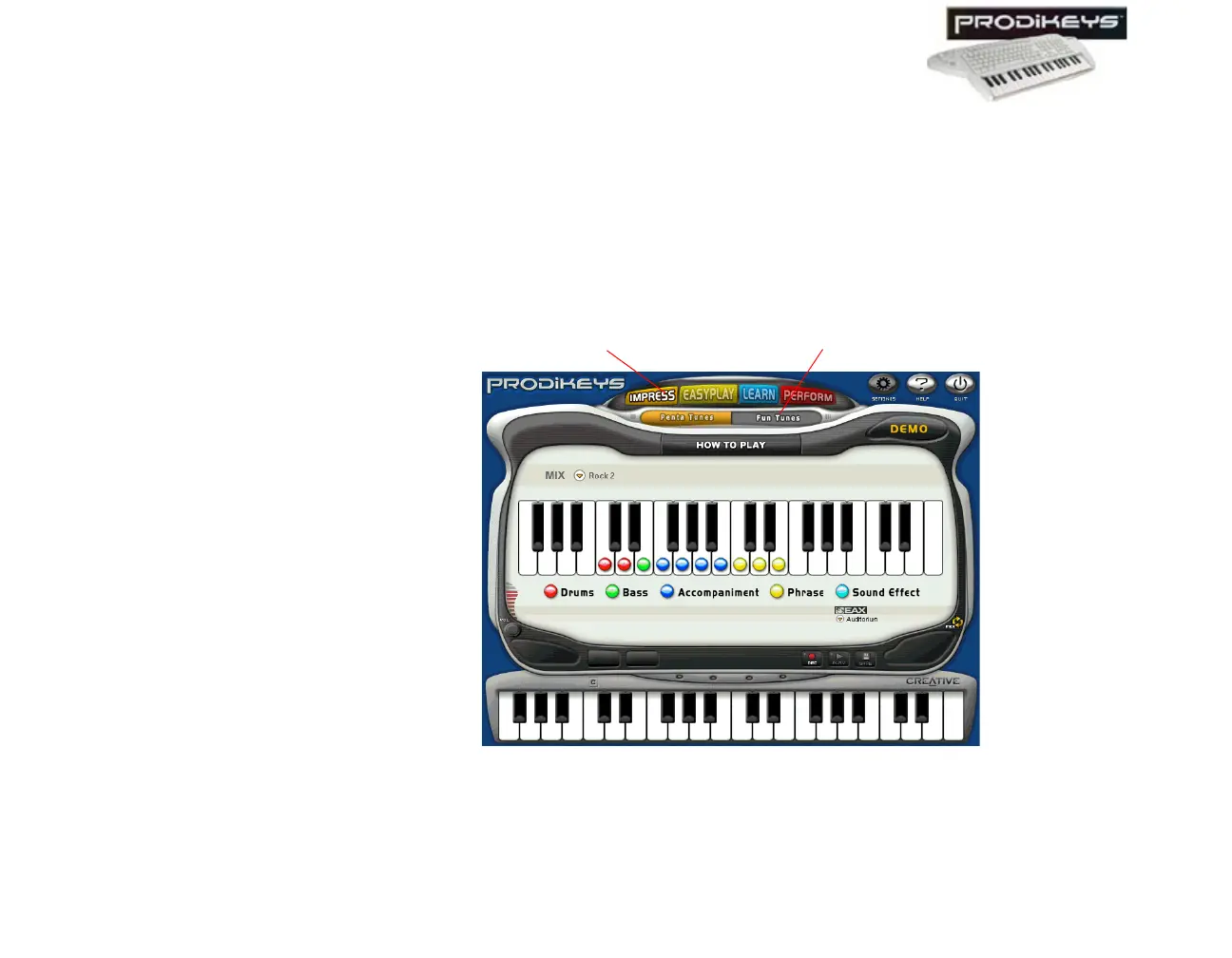
To select the Fun Tunes sub-mode: In the Creative Prodikeys software, click
the Impress button, and then click the Fun Tunes button.
The Creative Prodikeys software should look similar to the figure below.
Figure 3-8: Creative Prodikeys software in Fun Tunes sub-mode.
Fun Tunes button
Impress button



 To Next Page