Using Your Creative Prodikeys 3-30
Performing
with Function
Key Chords
In the (Perform) Function Key Chord sub-mode, you play the chords by pressing
the function keys (F1 to F12) on your computer keyboard. This sub-mode has
more control options to make it easier for you to perform with your Creative
Prodikeys. Follow the steps below to learn how to use this sub-mode.
Step 1: Selecting
the (Perform)
Function Key
Chord Sub-mode
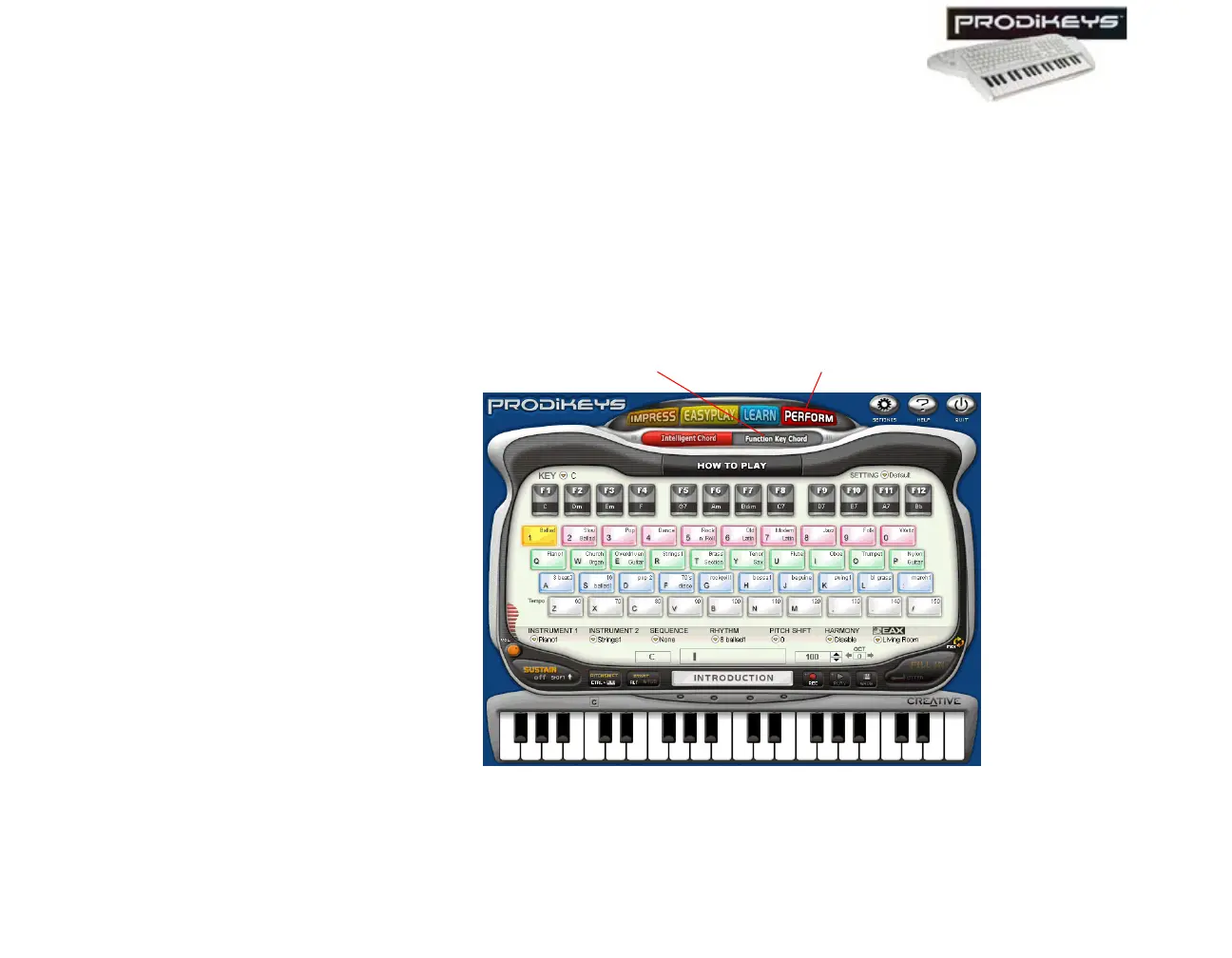
To select the (Perform) Function Key Chord sub-mode: In the Creative
Prodikeys software, click the Perform button, and then click the Function Key
Chord button.
The Creative Prodikeys software should look similar to the figure below.
Figure 3-46: Creative Prodikeys software in (Perform) Function Key Chord sub-mode.
Function Key Chord button
Perform button



 To Next Page