Using Your Creative Prodikeys 3-16
Step 2: Selecting
Music Styles
Different music styles provide different sets of fixed progression chords for you to
play along with.
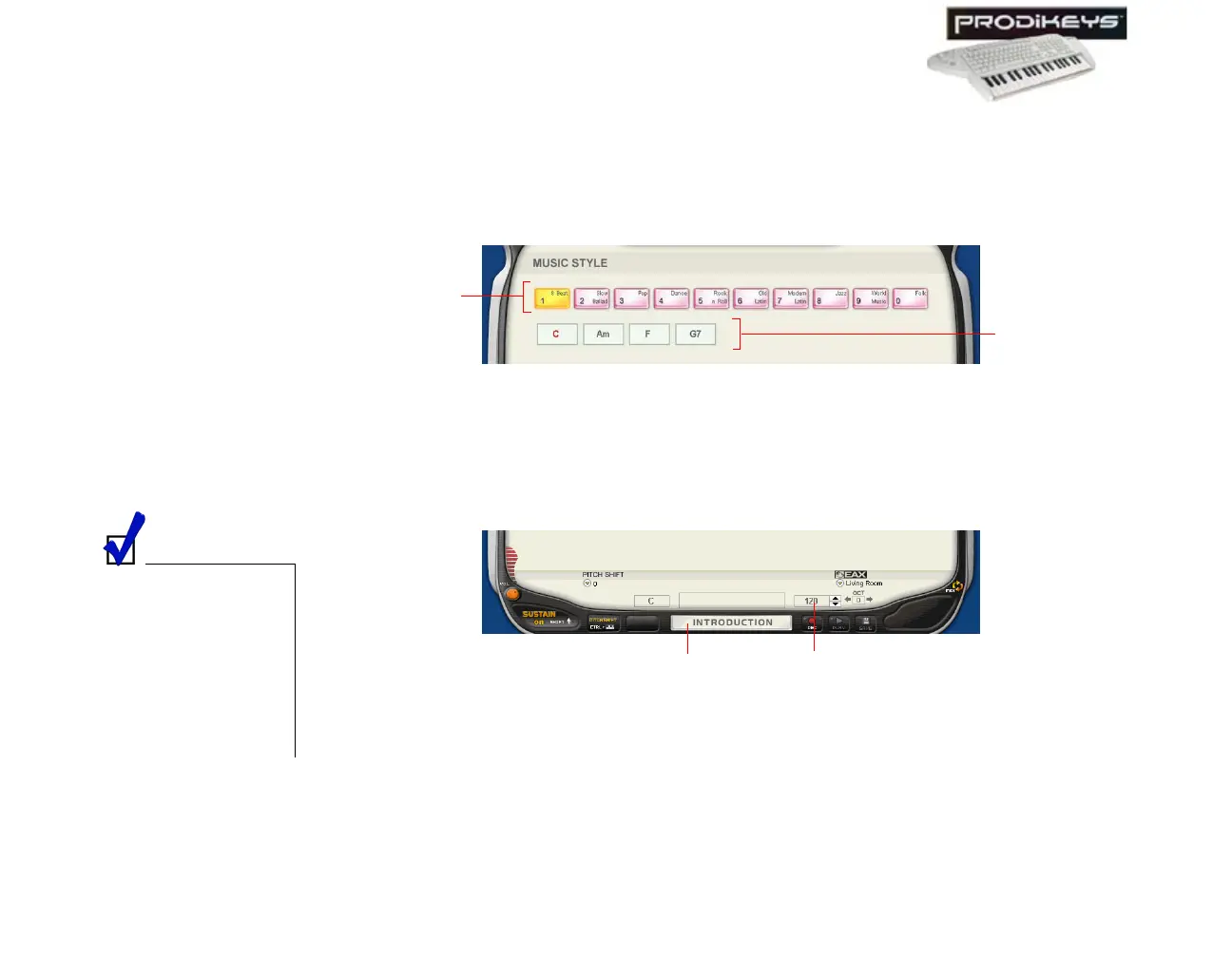
To select a music style: Click the Style keys in the Creative Prodikeys software,
or press the corresponding keys on your computer keyboard. The set of fixed
progression chords will be displayed.
Step 3: Starting
the Rhythm
You are now ready to play! To begin, just start the rhythm.
To start the rhythm: Click the Introduction/Ending button in the Creative
Prodikeys software, or press SPACEBAR on your computer keyboard.
Step 4: Playing the
Melody
Now that the rhythm has started, play your melody on the music keyboard.
Figure 3-24
Style keys
Display of fixed
progression
chords
You can also click the
Up or Down buttons
beside the Tempo box
in the Creative
Prodikeys software, or
press MINUS SIGN (-)
or PLUS SIGN (+) on
the computer
keyboard to adjust the
tempo.
Figure 3-25
Introduction/
Ending button
Temp o
box



 To Next Page