Using Your Creative Prodikeys 3-8
Playing Music
with Intelligent
Chords
In the (Easy Play) Intelligent Chord sub-mode, Creative Prodikeys automatically
generates chords for you while you play. Follow the steps below to learn how to
use this sub-mode.
Step 1: Selecting
the (Easy Play)
Intelligent Chord
Sub-mode
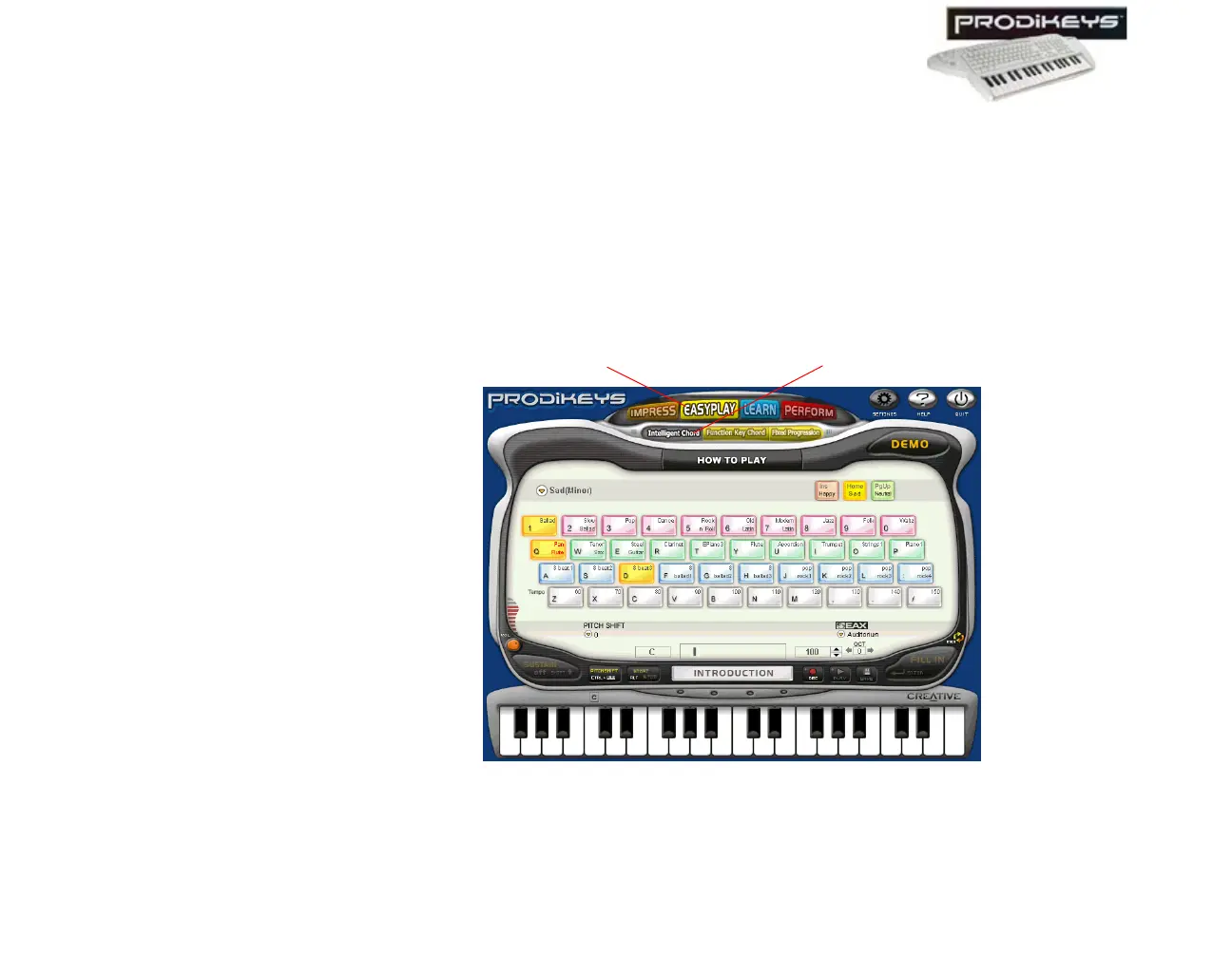
To select the (Easy Play) Intelligent Chord sub-mode: In the Creative
Prodikeys software, click the Easy Play button, and then click the Intelligent
Chord button.
The Creative Prodikeys software should look similar to the figure below.
Figure 3-11: Creative Prodikeys software in (Easy Play) Intelligent Chord sub-mode.
Intelligent Chord button
Easy Play button



 To Next Page