Software Crestron SIMPL™ Windows
Set Watch
Signals that are going to be tested have to be identified with the Set Watch
command. This command will identify specific signals that the user selects for Test
Manager to test and debug. Select the signals to be tested in either Program View or
Detail View.
Set Watch in Program View
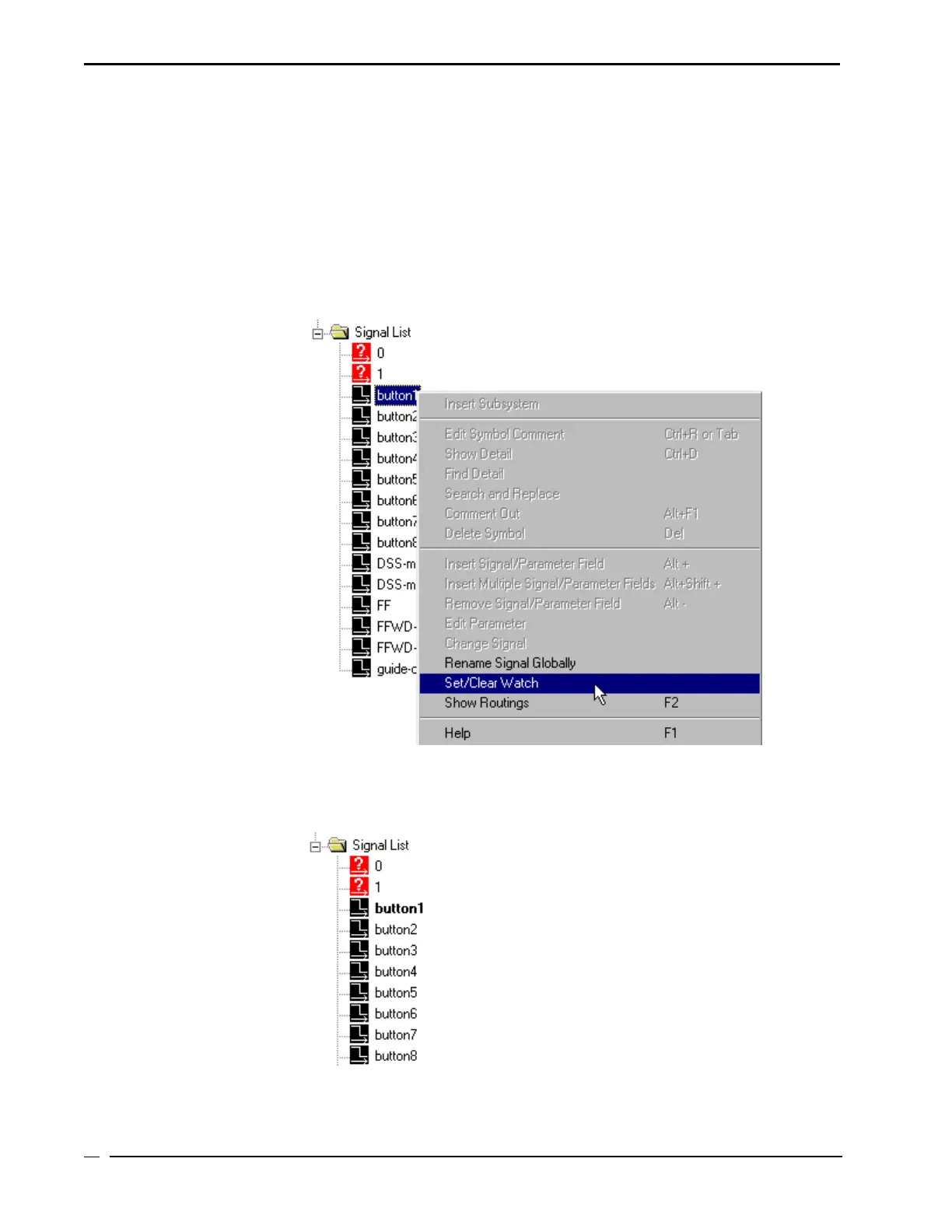
In Program View, select the signal by clicking on it. Use the right-mouse button to
display the command menu and select Set/clear Watch.
Set/Clear Watch
The selected signal names will be displayed in bold as a visual verification that the
Set Watch is assigned to the signal.
Set Watch is active in Program View
• Crestron SIMPL Windows Installation & Operations Guide – DOC. 5728C
96



 To Next Page