Software Crestron SIMPL™ Windows
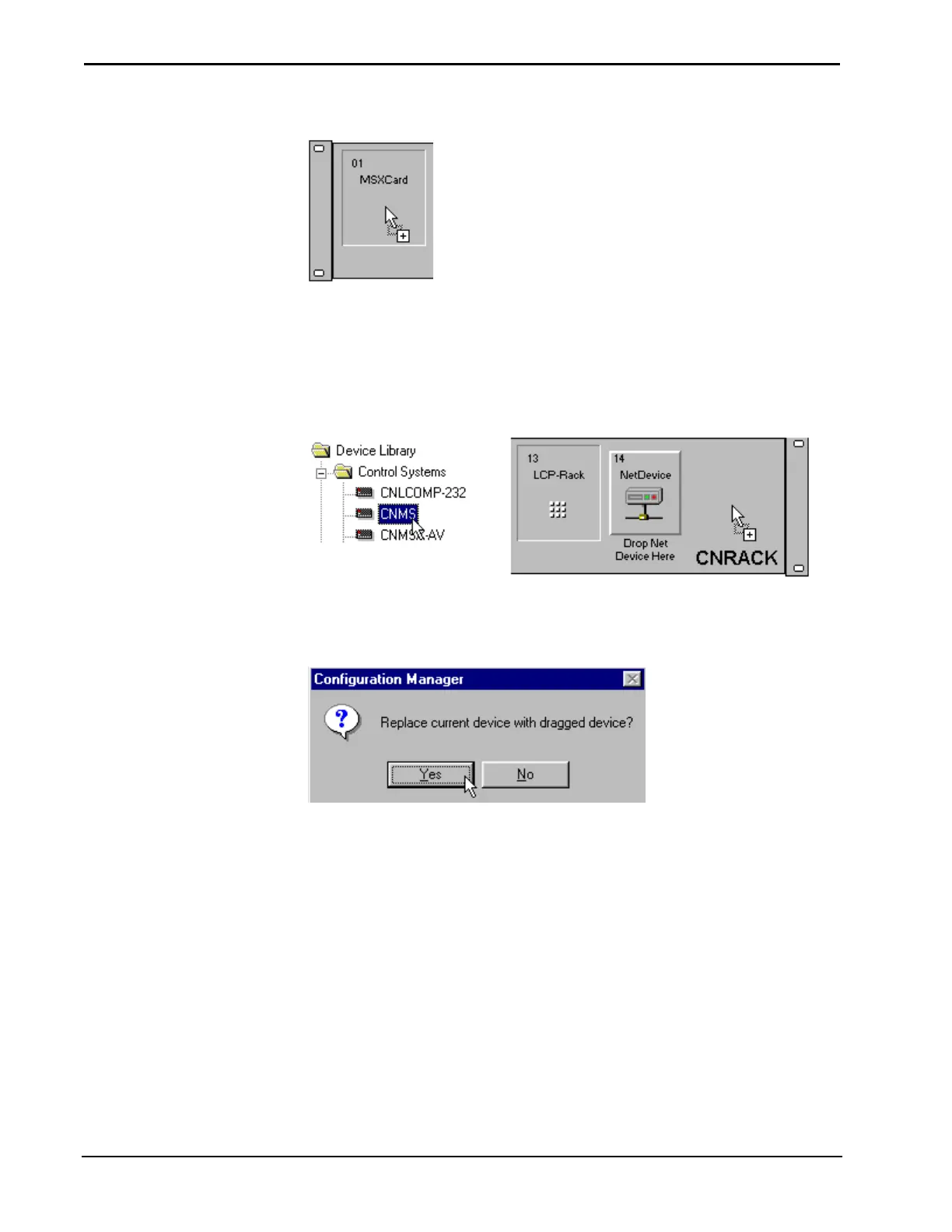
Cursor Displaying a Compatible Drop
Replacing Devices
Devices are replaced by selecting a new device, dragging it into Network System
View, and dropping it on the device to be replaced.
Replace CNRACK with CNMS
SIMPL Windows will ask users to verify that a device is to be deleted. Click the
appropriate button.
Replace Device Confirmation
Configure System Control Devices
System control devices include plug-in control cards, network devices (NetDevices)
and drivers. These are system devices that control the A/V components and other
equipment.
Plug-in Control Cards
Plug-in control cards are added to a control system in the Configuration Manager.
Select the plug-in card from the Device Library and drop it into an open card slot in
the control system.
28 • Crestron SIMPL Windows Installation & Operations Guide – DOC. 5728C



 To Next Page