Crestron SIMPL™ Windows Software
Adding Pages
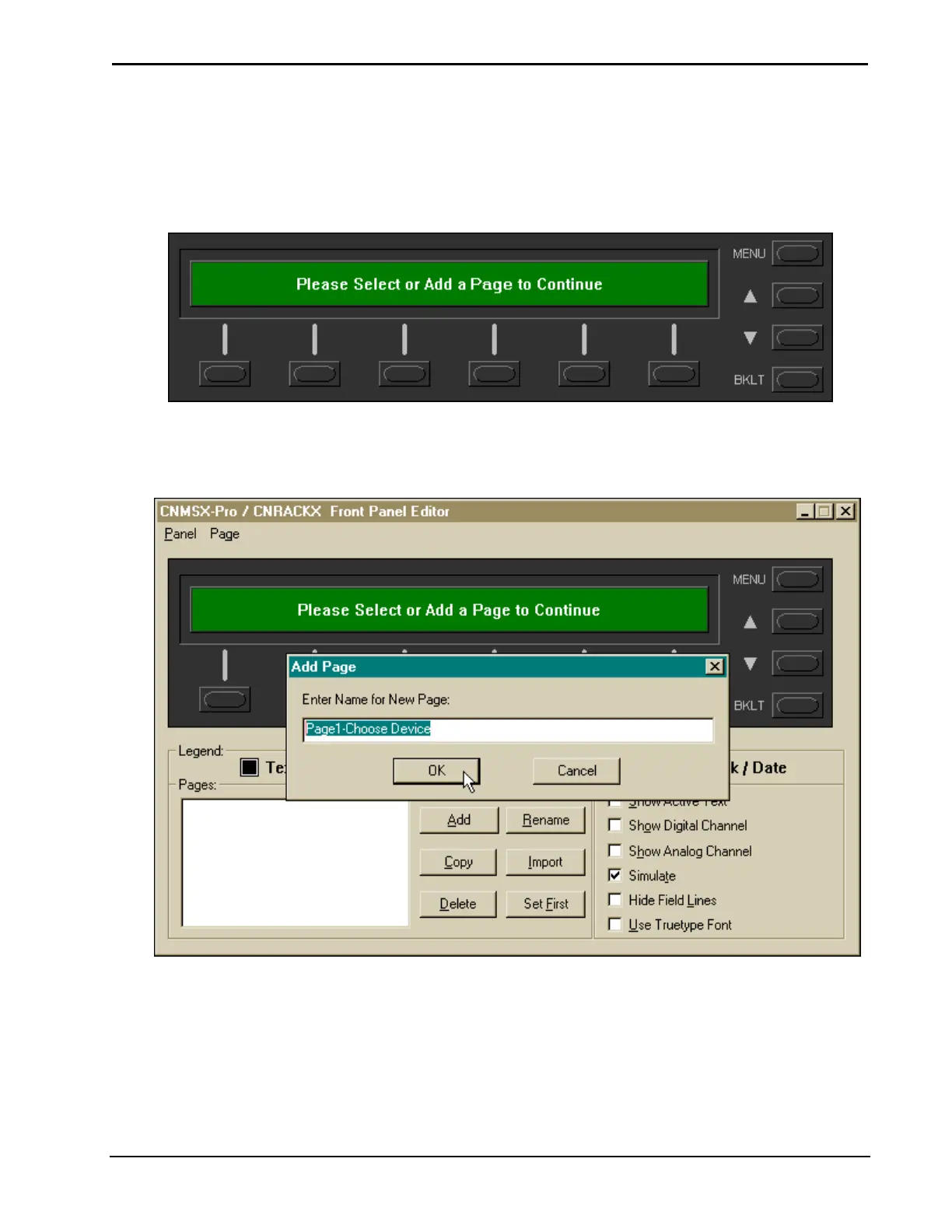
To start programming a CNX Front Panel, follow the directions the editor displays
when it is first opened by selecting a page from the page list or, if this is a new
program, add a new page.
Front Panel Display
Select the Add button and enter a name for the new page. It is a good idea to use
descriptive page names or include numbers for easy identification. After entering a
page name, click OK.
Adding a Page
Adding Objects to Pages
An alternative way to open the “Edit
Panel Object” window is to double
click inside the display area.
After naming the first menu, select Page | Add/Edit Object to display the “Edit
Panel Object” window. Select the object type. This will be a heading, so select Text
Object as the object type and enter inactive text where prompted. When complete,
click OK.
Installation & Operations Guide – DOC. 5728C Crestron SIMPL Windows • 151



 To Next Page