Crestron SIMPL™ Windows Software
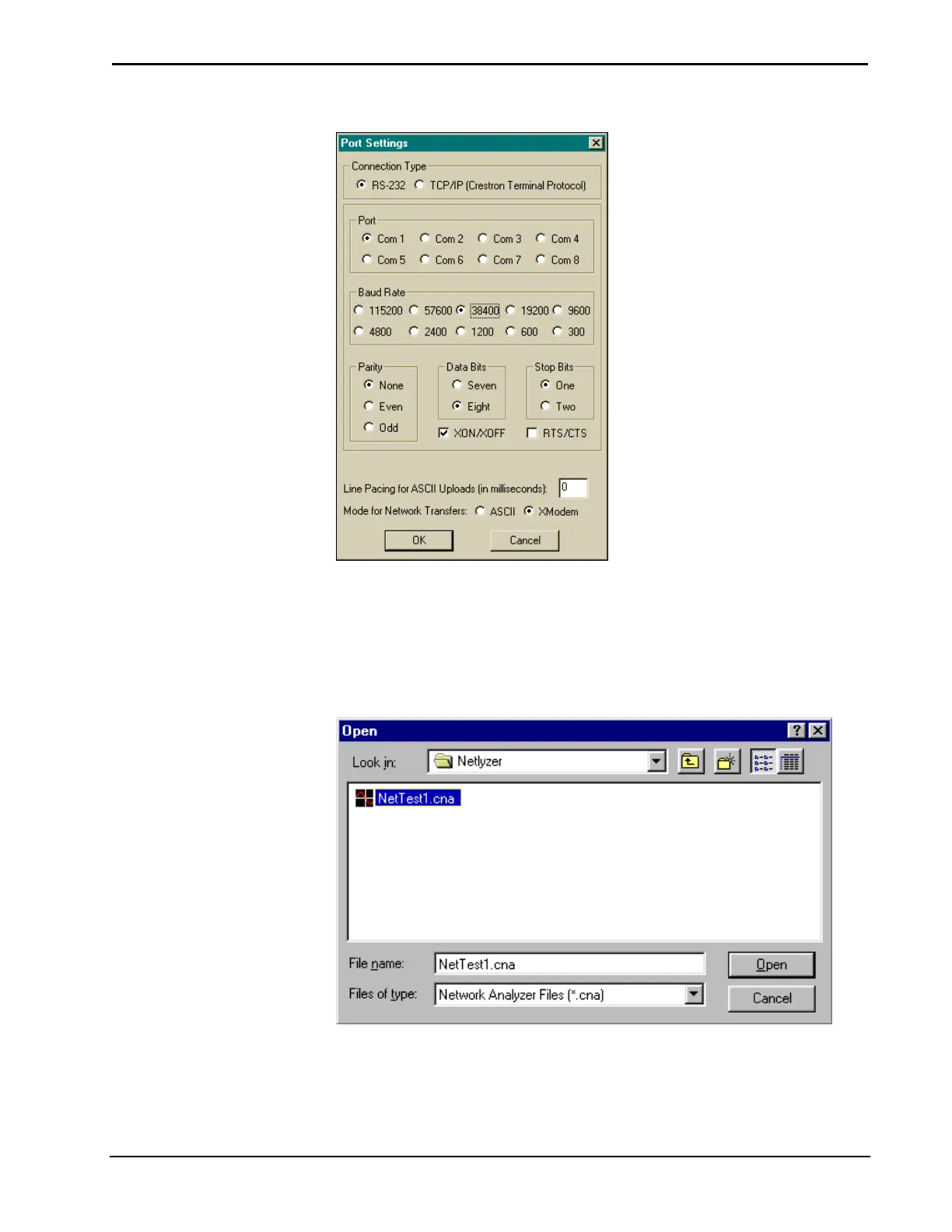
Select Desired Port Settings
Opening Existing Files
Network Analyzer files are stored with a CNA extension. To open existing files
select File | Open (alternatively Ctrl+O). Network Analyzer will display the "Open"
file window. Select the desired file and click Open.
Open an Existing CNA File
Installation & Operations Guide – DOC. 5728C Crestron SIMPL Windows • 131



 To Next Page