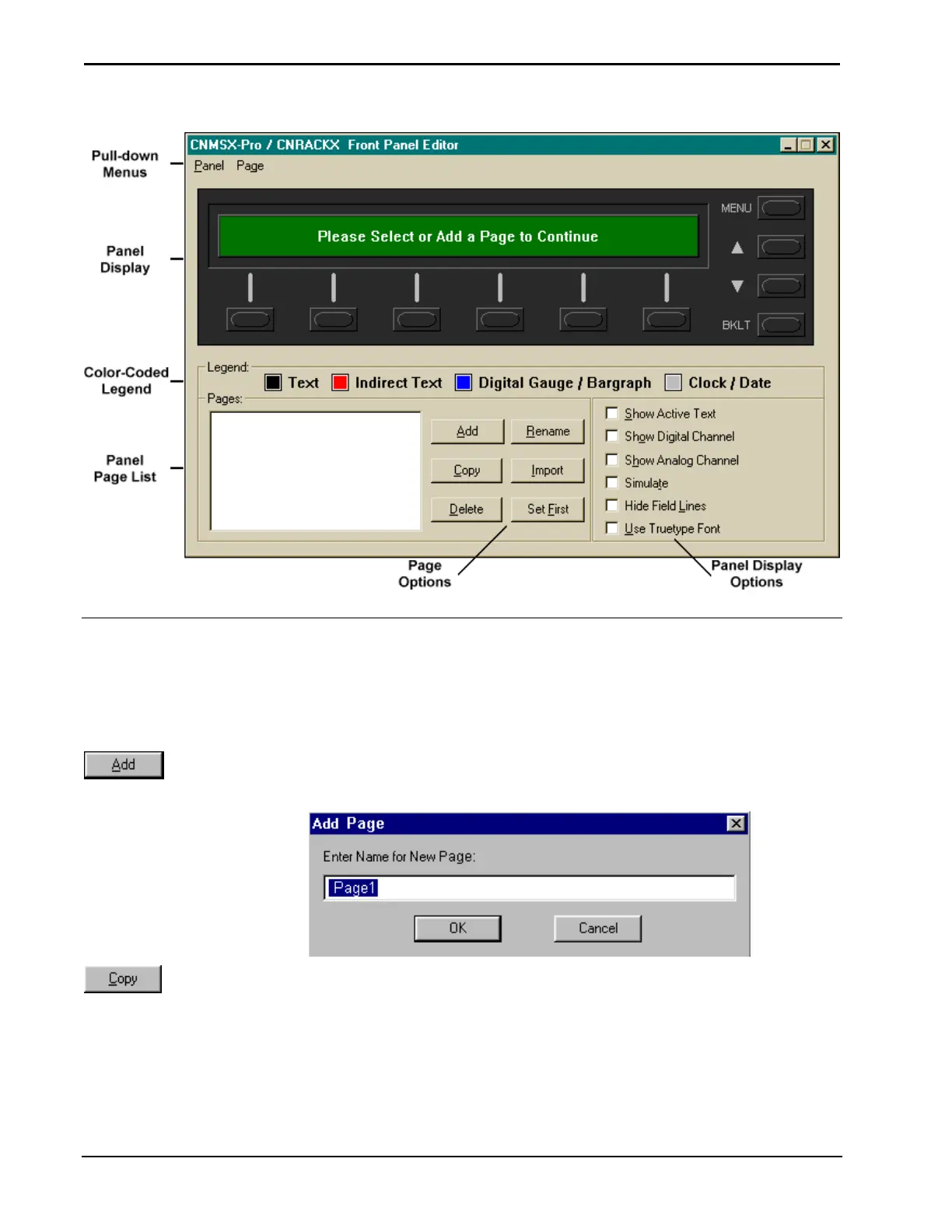
Software Crestron SIMPL™ Windows
Front Panel Editor
Front Panel Editor Buttons
In Front Panel Editor there is no button bar however; there are six time saving
buttons in the Pages section.
Page Buttons
The Add button will display the "Add Page" dialog box. Enter a new page name.
"Add Page" Dialog Box
The Copy
utton will display the "Copy Page" dialog box. Enter new page name and
the selected page will be copied and given the new name.
148 • Crestron SIMPL Windows Installation & Operations Guide – DOC. 5728C



 To Next Page