Crestron SIMPL™ Windows Software
Compile Programs
Compiler Settings
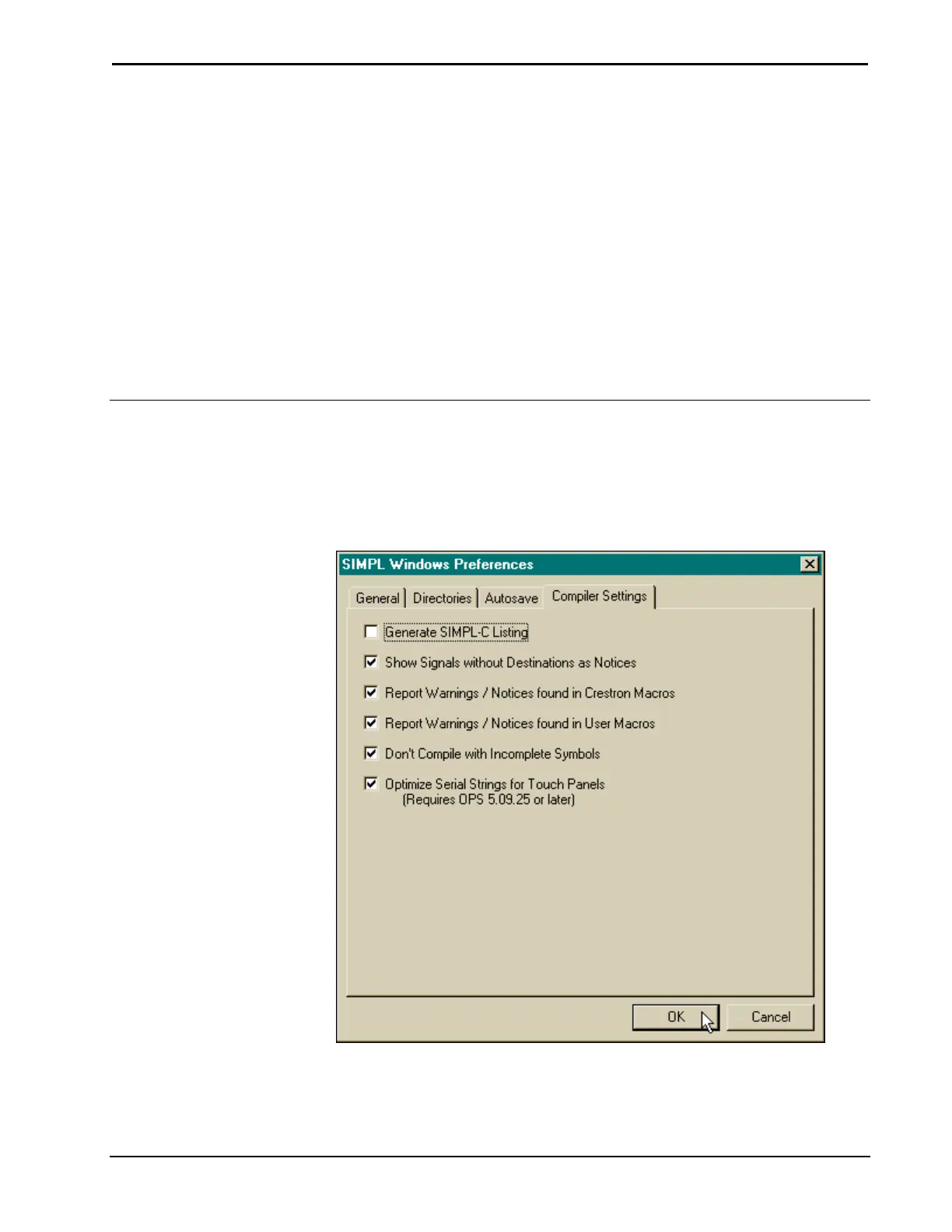
Prior to compiling it may be necessary to adjust the default compiler settings. In
either Configuration Manager or Programming Manager select Edit | Preferences to
open the "SIMPL Windows Preferences" dialog box. Click the Compiler Settings
tab, as shown after this paragraph, to reveal the default settings.
"SIMPL Windows Preferences" Dialog Box – Compiler Settings Tab
Generate SIMPL-C Listing
Crestron recommends that this item remains unchecked. Checking this item results in
Installation & Operations Guide – DOC. 5728C Crestron SIMPL Windows • 87



 To Next Page