Software Crestron SIMPL™ Windows
Hardware handshaking (RTS/CTS) enabled.
Software handshaking (XON/XOFF) not enabled.
For a TCP/IP connection, enter the IP address of the control system in the Fixed text
field to connect to the control system automatically when Viewport is launched.
Alternatively, choose Prompt on Connect to specify the IP address each time a new
connection is established.
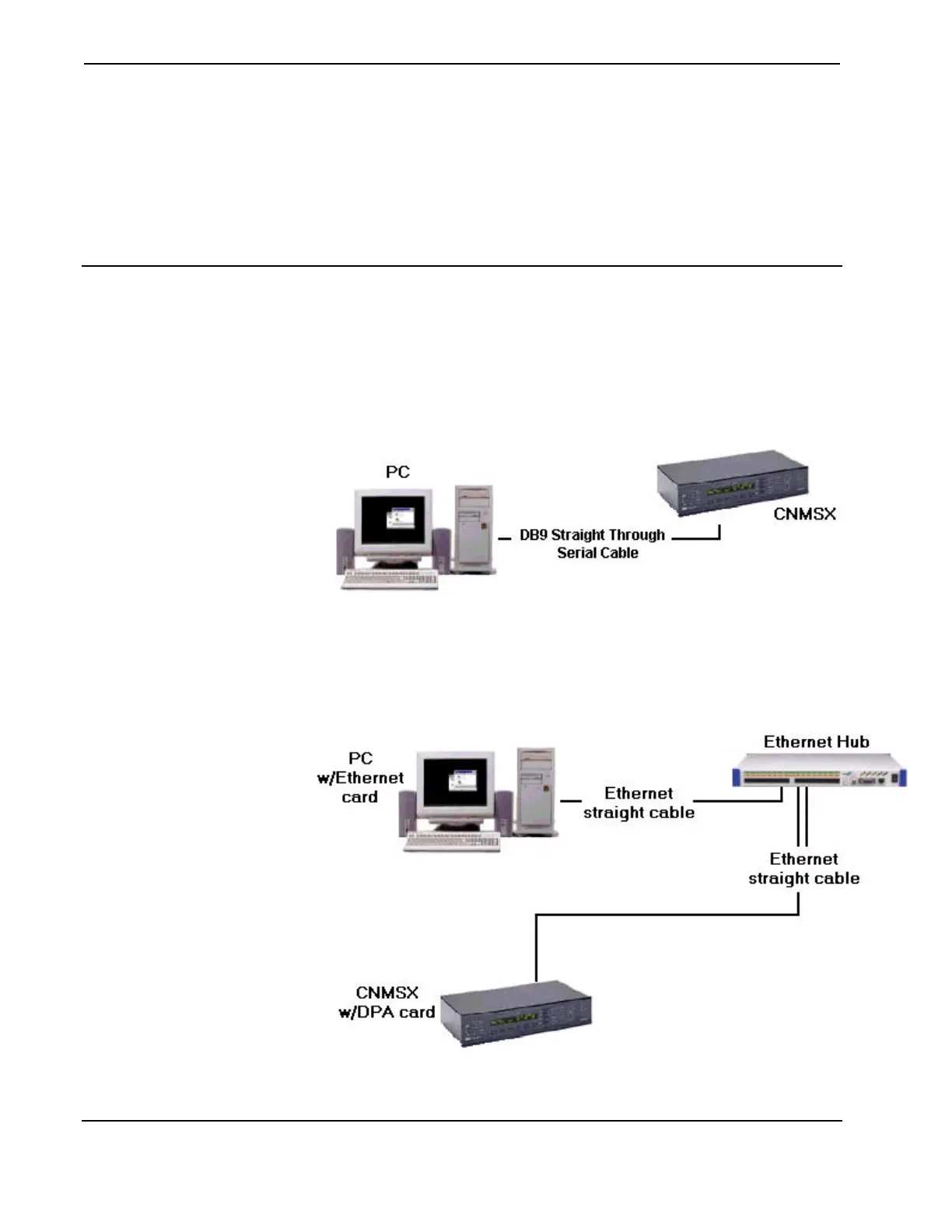
Hardware Configuration
For RS-232, use a DB9 straight-through serial cable to connect the COMPUTER
port on the control system to one of the COM ports on the PC.
RS-232 Connection
For a TCP/IP connection, use Ethernet straight cables to connect the PC and control
system to the LAN.
TCP/IP Connection
102 • Crestron SIMPL Windows Installation & Operations Guide – DOC. 5728C



 To Next Page