Software Crestron SIMPL™ Windows
Locating a Symbol
Although symbols are broken down into descriptive subfolders in the Symbol
Library, it may still be difficult to locate a certain symbol. To alleviate such a
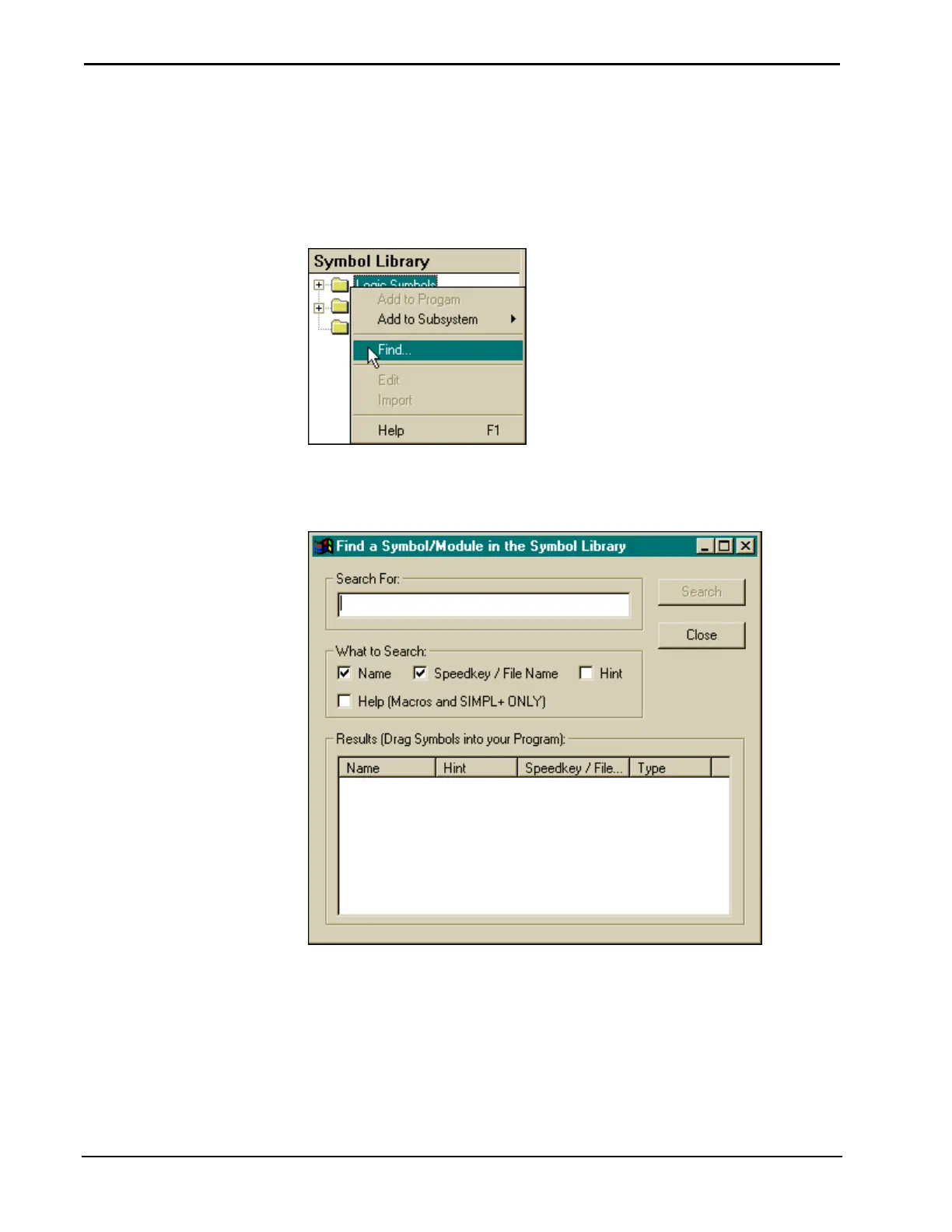
problem, simply right mouse click within Symbol Library to reveal additional
commands, as shown after this paragraph.
Available Commands from a Right Mouse Click on Symbol Library
Select Find to display the "Find a Symbol/Module in the Symbol Library" dialog
box.
Available Commands from a Right Mouse Click on Symbol Library
Enter a phrase in the Search For field and check those boxes (Name, Speedkey/File
Name, Hint, and Help) for the categories to be searched. Click the Search button.
The outcome is listed in the Results box at the bottom of the dialog box.
58 • Crestron SIMPL Windows Installation & Operations Guide –DOC. 5728C



 To Next Page