20
Operation
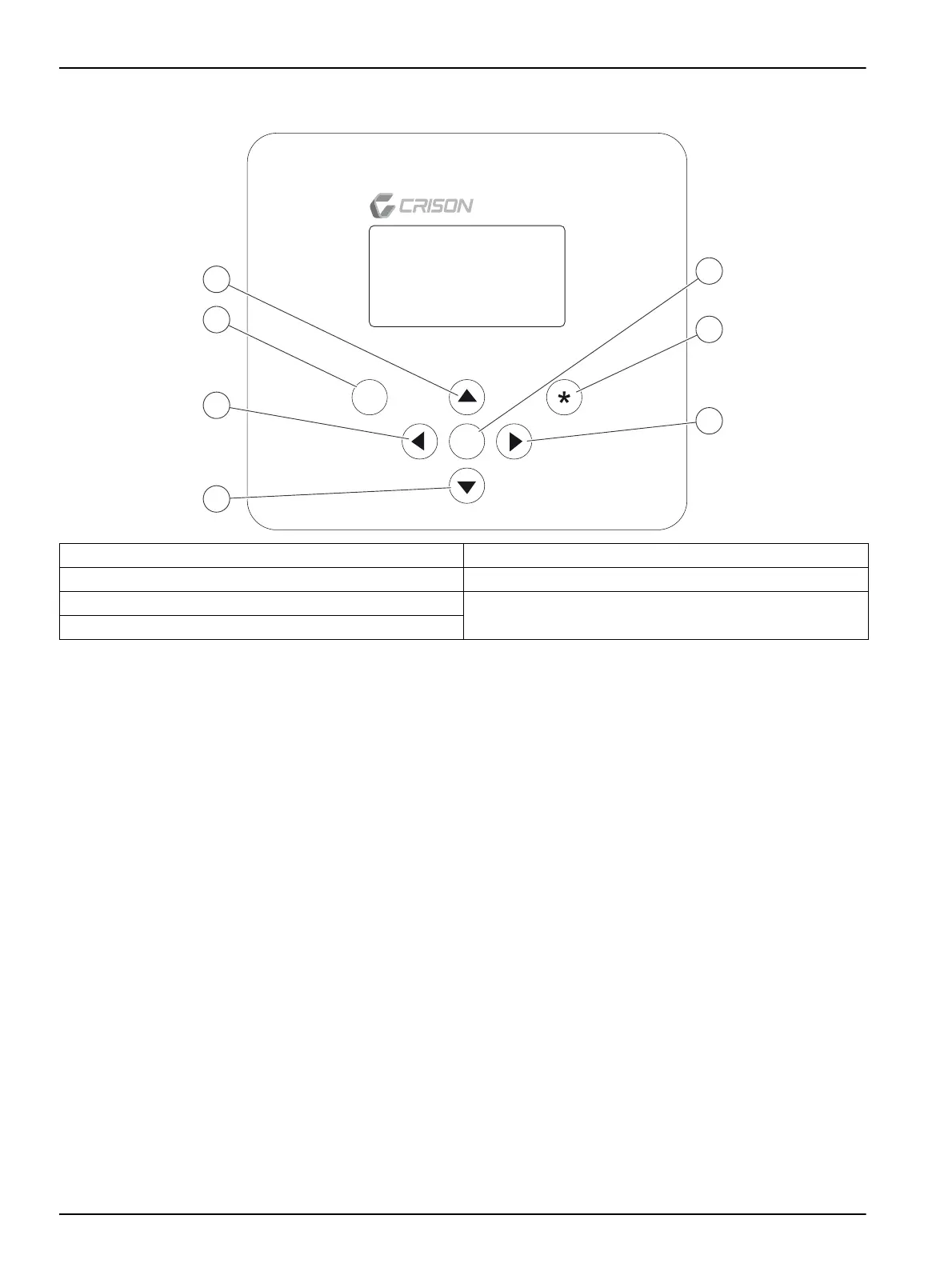
Figure 8 Keypad
4.3 General diagram
The instrument functioning by blocks is presented. The target is to orient rapidly the user
about the possibilities of the instrument and the way to accede to them.
1. When power-up the instrument goes to measuring.
2. Access code = 100. The protection code limits the access to calibration or
programming or quit the measuring modes by non-authorised personnel.
Note: If the persist time at this display is more than 15 s, the instruments goes automatically to
measure.
3. Calibration access. See information per the specific channels.
4. Data Logger, see section 4.15, page 53.
5. System. Instrument configuration, see 4.4 Instrument configuration, page 21
Note: The instrument has security system ensuring the continuous measurement. If stay in one of
the above displays for more than 15 s without touching any key, the instrument automatically goes to
measure.
1 UP key 5 OK key
2 ESC key 6 LARGE DISPLAY key
3 LEFT key 7 RIGHT key
4 DOWN key
ESC
OK
MultiMeter 44
2
3
4
1
5
6
7


 To Next Page