49
Operation
7. Enter the sensor alarm values using the keypad.
• Less than: enter signal variation that will activate the sensor alarm.
• Time: enter the time that will activate the sensor alarm according to the previous
value.
• More than: enter the signal variation that will activate the sensor alarm
• Time. enter the time that will activate the sensor alarm according to the previous
value.
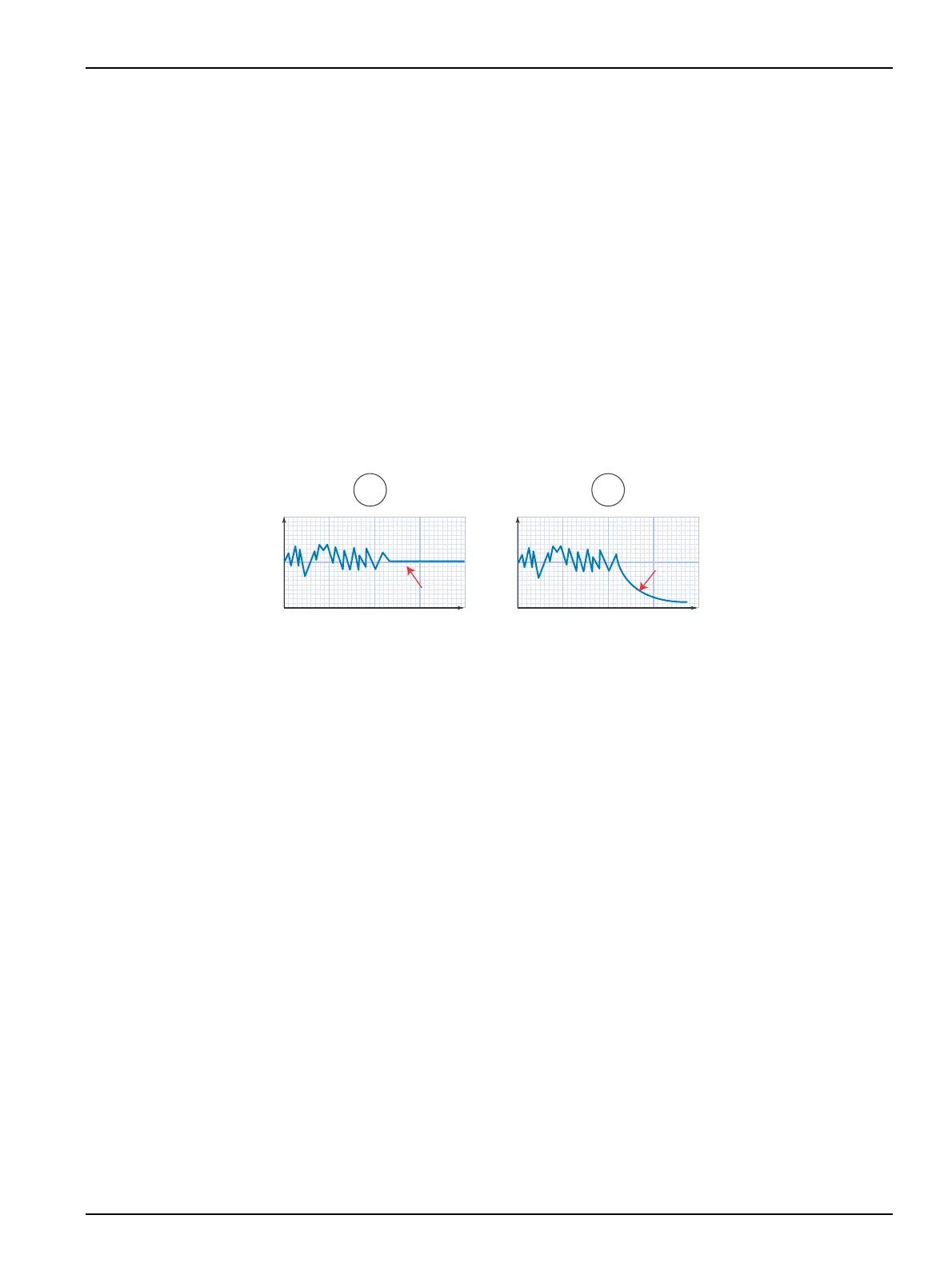
Examples: Less than = pH 0.1, Time = 30 min, More than = pH 4 Time = 1 min; The
sensor alarm will activate if the measure does not change more than 0.1 pH in 30
minutes or changes more than pH 4 in 1 minute.
Note: Programming 0 as lower and higher reading variation deactivates this condition.
Once the problem causing the alarm situation is solved, pressing the key LEFT for more
than 2 seconds allows restarting the regulation.
Figure 25 Sensor alarm
4.13 Limit relays
MultiMeter 44 has 2 limit relays per every channel. The programming of these relays is
carried out in the corresponding channel. The actuation of the limit relays can be delayed
with fixed time after the start up of the instrument or after the actuation of external Hold,
see “Regulation delay” at 4.4.2 Configuration modification, page 22.
During the time of delay, the symbol “L-H” appears on the measuring display.
During an external Hold, the symbol “L-OFF” appears on the measuring display.
4.13.1 Programming of on/off control
The relays corresponding to the limits work in the same mode. They can be configured as
maximum and minimum. The contact of the relays is normally open and when the reading
reaches the ON value, the relay closes. The contact will open again when the reading
coincides with the selected OFF value. The hysteresis is programmable. See example at
Figure 26.
Relay lag. The activation and deactivation of the relays is produced with fixed lag of 2
seconds after reaching the selected limit value.
1. From the main menu select SYSTEM > PROGRAM CHANNEL. Confirm.
2. Select the channel to program and confirm.
3. Select CONTROL WITH RELAYS and confirm.
4. Select ON/OFF, 1 LIMIT or ON/OFF, 2 LIMIT and confirm.
5. Enter the relay activation (ON and OFF) values using the keypad.
6. Select CONTINUE to accept the data.


 To Next Page