EasyManua.ls Logo

Crison 44 - User Manual

Crison 44
165 pages
Print Icon
To Next Page IconTo Next Page
Loading...
CRI10032.99
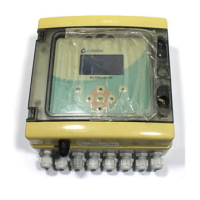
MultiMeter 44
3 channel process multi-meter
User manual
Manual del usuario
12, 2017 Edition 2

Table of Contents

Questions and Answers

  • J
    Jeffrey JohnsonAug 17, 2025
    Why is the reading unstable during Crison Multimeter calibration?
    • J
      Jeffrey KingAug 17, 2025
      To address unstable readings during calibration of your Crison Multimeter, ensure the probe is fully immersed in the sample. Inspect the probe, cleaning both it and the membrane, and verify there are no air bubbles present in the membrane. Then, repeat the calibration process.
  • J
    Julie MooreAug 20, 2025
    What to do if Crison 44 Multimeter measurement is out of range?
    • S
      Shannon HaydenAug 20, 2025
      If your Crison Multimeter displays a measurement out of range, examine the probe, clean it thoroughly, and inspect the cable for any damage. Replace the probe or cable if necessary.
  • M
    Malik MorrisAug 22, 2025
    How to fix 'worn out' electrode or contaminated buffer solutions on Crison 44?
    • K
      kyle74Aug 22, 2025
      If your Crison Multimeter's electrode is worn out or the buffer solutions are contaminated, examine the probe, clean or regenerate it, and replace if necessary. Also, examine the buffer solution, ensuring it matches the buffer specified in the configuration and that the temperature specification in configuration is correct. Replace the buffer solution if needed.
  • K
    kevinlopezAug 25, 2025
    What to do if Crison 44 does not recognize buffer/standard solution?
    • B
      Bradley NguyenAug 26, 2025
      If your Crison Multimeter displays a 'Buffer / Standard solution not recognized' message, examine the buffer solution. Ensure that the buffer used matches the buffer specified in the configuration. Replace the buffer solution. Also, ensure that the temperature specification in configuration is correct.
  • M
    michael30Aug 28, 2025
    What to do if Cl measurement out of range on Crison Multimeter?
    • B
      bryan23Aug 28, 2025
      If the Cl measurement is out of range on your Crison Multimeter, verify the Cl sensor and clean it. Also, check the cable and replace it if necessary.
  • S
    Sydney ClarkAug 31, 2025
    What to do if alarm relay is activated on Crison 44 Multimeter?
    • J
      Johnathan EllisAug 31, 2025
      If the alarm relay is activated on your Crison Multimeter, verify the programmed limit value and the process evolution. After solving the problem, push the LEFT key for more than 3 seconds to restart the regulation.
  • M
    Melissa RivasSep 2, 2025
    Why is the alarm relay activated with sensor problems on Crison Multimeter?
    • R
      Rebecca ClaySep 2, 2025
      If the alarm relay is activated with sensor problems on your Crison Multimeter, check the sensor and replace it if necessary. Verify any possible flow drop and the process evolution. Once the problem is solved, push the LEFT key for more than 3 seconds to restart the regulation.
  • R
    Rachel ClarkSep 5, 2025
    How to troubleshoot DO channel probe sensor on Crison 44?
    • J
      Justin SaundersSep 5, 2025
      If you encounter a DO channel probe sensor issue with your Crison Multimeter, verify the DO sensor and replace it if necessary. Also, verify the cable and replace it if needed.
  • C
    Cody MontgomerySep 8, 2025
    Why standard used in 2/3 point calibration is identical to precedent on Crison Multimeter?
    • D
      Debra GuzmanSep 8, 2025
      To resolve the issue of the standard used in a 2 or 3 point calibration being identical to the precedent one on your Crison Multimeter, examine the buffer solution. Ensure that the buffer used matches the buffer specified in configuration, replace the buffer solution if needed and make sure of the temperature specification in configuration.
  • K
    Kevin JonesSep 12, 2025
    What to do if Crison Multimeter measured value is out of programmed limits?
    • M
      Michael RodriguezSep 12, 2025
      If the measured value is out of the programmed limits on your Crison Multimeter, verify the programmed limit value and the process evolution.

Summary

Section 1 Specifications

pH;mV measuring channel

Details specifications for the pH/mV measurement channel, including range, resolution, and error margins.

Channel for E. C. measurement (electrical conductivity)

Specifications for the electrical conductivity measurement channel, covering range, error, and compensation.

DO measuring channel (membrane electrode)

Specifications for the dissolved oxygen measurement using a membrane electrode, including range and error.

DO measuring channel (optical electrode)

Specifications for the dissolved oxygen measurement using an optical electrode, including range and error.

Free residual chlorine measuring channel (galvanic)

Specifications for the galvanic measurement of free residual chlorine, including range and error.

Free residual chlorine measuring channel (membrane)

Specifications for the membrane measurement of free residual chlorine, including range and error.

Section 2 General information

Safety information

Crucial safety guidelines and hazard warnings for installing and operating the instrument.

Section 3 Installation

Operating environment

Guidance on suitable environmental conditions and clearance requirements for instrument installation.

Wall mounting

Step-by-step instructions for mounting the instrument securely on a wall.

Panel mounting

Instructions for installing the instrument into a control panel using provided adaptors.

Connections

Details on making electrical and sensor connections to the instrument.

Safety information

Safety precautions specifically for making wiring connections to the instrument.

Electrical installation

Guidelines for safe high-voltage wiring and protective casing requirements.

Section 4 Operation

Startup

Procedure for initial power-up, language selection, and basic operation.

Calibration

Procedures for calibrating the pH/mV channel using buffers or standards.

Section 5 Advanced operations

Section 6 Maintenance

Section 7 Troubleshooting

Error messages

A guide to error messages displayed during measurements and calibration, with causes and resolutions.

Crison 44 Specifications

General IconGeneral
BrandCrison
Model44
CategoryMultimeter
LanguageEnglish