53
Operation
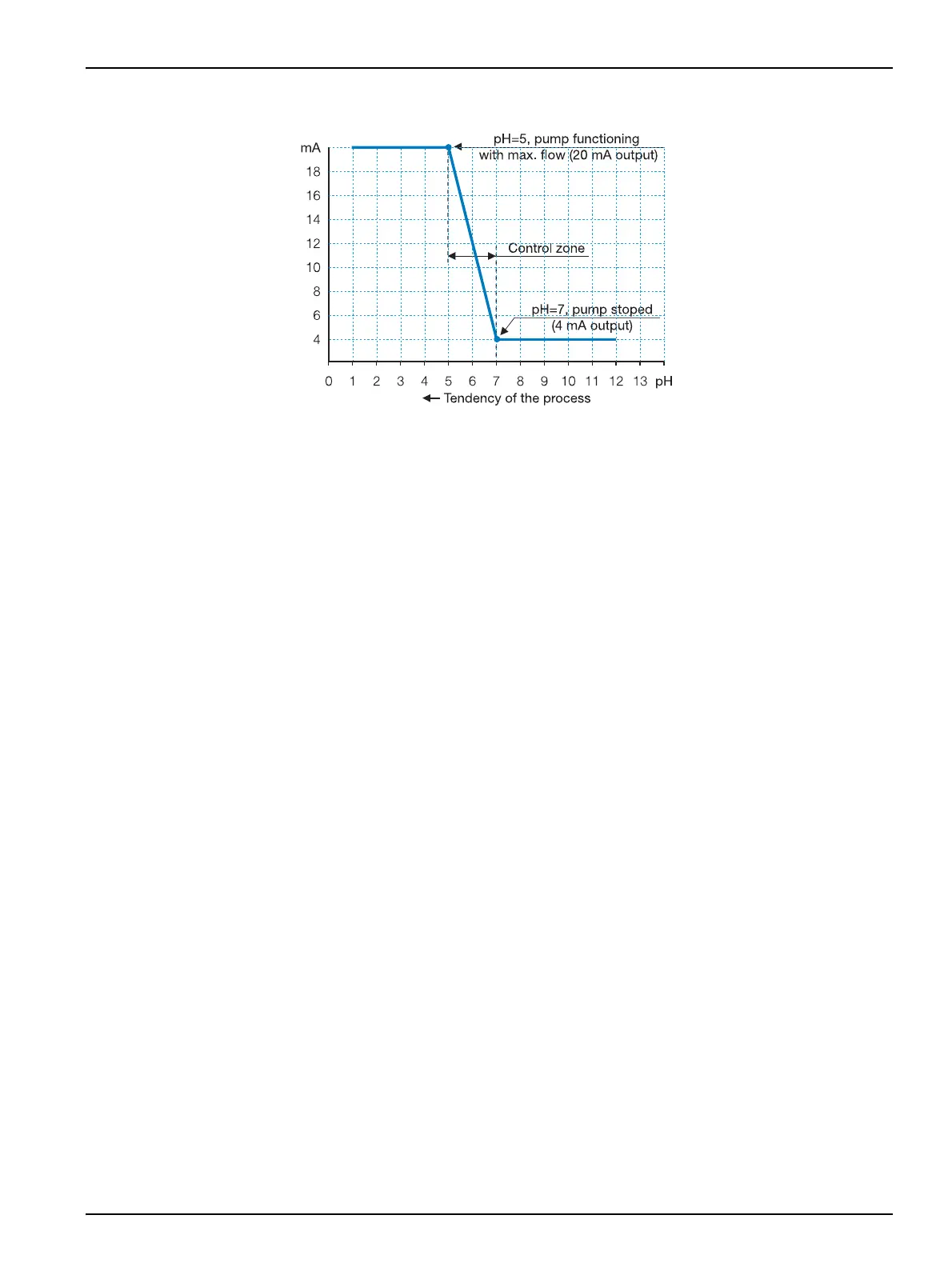
Figure 29 Example for programming 4-20 mA output, register, for pH measuring channel.
4 mA = pH 7. Pump does not work.
20 mA = pH 5. Pump dispensing at maximum.
Important notes:
• During cleaning and the time of post-cleaning the 4-20 mA output (control) does not
change.
• During programming and calibration of the corresponding channel, the 4-20 mA
output (control) automatically fixes at 3 mA.
• If a control with 2 limits is selected through the 4-20 mA output, one output can be
selected for register and the other one for control.
4.15 Data Logger
4.15.1 Data Logger programming
The Data Logger programming is carried out in instrument Configuration, see 4.4
Instrument configuration, page 21.
1. From the main menu select SYSTEM >DATA LOGGER. Confirm.
2. Select one of the options:
• BY INTERVAL: The instrument stores data according to the programmed interval.
Maximum frequency every 10 seconds.
• BY EVENT: The instrument stores data per every channel when the data fulfil the
programmed event. Under this condition it stores with programmed frequency.
• BY ALARM: The instrument stores data every time when there is a alarm situation.
3. Press CONTINUE to accept values.
4.15.2 View measurements / calibrations
MultiMeter 44 can store up to 400 measurements per channel and the last calibration data
from every channel.
Once the memory is full, the stored data will replace the oldest data.


 To Next Page