15
Installation
3.3 Panel mounting
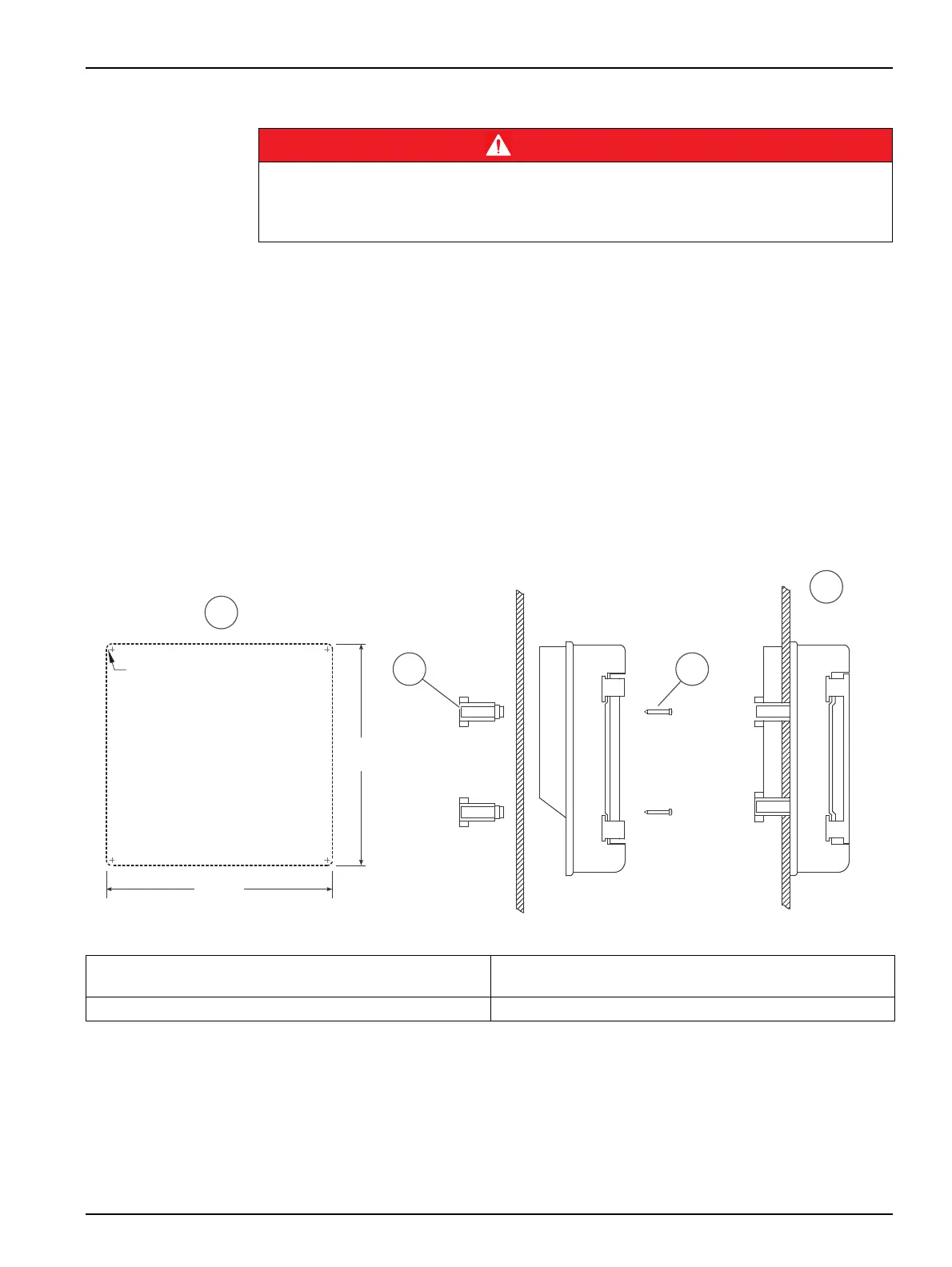
Four adaptors for panel mounting are supplied with the instrument MULTIMETER 44. Panel
instruments are installed without the rear cover.
1. Completely open the transparent door and pull to remove it, see Figure 4.
Note: Make sure that you do not misplace the black hinges of the transparent door.
2. Unscrew the four screws for the extraction of the frontal part of the instrument, see
Figure 4.
3. A hole as indicated in figure 10 is required in the panel.
4. Use the four adaptors to screw the instrument in the panel.
5. Mount the transparent door.
Figure 5 Panel mounting
3.4 Connections
3.4.1 Safety information
When making any wiring connections to the instrument, any warnings and notes found
throughout the manual must be adhered to. For more safety information refer to
section 2.1, page 7.
DANGER
The voltage across accessible parts of the instrument may be dangerous to life.
The IP 65 protection only applies to the front part of the instrument (with door closed and MP-5
connector covered). In panel mounting installation the overall IP protection of the instrument will
depend on the panel and instrument installation.
1 Measurements to punch the panel where the instrument
will be installed
3 4 screws of the frontal cover, see Figure 4
2 Adapters for panel mounting 4 Instrument mounted
202 mm
R5 mm
[7.95 in]
206 mm
[8.11 in]
2 3
1
4


 To Next Page