80
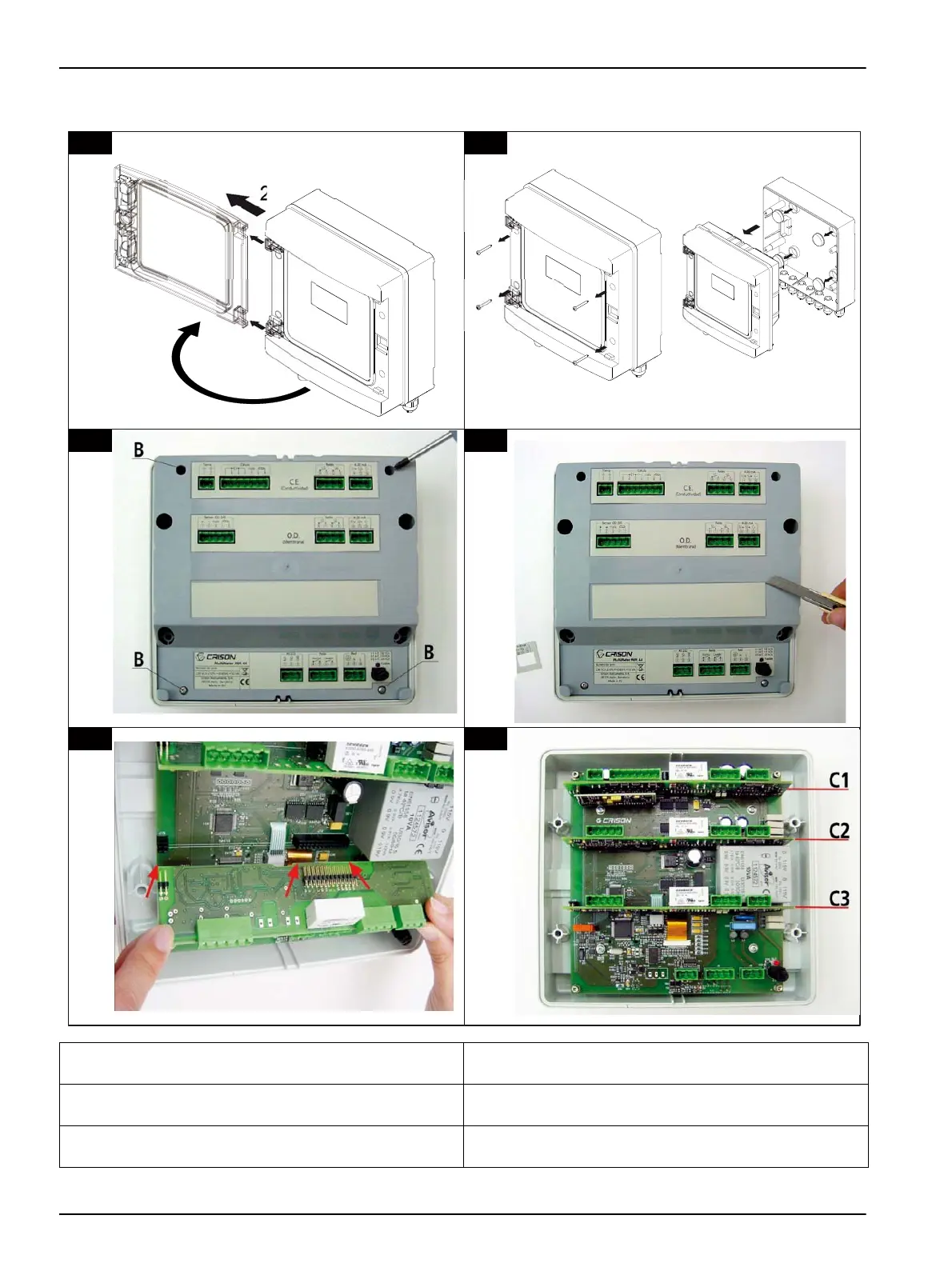
Figure 34 Measuring board installation
1 Open the transparent door and remove it from
instrument.
4 Remove the sticker of the back cover and put the sticker
of the new channel
2 Unscrew the 4 screws to remove the frontal part of the
instrument.
5 Insert the connectors of the new board to the basic plate
and press
3 Unscrew the 4 screws “B” to remove the rear cover of
the instrument.
6 Internal view of instrument after installing the third
channel


 To Next Page