Maintenance Vortex Manual
56 Issue 7 December 2009
MAINTENANCE
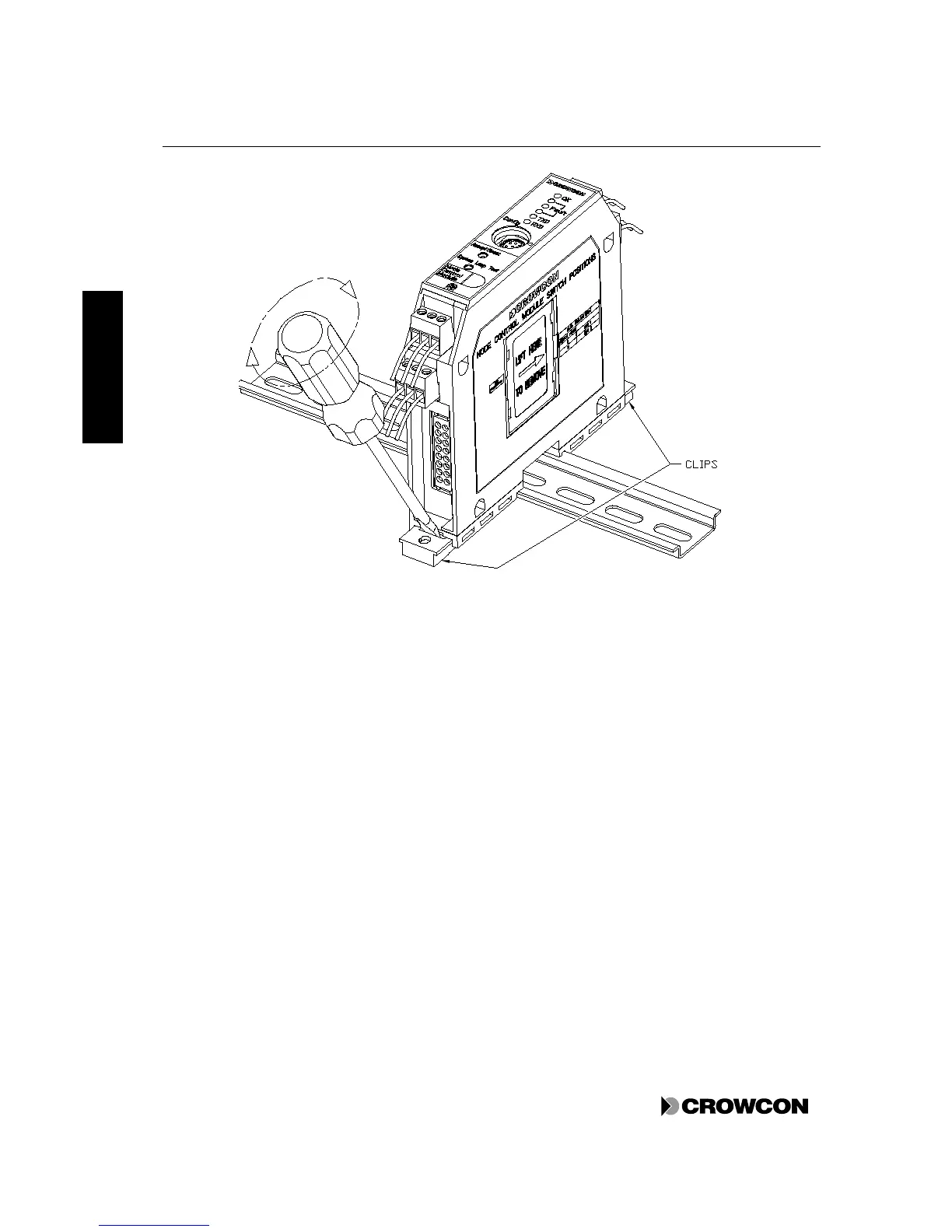
Figure 14: Module on DIN Rail, and method of removal
7.9 Changing the Batteries
To change the batteries in Vortex DIN, Vortex Rack and Vortex Panel, simply disconnect the old
batteries from the Power Monitoring Module and connect the new ones. It is not necessary to remove
the power in order to carry out this function.
To change the batteries in Vortex in the standard enclosure follow the instructions below. The backup
batteries can be changed without switching the power off.
1. Disconnect the batteries at the top right of the Power Monitoring Module (see Figure 11, page
35).
2. Unscrew the two large central screws on the Power Monitoring Module and gently pull it out
without disconnecting any other cables (see Figure 15).
3. Unscrew the three screws holding the metal bracket over the front of the battery compartment.
Remove the bracket.
4. Change the batteries. Tuck the fuse into the space at the right of the batteries and ensure that the
connecting wires to the Power Monitoring Module are out at the top.
5. Screw in the bracket and the Power Monitoring Module.
6. Connect the batteries to the Power Monitoring Module.



 To Next Page