Chapter 4: Installation 27
99-04-23
OPTIONS
Container Contents
labeled "DESCRIPTION: ARM"
• Arm
labeled "DESCRIPTION: CTRL"
• Controller
labeled "OPTIONS"
• Feedback cable
• Motor power cable
• Fuse kit with AC power cable
• Override plug
• Options
Designing a Work Cell
When designing your work cell, consider:
• The arm’s range of motion, see page 4.
• The arm’s reach, see page 6.
• Safety precautions, see page 15.
Keep the workspace clear of obstructions. If an obstruction cannot be removed,
avoid it by programming arm limits. Before installation, determine whether any
permanent obstructions, even with programming, will prevent the arm from
accomplishing its task.
Positioning the Arm
Install the arm in either and upright position (mounted on a table top or pillar) or
in an inverted position (suspended from overhead brackets).
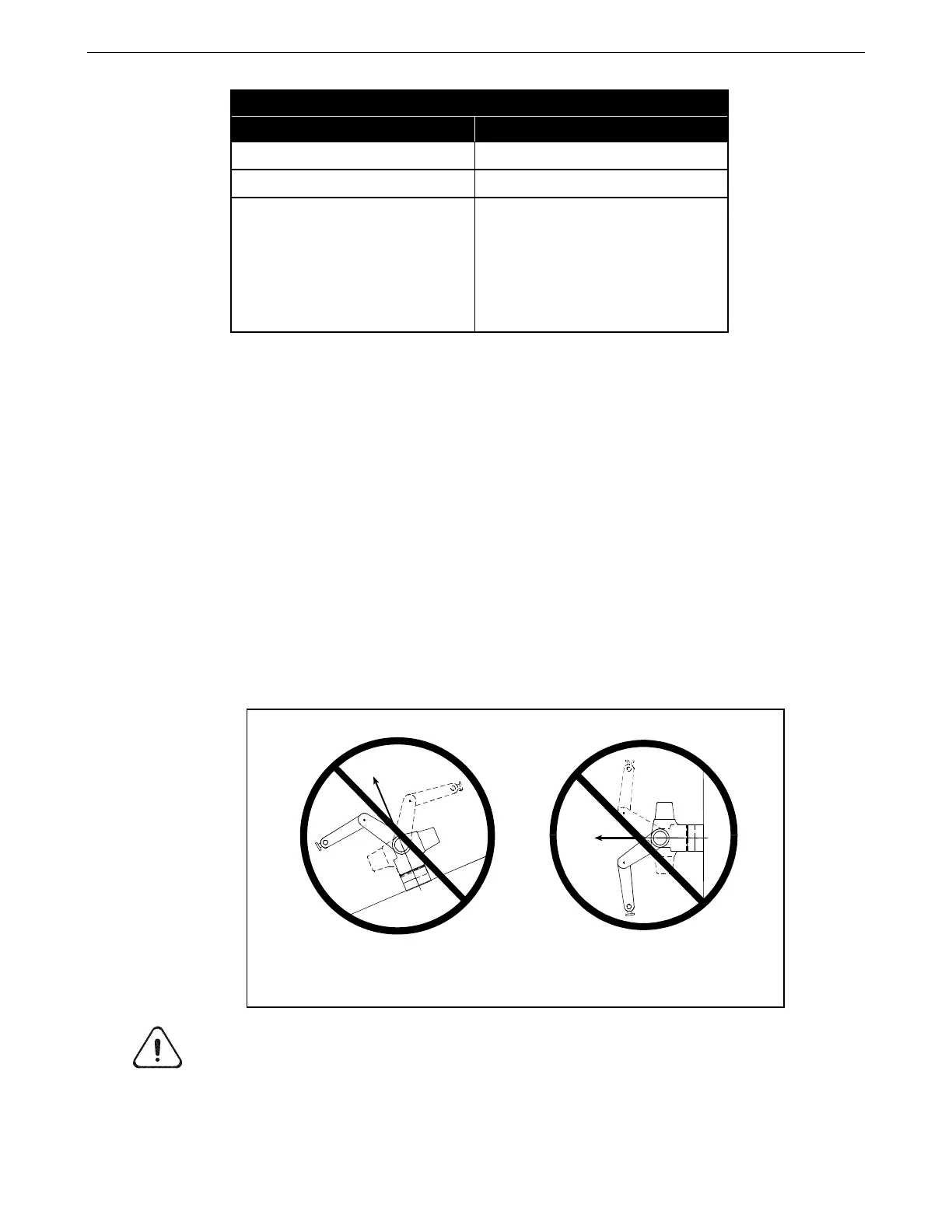
Warning! Do not install the arm on a wall or incline. Upon a power failure, joint 1 will fall due
to gravity. Under normal operating conditions, joint 1 will be placed under excessive stress.
inclined orientation wall-mounted orientation



 To Next Page