48 A255 Robot Arm User Guide
99-04-23
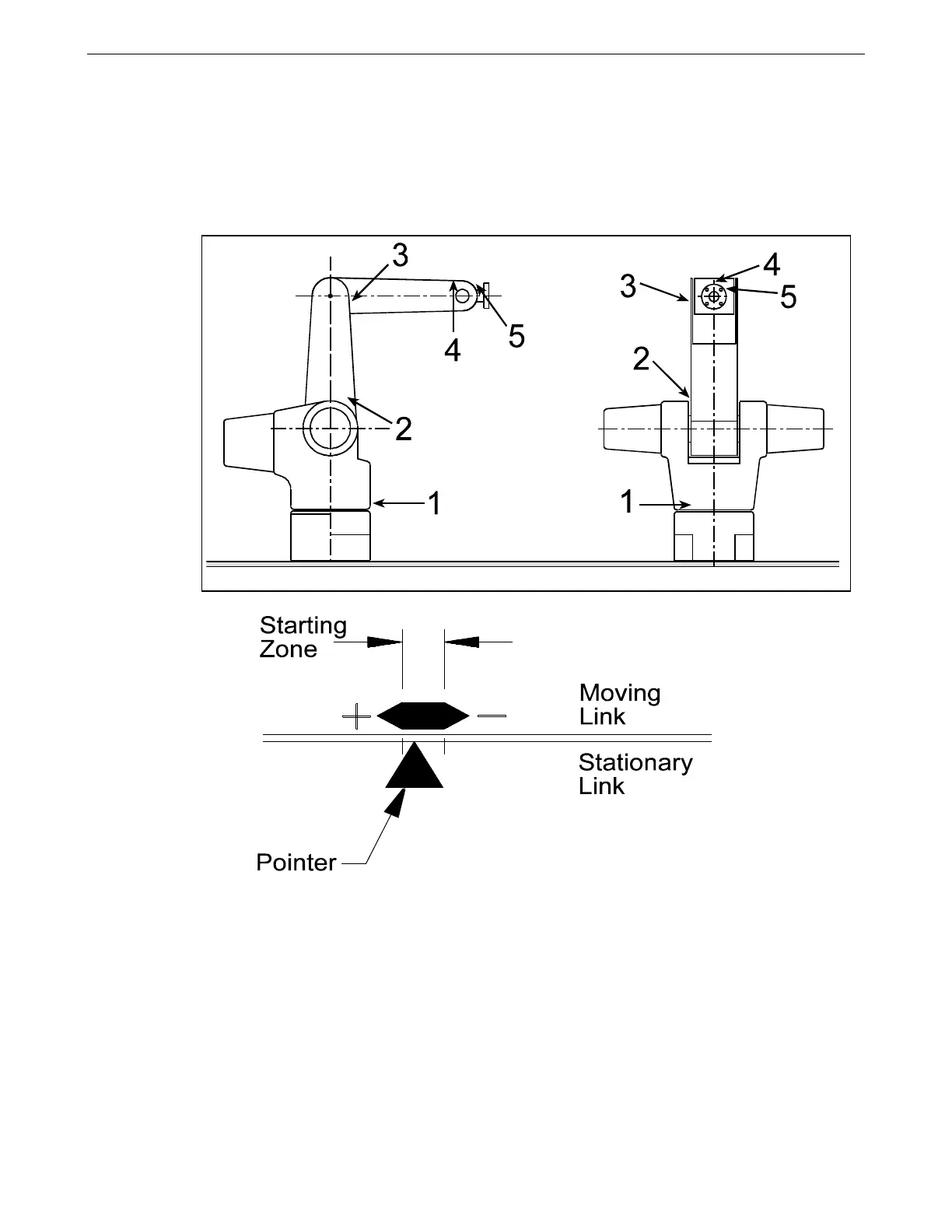
4. Move each joint until its pointer sits within its starting zone. The location of
pointer and zone labels are shown in the diagram.
5. When you are finished positioning the joints, the arm should be in the homing
starting position. The arm is now ready to be homed.
In the starting position, each pointer is in its starting zone. The positive and
negative signs corresponds to the joint’s directions of rotation.
2) Issue the Home Command
Once the arm is in the starting position, you can home the arm.
You can home the arm by using the teach pendant or the terminal. It is safer to
use the teach pendant. Systems with CROSnt may have to use the terminal.
Using the Teach Pendant
To use the teach pendant, follow these steps.
Locations of pointers and starting zones.



 To Next Page