^ Operation
VA 500 Bi-directional English 1.24 Seite 34 von 56
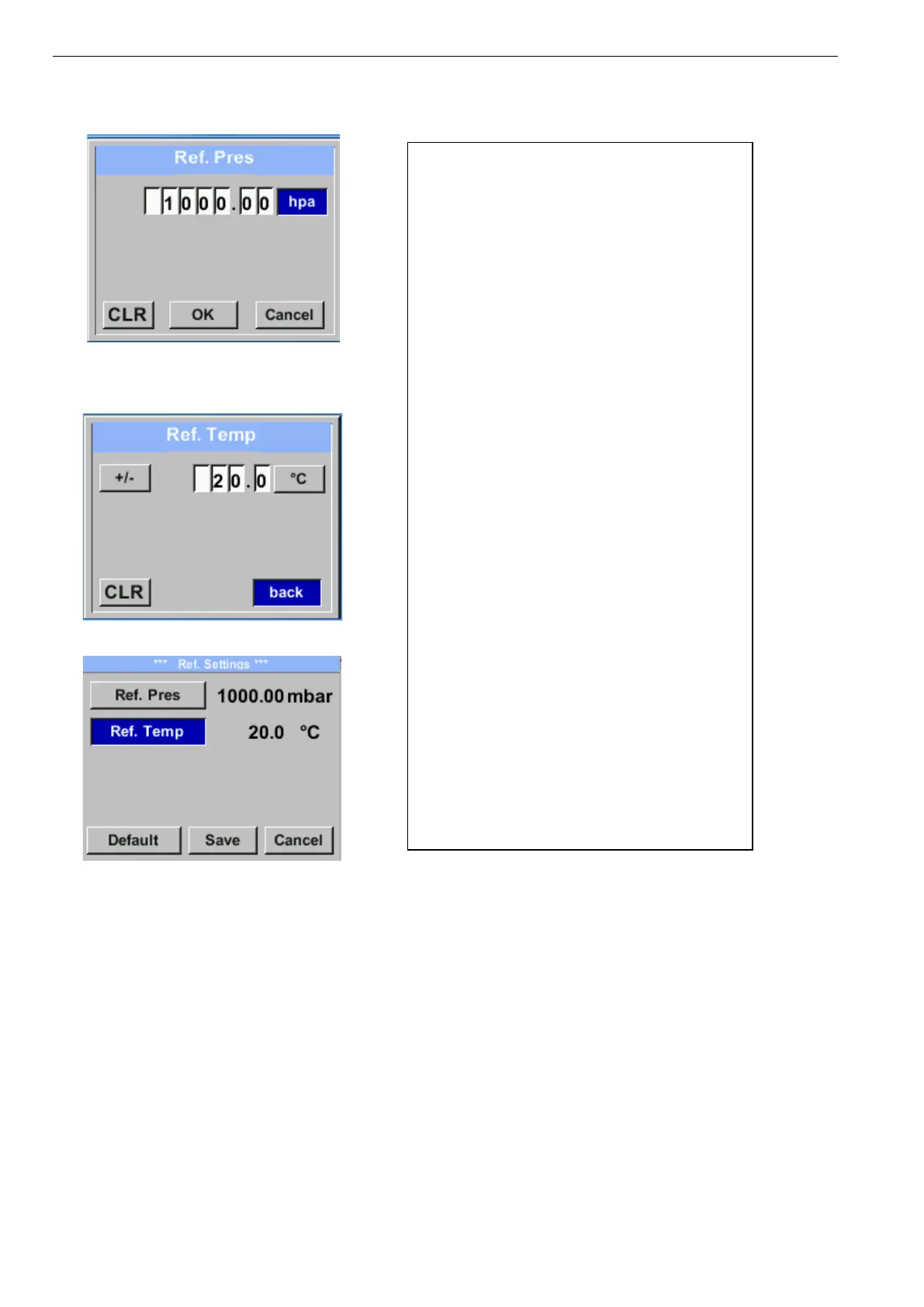
Setup → Sensor Setup → Advanced → Ref. Settings → Ref.Pres
Setup → Sensor Setup→ Advanced → Ref.
Settings → Ref.Temp
In order to change, e.g. the unit, first select by
pressing key „ “ the field “Units” and then
key “OK”.
Select with the key „ “ the correct unit and
then confirm selection by pressing 2x „OK“.
Input / change of the value by selecting the
respective position with button „“and
entering by pressing button „OK“ .
By pressing „“ the position value is
incremented by 1. Complete with „OK“ and
activate next number position.
Procedure for changing the reference
temperature is the same.
All changes have to be stored by pressing
„Save“.
With „Default“. the sensor is reset to
calibration settings.



 To Next Page