^ Operation
VA 500 Bi-directional English 1.24 Seite 36 von 56
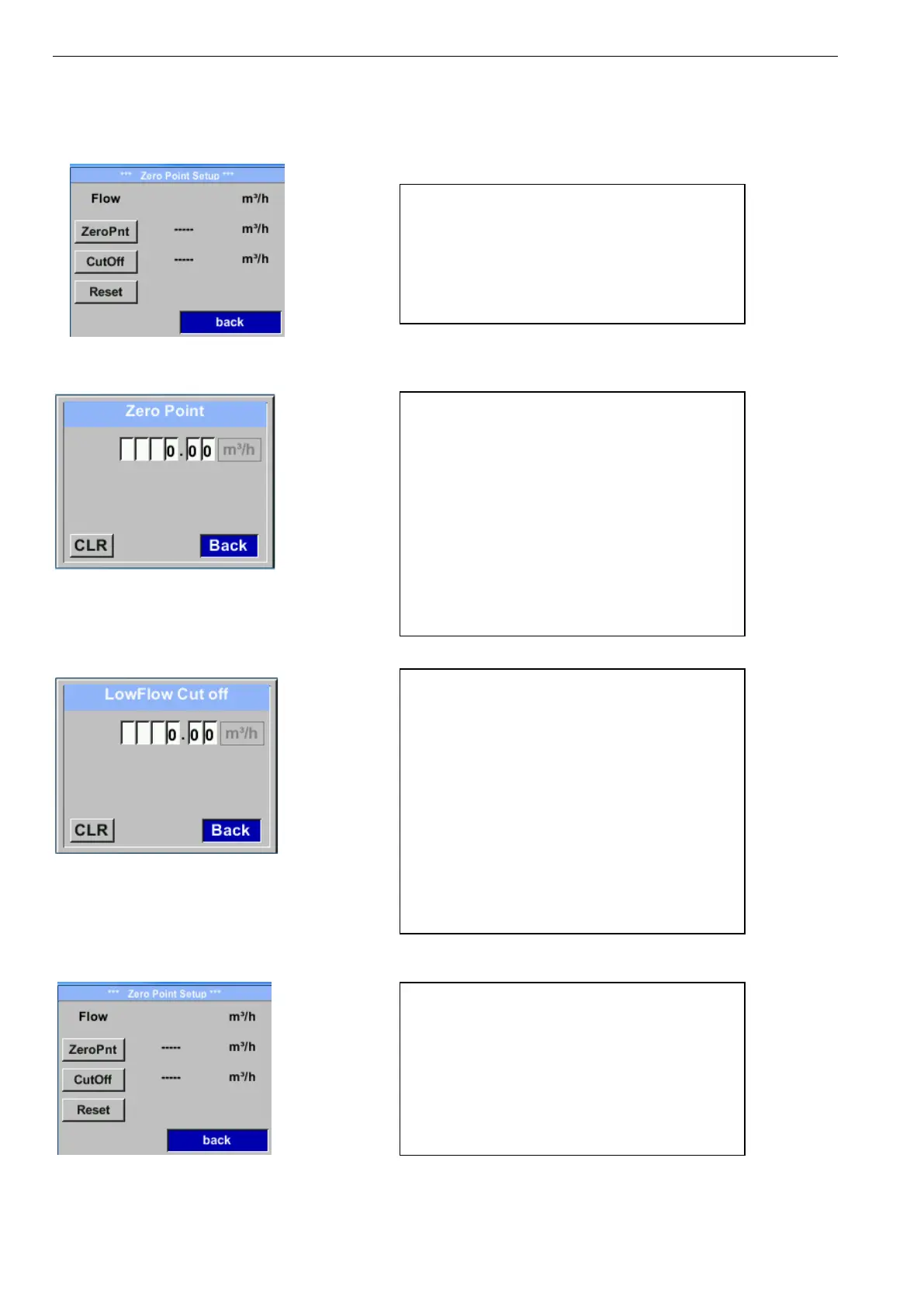
11.3.1.5 Setting of Zeropoint and Low-flow cut off
Setup → Sensor Setup→ ZP Adjust
Setup → Sensor Setup → ZP Adjust → ZeroPnt
Setup → Sensor Setup → ZP Adjust → CutOff
Setup → Sensor Setup → ZP Adjust t → Reset
To make changes, first select a menu with
button „“ and confirm selection by pressing
„OK“ .
When, without flow, the installed sensor shows
already a flow value of > 0 m³/h herewith the
zero point of the characteristic could be reset.
For an input / change of the value select with
the button „“ the respective number position
and activate it with „OK“.
By pressing „“ the position value is
incremented by 1. Confirm the input with „OK“
and activate next number position.
Leave menu with button „Back“
Menüpunkt mit Taste „“ anwählen und
anschließend mit Taste „OK“ auswählen
With the low-flow cut off activated, the flow
below the defined "LowFlow Cut off" value will
be displayed as 0 m³/h and not added to the
consumption counter.
For an input / change of the value select with
the button „“ the respective number position
and activate it with „OK“.
By pressing „“ the position value is
incremented by 1. Confirm the input with „OK“
and activate next number position.
Leave menu with button „Back“
By selection of „Reset“ all settings for
„ZeroPnt“ and. „CutOff“ are reset.
Menu item to be select with button „“ and
confirm the reset with „OK“ .
Leave menu with button „Back“



 To Next Page