Infotainment System
Note
●
The Infotainment system does not pro-
vide an internet connection, it only estab-
lishes a wireless connection between the
mobile device and said system.
●
Via the WLAN, only the connection be-
tween the device and the Infotainment sys-
tem can be guaranteed, its operation de-
pends on the application itself.
WLAN settings
To access the WLAN settings the ignition
must be s
wit
ched on.
●
Select the Media main menu by pressing
the infotainment button .
●
Press the SETTINGS
function button to
open the Media settings menu.
●
Press the WLAN function button, then the
Share connection over WLAN butt
on will
appe
ar along with information about the use
of WLAN.
●
Press the function button Share connec-
tion over WLAN, then you can Enable
WLAN connection and access the WLAN
network Configuration.
●
Press the Configuration function button
to configure the WLAN network.
Function button: function
Enable WLAN connection
: To turn on/off the WLAN net-
work.
Security level:
WPA2 encryption automatically gen-
erates an 8 character network key.
Network key
: Network key automatically generated.
Press the function button to manually change the
network key. The network key must have a mini-
mum of 8 characters and a maximum of 63.
SSID
: Name of the WLAN network of the infotain-
ment system.
Do not send network name (SSID)
: Activate the check-
box to deactivate the visibility of the WLAN net-
work.
To save the changes made to the configura-
tion of the mobile access point, pr
ess the
SAVE
button.
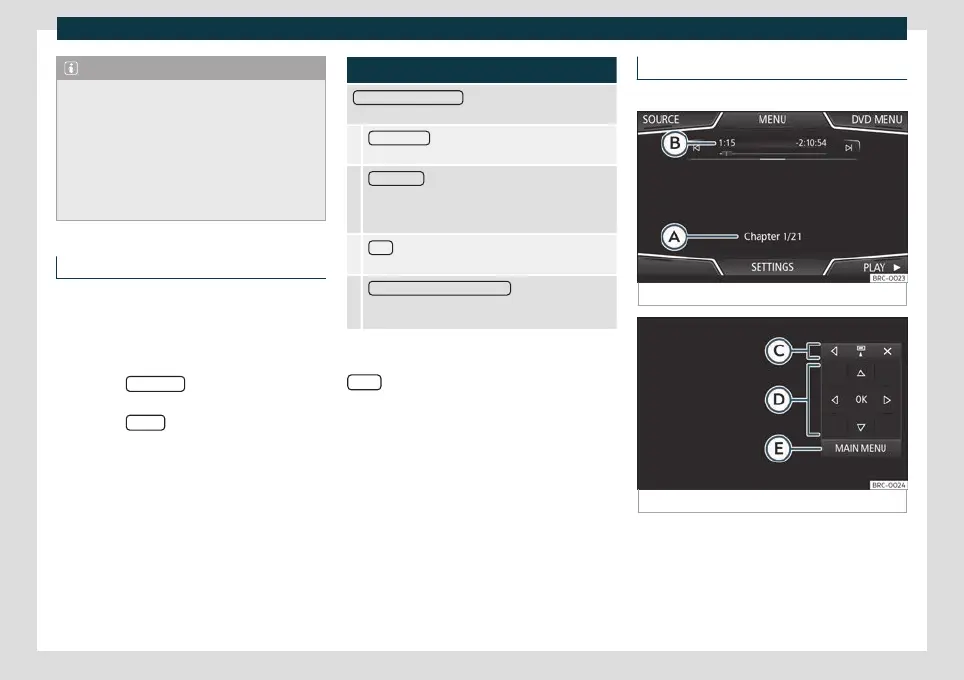
Video DVD mode
3 Only available for the model: Navi System Plus
Fig. 158
DVD main menu.
Fig. 159
DVD mode control menu.
Regional code of video DVD
Quit
e oft
en, the playback of DVD video is
limited to certain regions (for example, to the
US and Canada) by so-called region “codes”.
These DVDs can only be played on units that
are coded for the same region.
192



 To Next Page