5 6
1.10.2 Notes about the installation
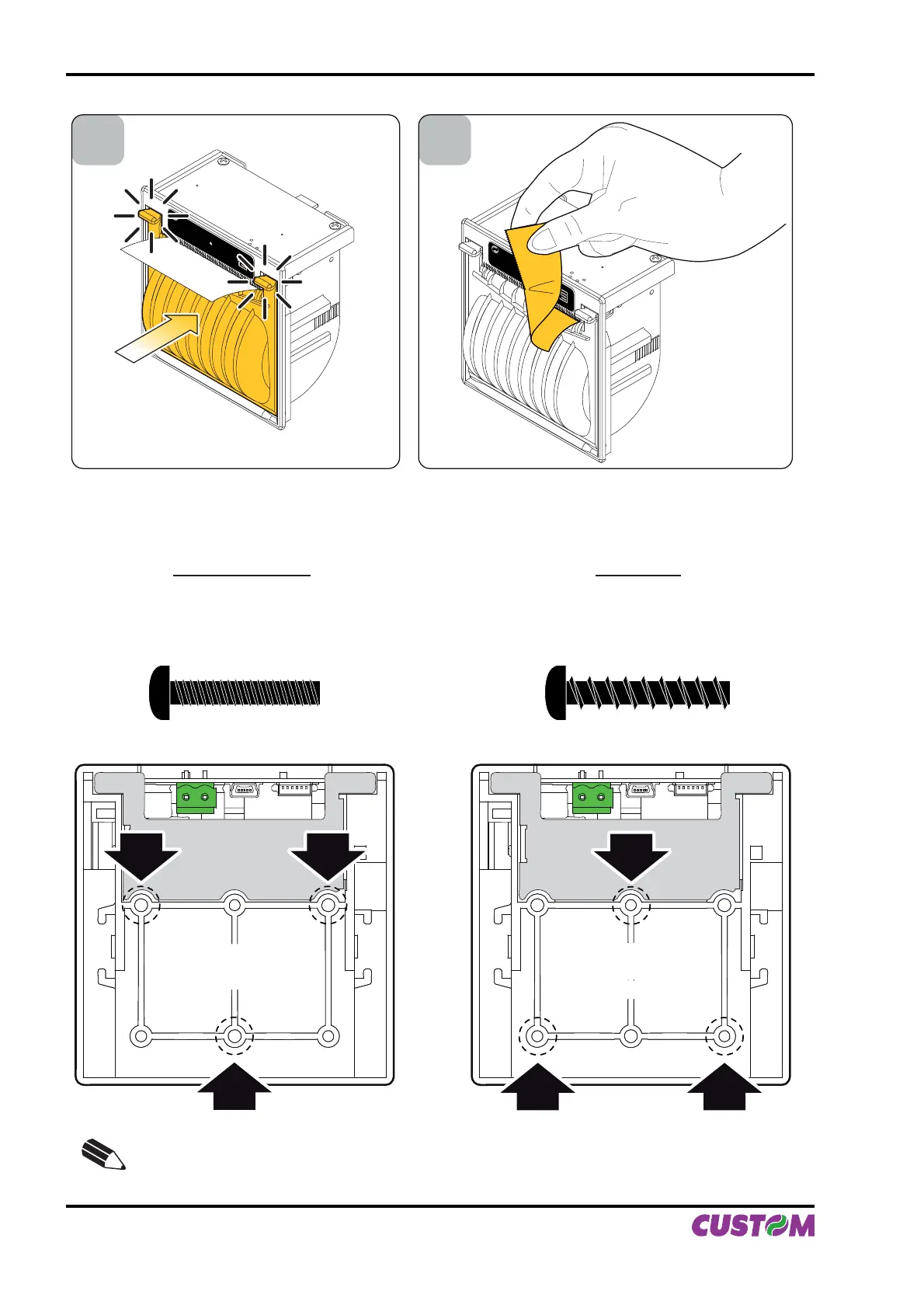
Fixing to the panel
Fix the printer in the 3 holes as shown in the scheme
(A) (see fi g.1.23), using M3 tapping screws (n.3).
Fixing back
Fix the printer in the 3 holes as shown in the
scheme (B) (see fi g.1.24), using 3 screws for plastic
d=3 (6 mm usable length).
A
B
NOTE:
The mounting operations are valid for all the PLUS II models.
(Fig.1.21) (Fig.1.22)
(Fig.1.23) (Fig.1.24)
1. INSTALLATION AND USE
1-16 PLUS II User Manual



 To Next Page