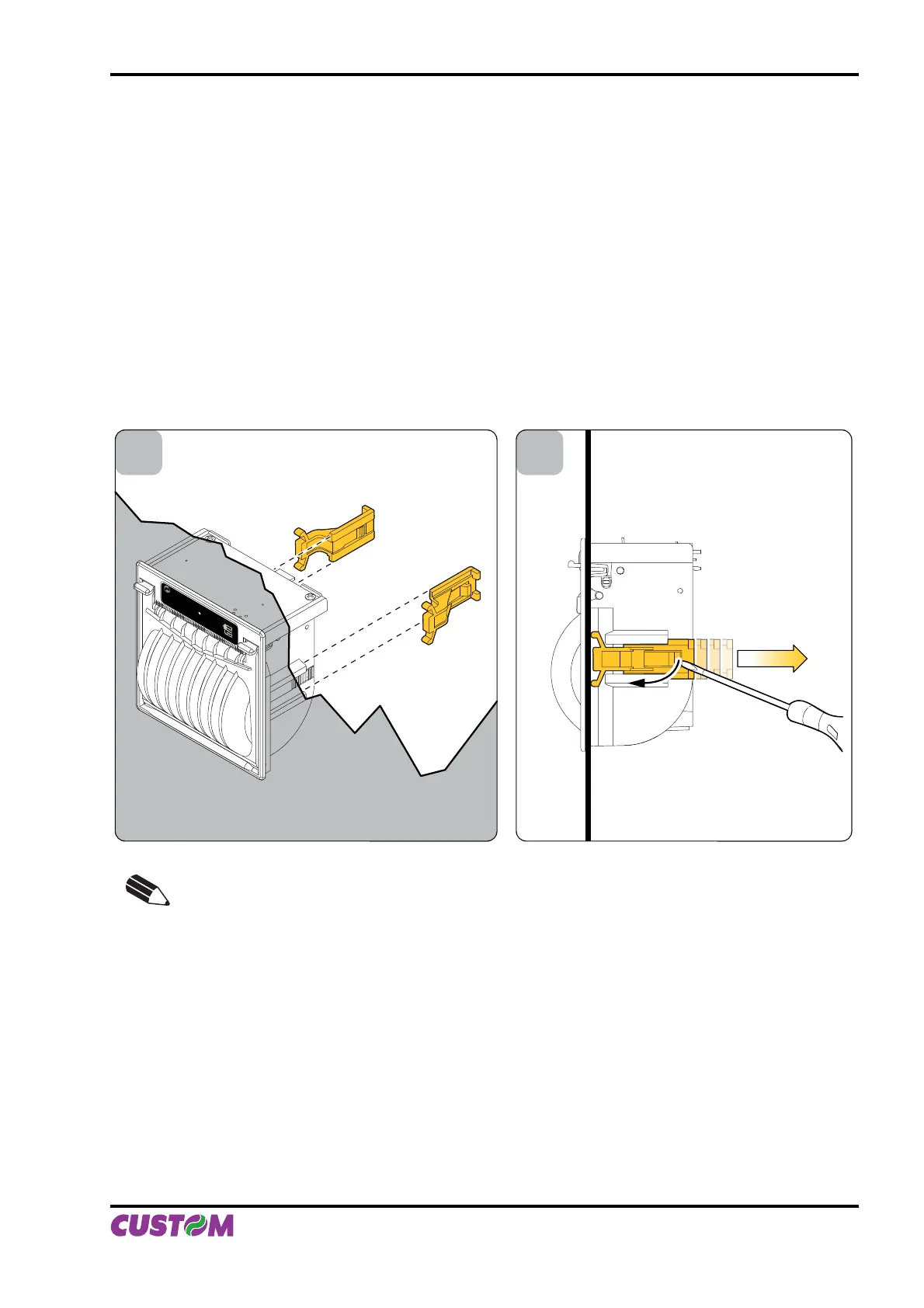
1.10.3 “EASYLOCK” fi xing system
This system allows to adapt the printer to every panel thickness and it is not necessary to use other fi xing tools.
A FIXING (see fi g.1.25)
Use only the 2 hooks, provided in the package.•
Place the printer on the panel.•
Insert the 2 fi xing hooks in their seat.•
Push the 2 fi xing hooks against the panel to lock the printer.•
B REMOVING (see fi g.1.26)
Lift the fl ap by using a fl at screwdriver.•
Take away the hook.•
A B
NOTE:
The mounting operations are valid for all the PLUS II models.
(Fig.1.25) (Fig.1.26)
1. INSTALLATION AND USE
User Manual PLUS II 1-17



 To Next Page