Cygnus DIVE Operating Manual
Page 58 of 117
Two Point Calibration Procedure
Two Point Calibration Procedure
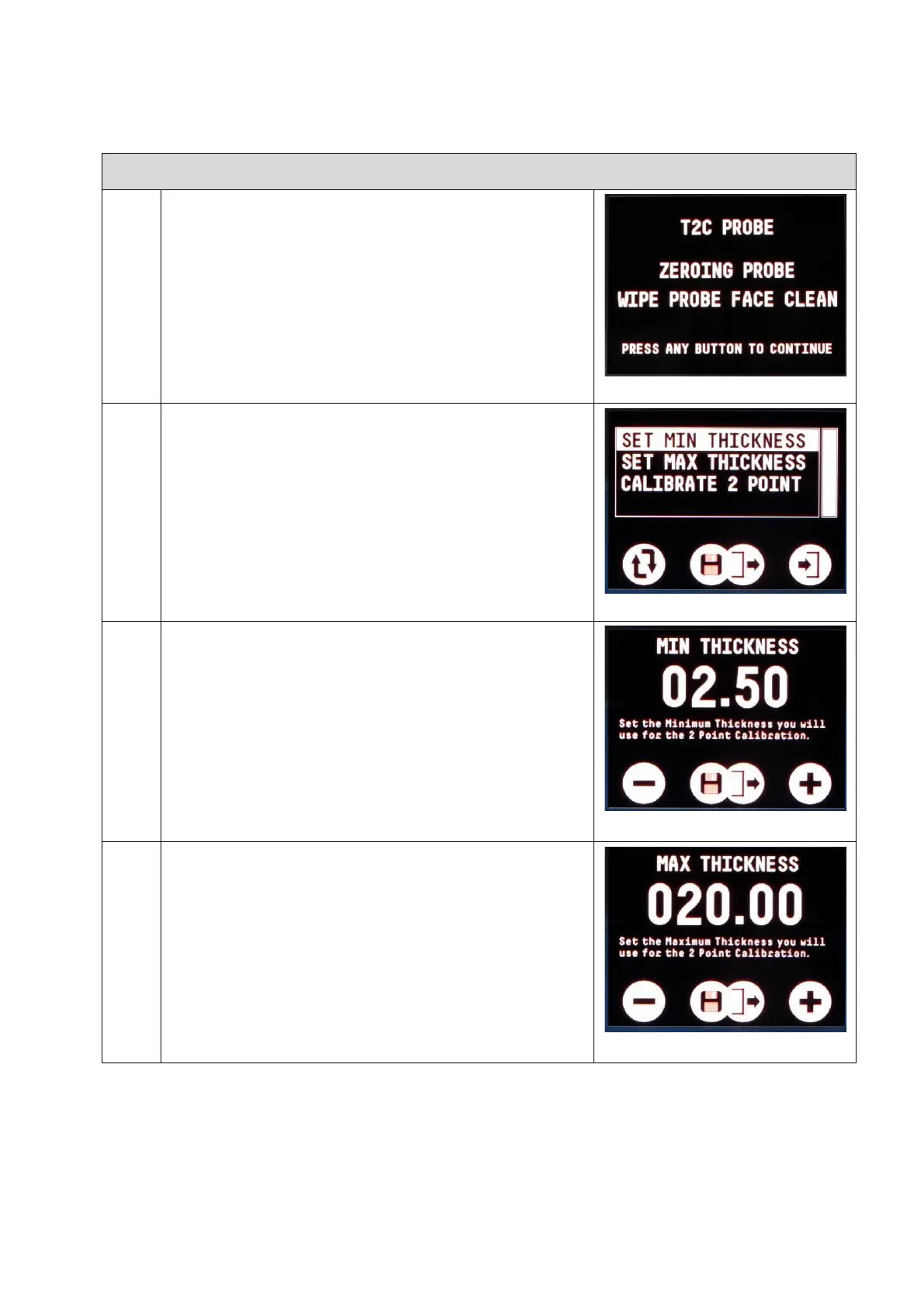
First perform a Probe Zero function.
You must first determine the two
calibration thicknesses you will be
using. Then set these two thickness
values in the gauge’s Calibrate 2
Point menu.
Set the minimum thickness value;
Select SET MIN THICKNESS from the
menu
Use the left and right buttons to
change the value – press both to
save and exit.
Set the maximum thickness value
Select SET MAX THICKNESS from the
menu
Use the left and right buttons to
change the value – press both to
save and exit.


 To Next Page