EasyManua.ls Logo

Cygnus M3-DIVE - Clearing the Data Logger Memory (CLEAR MEMORY)

Cygnus M3-DIVE
117 pages
Print Icon
To Next Page IconTo Next Page
To Previous Page IconTo Previous Page
Loading...
Cygnus DIVE Operating Manual
M3-DIVE-M-ENG_Iss9.docx
Page 70 of 117
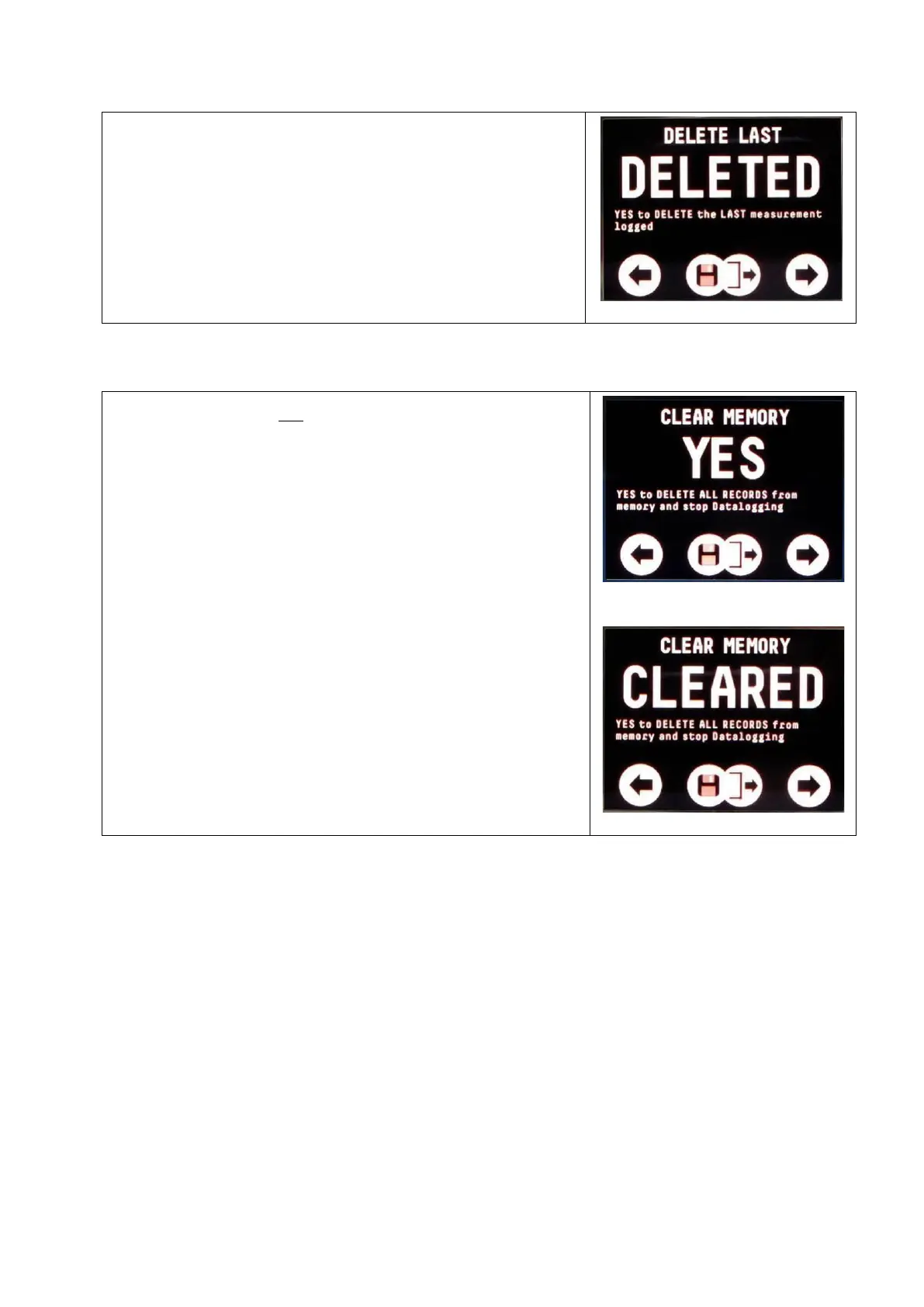
2. Select DELETE LAST
3. Change from NO to YES
4. Press both buttons together to delete
and exit
Deleted Message
Clearing the Data Logger Memory (CLEAR MEMORY)
You can delete all the measurements from
the gauge’s memory ready to start a new
survey.
To clear the data logger memory;
1. Access the DATA LOG MENU
2. Select CLEAR MEMORY
3. Change from NO to YES
4. Press both buttons together to save
and exit
Note. There is no Undo function, once
deleted measurements can’t be restored.

Clear Memory Screen
Cleared Message

Table of Contents

Related product manuals