Cygnus DIVE Operating Manual
Page 85 of 117
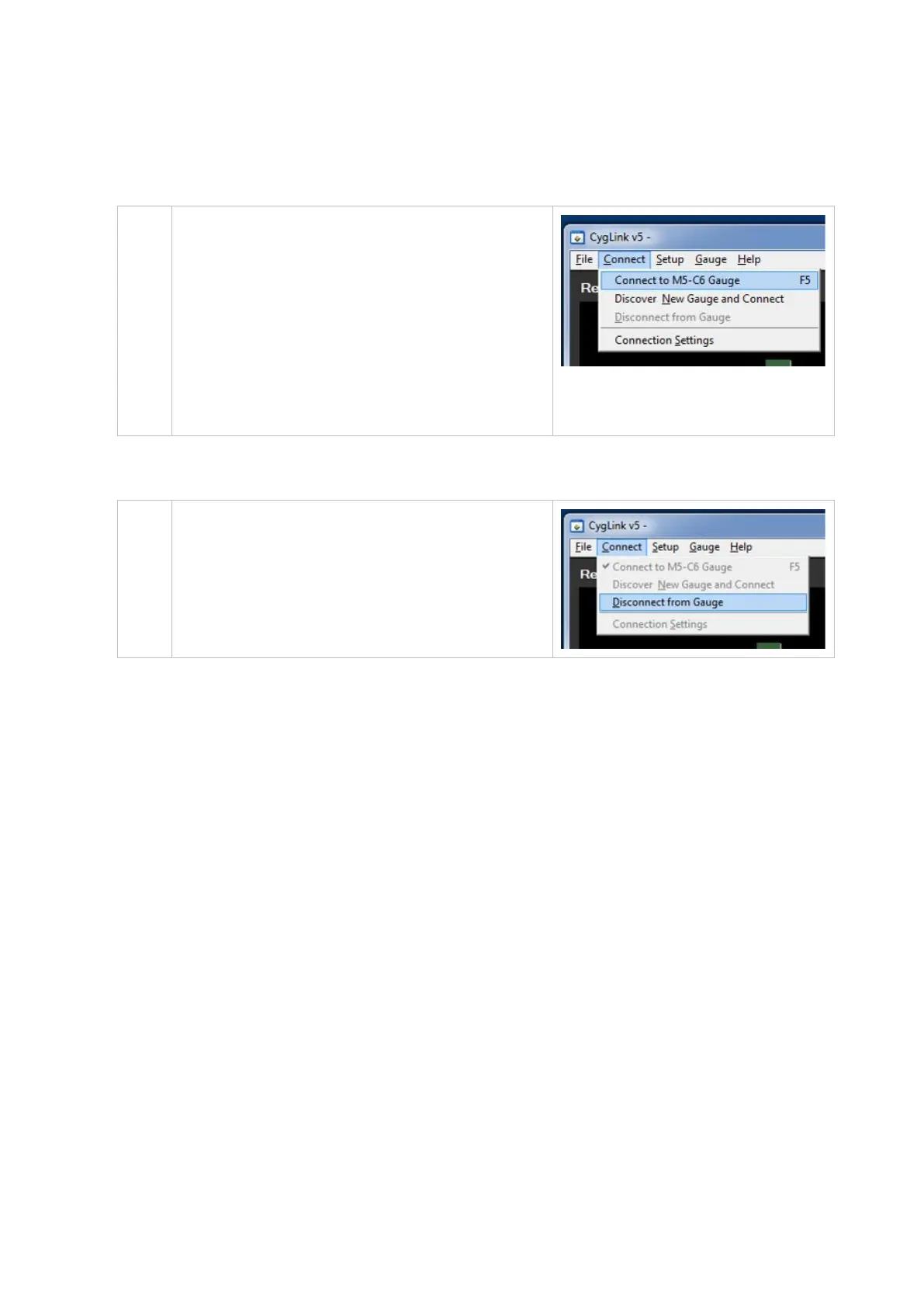
Connecting to the Gauge Afterwards
Once you have discovered the
Gauge the connection settings
will be stored for next time, so
to connect next time simply click
from the menu;
Connect
└ Connect to Mx-DIVE Gauge
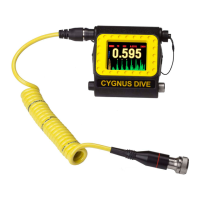
Disconnecting from the Gauge
To disconnect from the Gauge
simply click from the menu;
Connect
└ Disconnect from Gauge
Manual Connection Settings
If you need to manually set the connection settings then select the
Connection Settings option from the Connect menu, here you
can specify the COM Port number, gauge type and baud rate.


 To Next Page