tion
Chassis ID
Displays the chassis identification of the device transmitting the LLDP frame.
Port ID Subfype
Displays the port ID subtype. For example, IPv4 address.
Port ID
Displays the port ID (Unit number/Port number) of the port transmitting the
LLDP frame..
Port Description
Displays the port description.
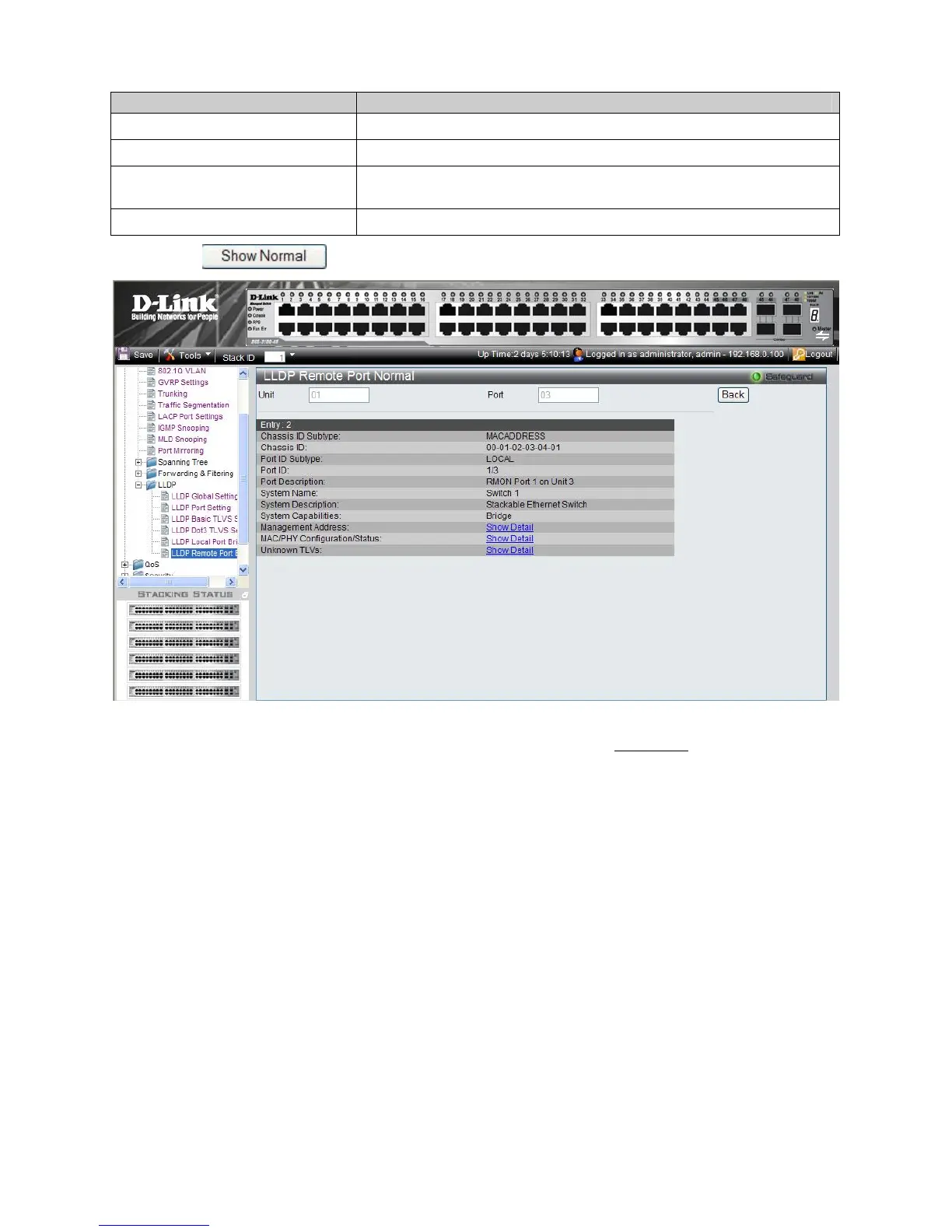
2. Click . The LLDP Remote Port Normal Page is displayed.
Figure 3–24. LLDP Remote Port Normal Page
3. To view the detailed Management Address information for the entry, click Show Detail
. The LLDP Management
Address Detail Information Page is displayed.
10
5











 To Next Page