DGS-3100 Series Gigabit Stackable Managed Switch User Manual
18
0
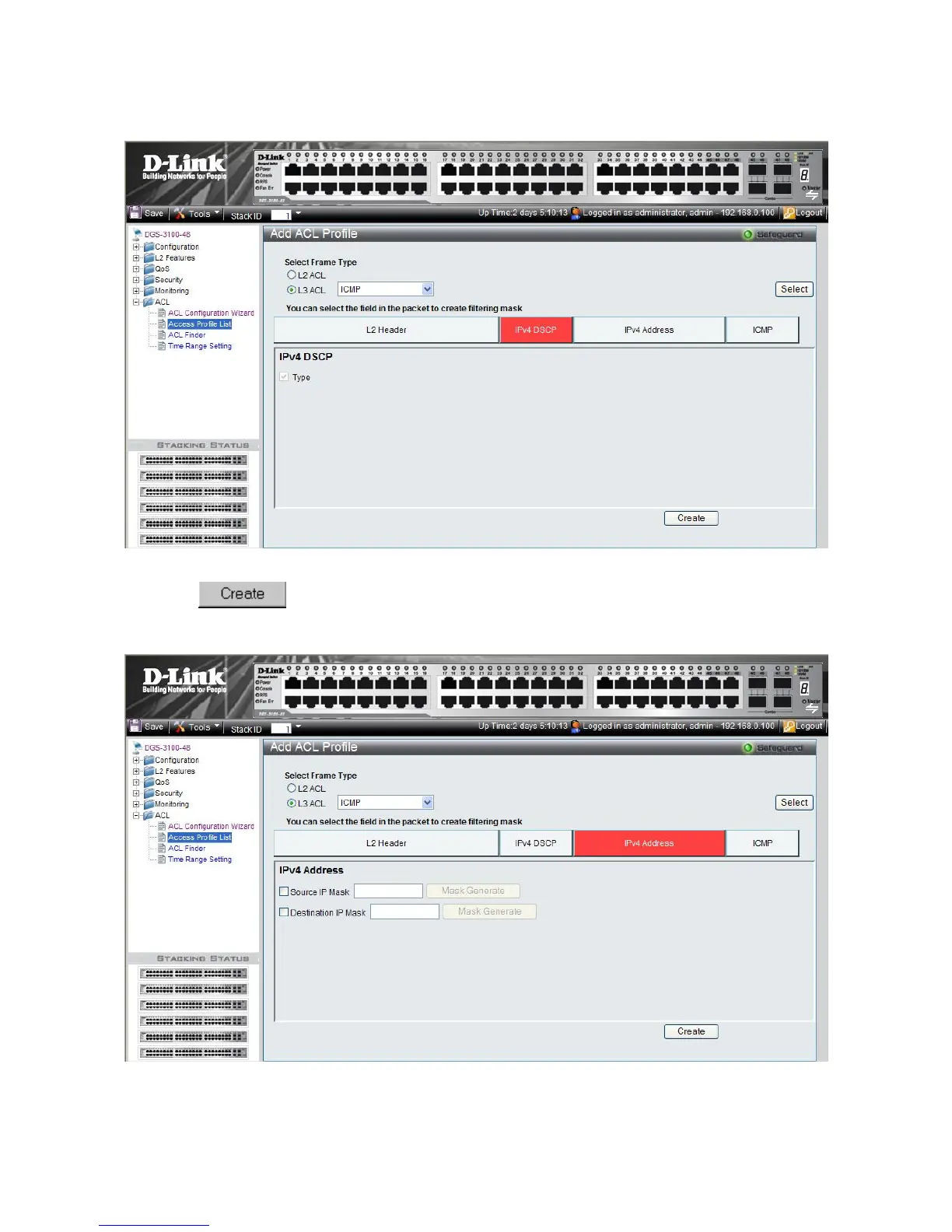
This option defines whether or not the DSCP field is checked for a match.
1. Click the IPv4 DSCP button. The ACL Profile L3 ACL ICMP IPv4 DSCP Page updates to show the following:
Figure 8-10 ACL Profile L3 ACL ICMP IPv4 DSCP Page
2. Click
. The ACL profile is added, and the device is updated.
To define L3 IPv4 Address ACL profile:
1. Click the IPv4 Address button. The ACL Profile L3 ACL ICMP IPv4 Address Page updates to show the following:
Figure 8-11 ACL Profile L3 ACL ICMP IPv4 Address Page











 To Next Page