Internet/Print Server User’s Guide
Installation14
Serial – WAN
The serial port is used for a WAN connection either to a modem or
an ISDN terminal adapter. The serial port is a standard male 9-pin
RS-232 connector.
Parallel – Printer
The parallel port is used for connecting to a printer for sharing to the
LAN. This port is a standard female 25-pin parallel connector.
RJ-45 – LAN
The internet/print server has a single, NWay RJ-45 LAN port. This
port is 10Mbps and 100Mbps capable (auto-detect, auto-configure)
and designed for use in an Ethernet or Fast Ethernet LAN via a
network hub. The port has standard RJ-45 pinouts.
LED Description
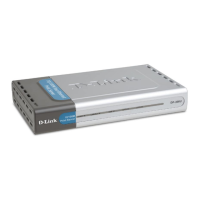
The internet/print server has a small LED array for indicating cur-
rent port and transmission status. The power/transmit (Pw/Tx) and
connect/receive (Link/Rx) LEDs only relate to activity on the LAN
port. All other LED indicators display information about their re-
lated ports as labeled.













 To Next Page