66D-Link DWM-312W User Manual
Section 4 - Conguration
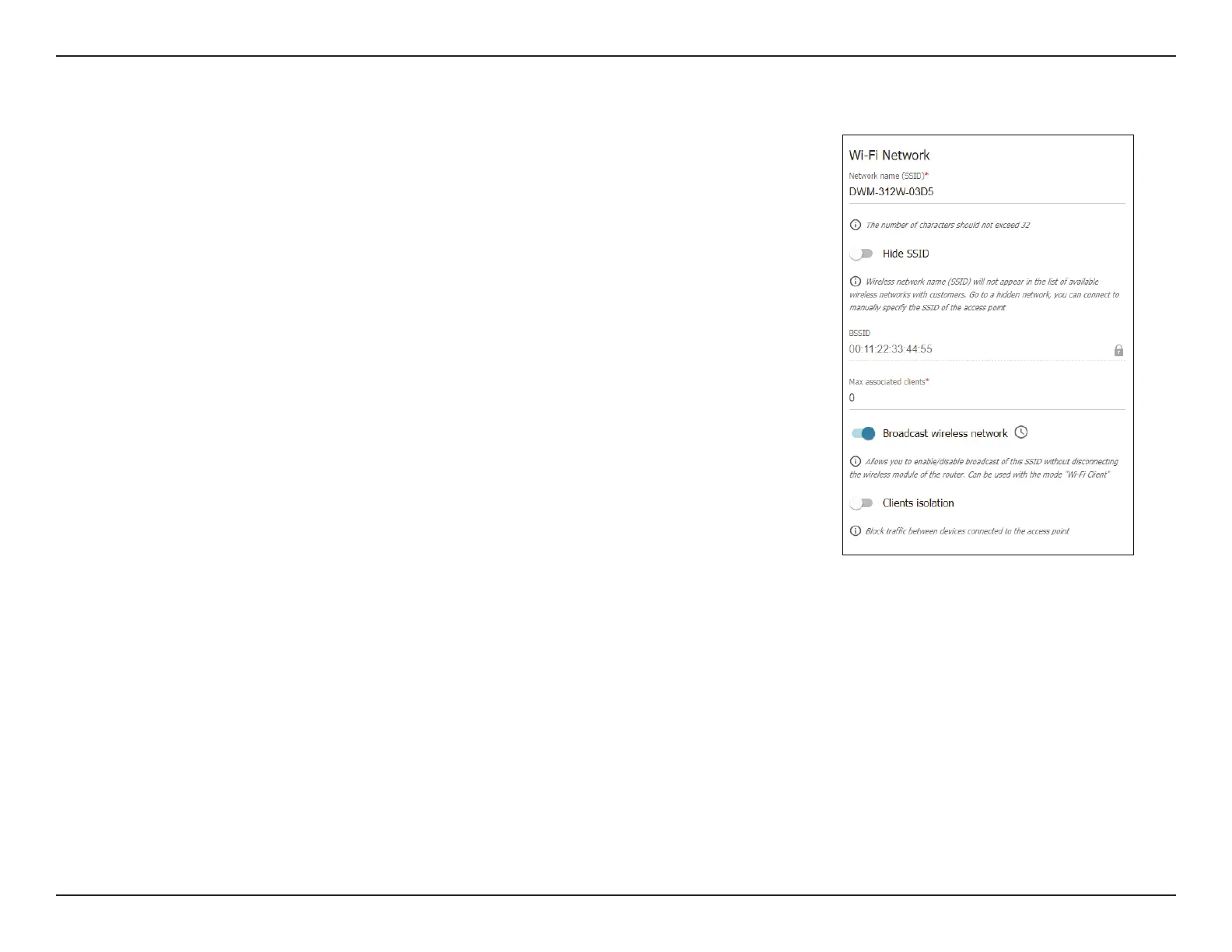
Wi-Fi Network
Network name
(SSID)
Also known as the SSID (Service Set Identier), this is the name of
your Wireless Local Area Network (WLAN).
Hide SSID Check this to prevent this network from appearing in lists when users
scan for Wi-Fi networks.
Max associated
clients
Enter a number here to limit the number of clients allowed to connect
to this network.
Enable shaping Enable or disable trac shaping to manage bandwidth.
Broadcast
wireless network
Disable this to temporarily stop broadcasting the Wi-Fi network.
Clients isolation Enable this to block trac between devices connected to the access
point.
Enable guest
network
Toggle this switch to enable a guest network and isolate Wi-Fi clients
from the LAN network.
Add Wi-Fi Network


 To Next Page
 Loading...