98D-Link DWM-312W User Manual
Section 4 - Conguration
Virtual Servers
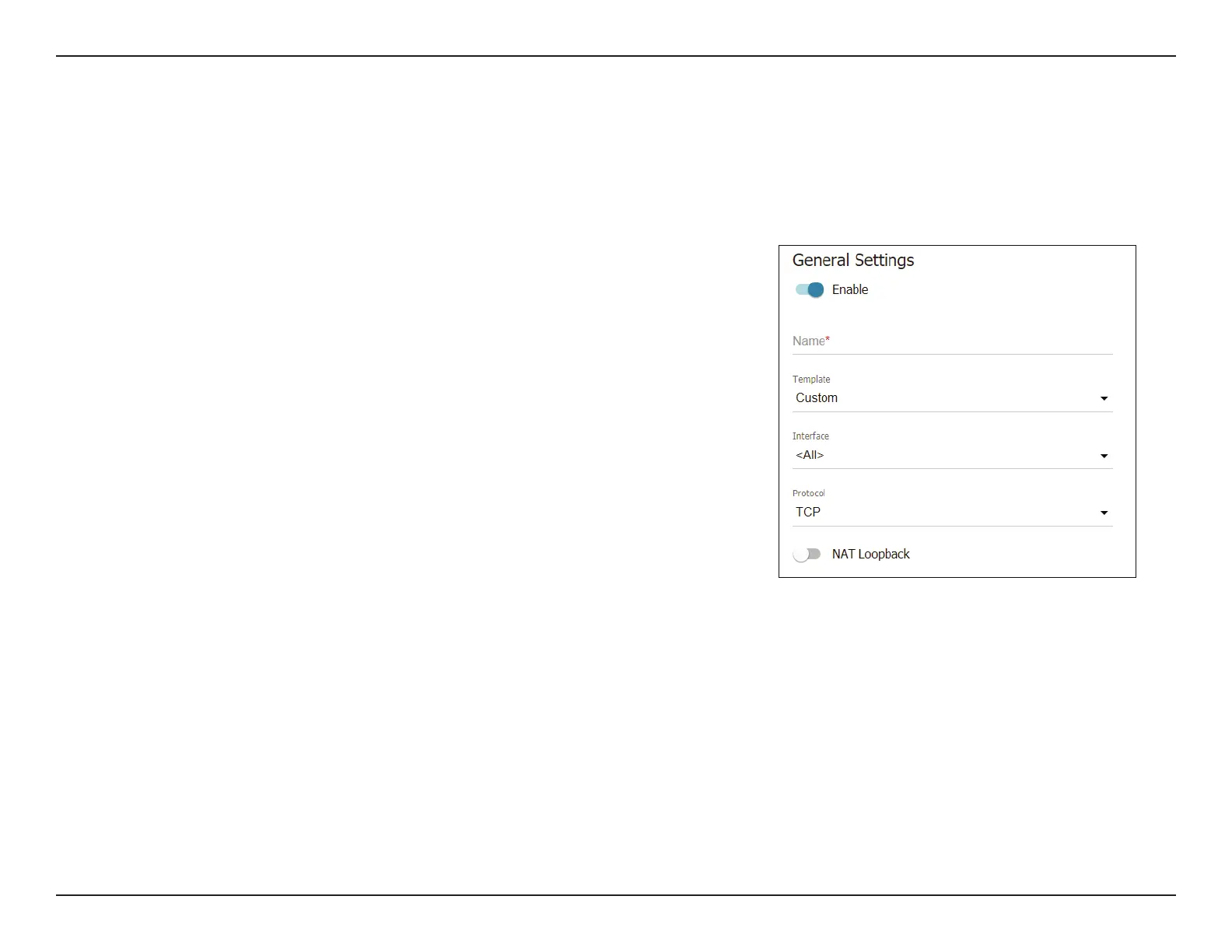
General Settings
Enable Toggle this switch to enable the feature and create or
edit a virtual server.
Name Enter a name that will be used to identify the virtual
server.
Template Select a virtual server template from the drop-down list,
or select Custom to specify all parameters of the new
virtual server manually.
Interface A WAN connection to which this virtual server will be
assigned.
Protocol A protocol that will be used by the new virtual server.
Select a value from the drop-down list.
NAT Loopback Toggle this to enable or disable NAT loopback.
On the Firewall / Virtual servers page, you can create virtual servers for redirecting incoming Internet trac to a specied IP address in the local
area network.


 To Next Page
 Loading...