28
Preset Management
Browsing presets
Presets in the plug-in are hierarchically organized in groups and, contrary to the linear structure, this setting
is not compatible with the native methods used within the host application. The user can see the presets assigned
to particular groups in the Preset Browser.Groupscanbealsodenedbytheuser.
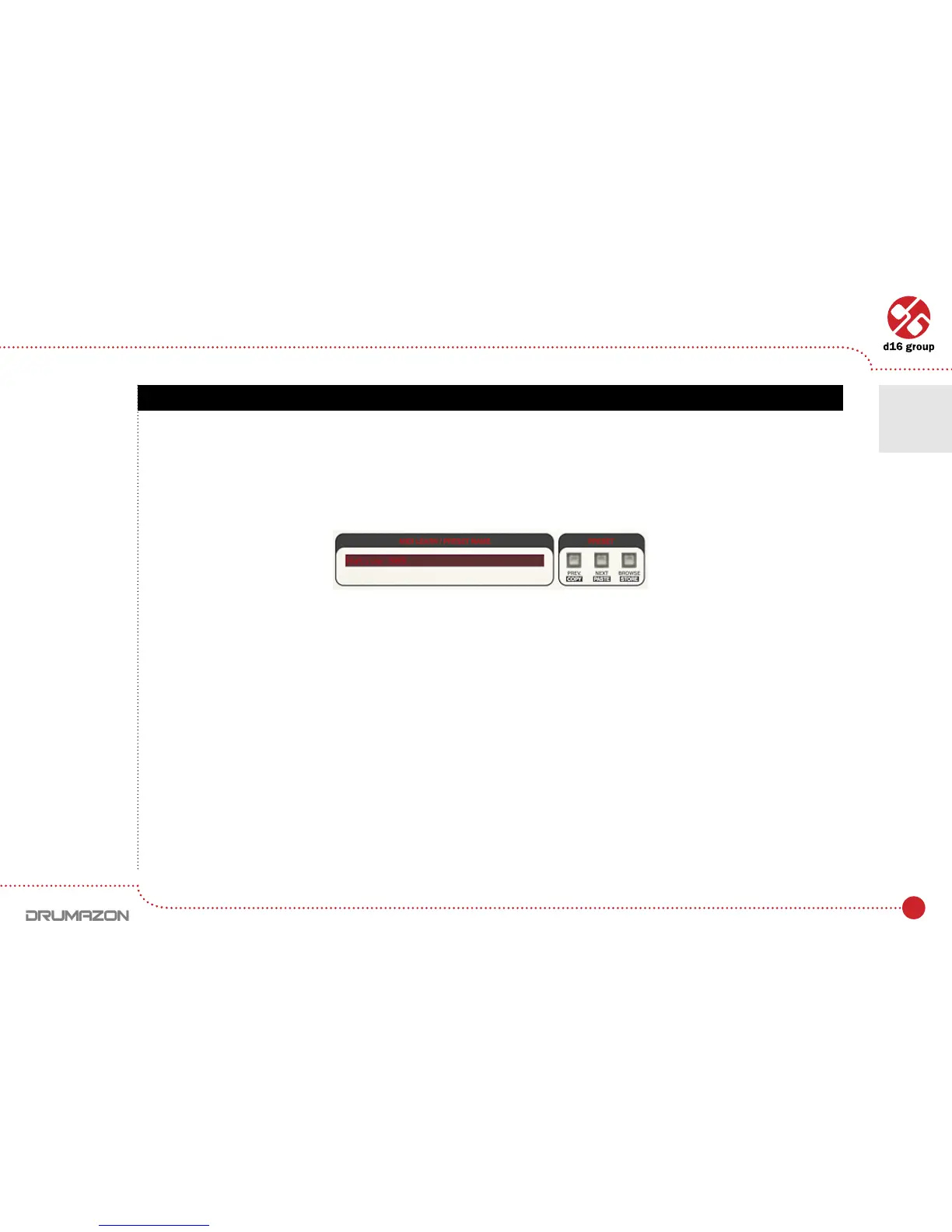
Controlsavailableinthepresetselectionsection:
• Preset name – Displays the name of the selected preset. Allows editing of the preset name before saving
thepreset.Clickingonthecontrolcausesashiftintoeditmode.Afterapplyingchangesthroughthekeyboard,
conrmthenewnamewiththeEnterbutton.
• Prev / Next – Buttons used to navigate through the preset bank. Next button moves the browser to the next
preset. If the current preset is the last preset in a group, pressing Nextmovesthebrowsertotherstpreset
in the subsequent group. Prevbuttonmovesthebrowsertothepreviouspreset.Ifthecurrentpresetistherst
preset in a group, pressing Prev moves the browser to the last preset in the preceding group.
• Prev + CTRL – Prev button pressed while holding CTRL copies the edited preset to the buffer.
• Next + CTRL – Next button pressed while holding CTRLpastesthebuffertothecurrentpresetwithpostx
“_ copy” added to its name.
• Browse–OpensaPresetBrowser menu.
Preset management section
Note: On MacOS
use Apple CMD
key instead
of CTRL key.
Preset Management • Browsing presets
6



 To Next Page