7
Internal Pattern Storage
The patterns for the internal sequencer are stored in 8 banks with each bank holding 12 patterns. This gives a total
of 96 patterns which can be stored in Drumazon’s memory at any one time.
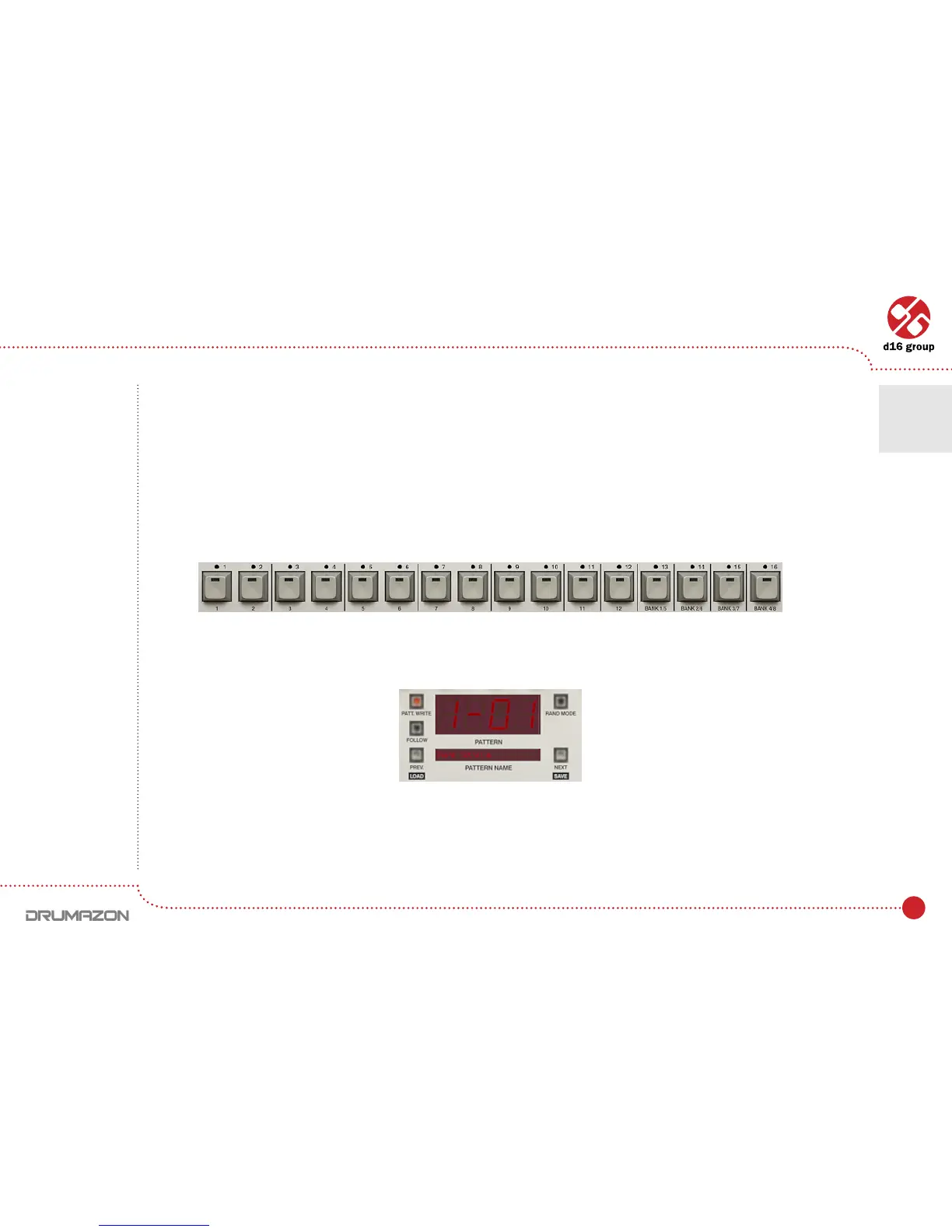
Patterns can be selected using the notes on a connected Midi keyboard (Hostmodedescribedlater).Bank1
pattern1startsatnoteC-1.Thepatternsarestored1bankperoctave(thatgives12patternsperoctaveandcover
8octaves=96).TheStep buttons(below)canalsobeusedtoselectpatterns(Nativemode).Therst12buttons
correspondtoallthehalf-tonesinanoctave(notesareunderthebuttons).Thelast4buttonsareusedtoselect
thebank.Thebuttonstogglebetweenthelowerbanks(dimlylitredLED)andtheupperbanks(brightlylitredLED).
The currently selected pattern is shown on the Drumazon’s interface:
AfterloadingDrumazon,thepatterncorrespondingtotheC-1noteischosen(rstinabank).Thecurrentpattern
ismarkedbyablinkingLEDononeoftherst12Step buttons.ThebankismarkedbydarkorbrightredLEDonone
ofthelast4Stepbuttons.
Step buttons
Pattern display and navigation
Play modes • Internal Pattern Storage
2



 To Next Page