ENGLISH
71
14.3. Multiple Sets
14.3.1. Introduction to multipump systems
By multipump systems we mean a pump set made up of a number of pumps whose deliveries all flow into a common manifold. The devices
communicate with one another by means of the connection provided (wireless). The group may be made up of a maximum of 4 devices.
A multipump system is used mainly for:
• Increasing hydraulic performance in comparison with a single device.
• Ensuring continuity of operation in the event of a device developing a fault.
• Sharing out the maximum power.
14.3.2. Making a multipump system
The hydraulic plant must be created as symmetrically as possible to obtain a hydraulic load uniformly distributed over all the pumps.
The pumps must all be connected to a single delivery manifold.
For good operation of the pressure boosting set, the following must be the same for each device:
• hydraulic connections,
• maximum speed (parameter RM)
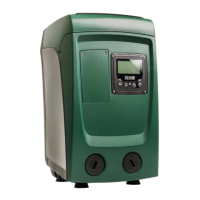
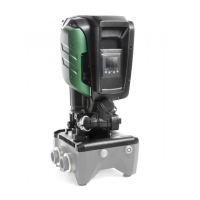
The firmware of the connected Esybox Mini3 units must all be the same. Once the hydraulic system has been made, it is
necessary to create the pumping set by carrying out the wireless association of the devices (see par 14.4 Multiple Sets)
14.3.3. Wireless communication
The devices communicate with each other and send the flow and pressure signals by wireless communication.
14.3.4. Connection and setting of the photo-coupled inputs
The inputs of the I/O control unit are used to activate the float, auxiliary setpoint, system disabling and low suction pressure functions.
The functions are indicated respectively by the float switch (F1), Px, F3 and F4 symbols. If activated, the Paux function boosts the
pressure in the system to the set pressure see par. Setup of the auxiliary digitali inputs IN1, IN2, IN3, IN4. The functions F1, F3, F4 stop
the pump for 3 different reasons, see par. Setup of the auxiliary digitali inputs IN1, IN2, IN3, IN4. The parameters for setting the inputs
I1, I2, I3, I4 are part of the sensitive parameters, so setting one of these on any device means that they are
automatically aligned on all the devices. Parameters linked to multipump operation.
The parameters shown on the menu for multipump operation are classified as follows:
– Read-only parameters..
– Parameters with local significance.
– Multipump system configuration parameters which in turn are divided into: Sensitive parameters / Parameters with optional alignment.
14.3.5. Parameters concerning multipump
The parameters shown on the menu for multipump operation are classified as follows:
• Read-only parameters.
• Parameters with local significance.
• Multipump system configuration parameters which in turn are divided into:
• Sensitive parameters
• Parameters with optional alignment
Parameters with local significance
These are parameters that can be divided among the various devices and in some cases it is necessary for them to be different. For these
parameters it is not allowed to align the configuration automatically among the various devices. For example, in the case of manual
assignment of the addresses, these must absolutely be different one from the other. List of parameters with local significance for the device.
• TK Backlight switch-on time
• RI Revs/min in manual mode
• IC Reserve configuration
• RF Reset fault and warning
Sensitive parameters
These are parameters which must necessarily be aligned over the whole chain for adjustment reasons.
List of sensitive parameters:
• P1 Auxiliary setpoint input 1
• P2 Auxiliary setpoint input 2
• P3 Auxiliary setpoint input 3
• P4 Auxiliary setpoint input 4
• RP Pressure decrease to restart
• GI Integral gain
• GP Proportional gain
• I1 Input 1 setting
• I2 Input 2 setting



 To Next Page