22
5 UNDERSTANDING THE MACHINE
5.1 TURNING ON
Visually check the integrity of all the guards and remove any objects that may impede axis
movement. Do not switch on the machine if the guards are damaged or incomplete. Use
the power switch on the side of the main machine to turn on the power.
Note: If either the computer or the monitor is turned off, switch them on.
Wait for the machine computer to power up.
Note: It is possible that the computer was not shut down correctly. If so then
the computer will run some diagnostics, and may well report some
errors on the hard disk drive. This is usually of no consequence, but you
must choose the FIX option and then the SKIP UNDO option.
The computer may automatically start the Dage software.
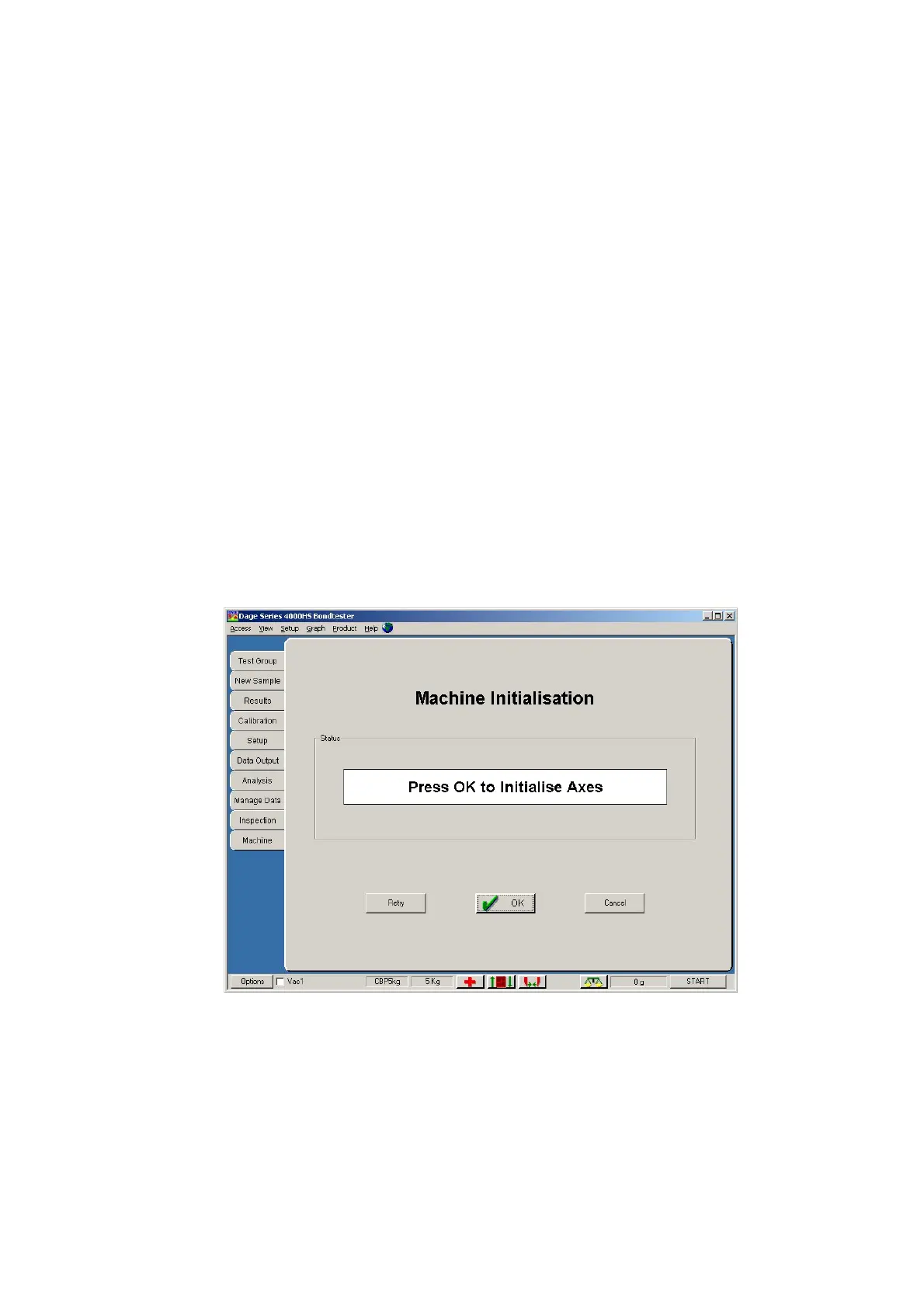
A screen similar to that shown below will appear.
Note: If this does not appear, then you must manually start the Dage software.
You will usually find an icon labelled 'Dage Bondtester Series’ directly
on the main screen. If not contact your supervisor.
Click OK to start the reset procedure, wait for completion. During this initialisation
procedure the axes will reset. During this axis movement if any abnormal behaviour,
movement or hazardous situations occur then actuate the Emergency Stop button.



 To Next Page