27
5.4 BASIC OPERATOR CONTROLS
There is a lot of flexibility in the control layout of the Dage 4000HS due to the variety of options that may
be fitted to your machine.
Note: Keypad and joystick button operations can be changed to suit individual preferences. These are
linked to your name.
5.4.1 On-screen controls
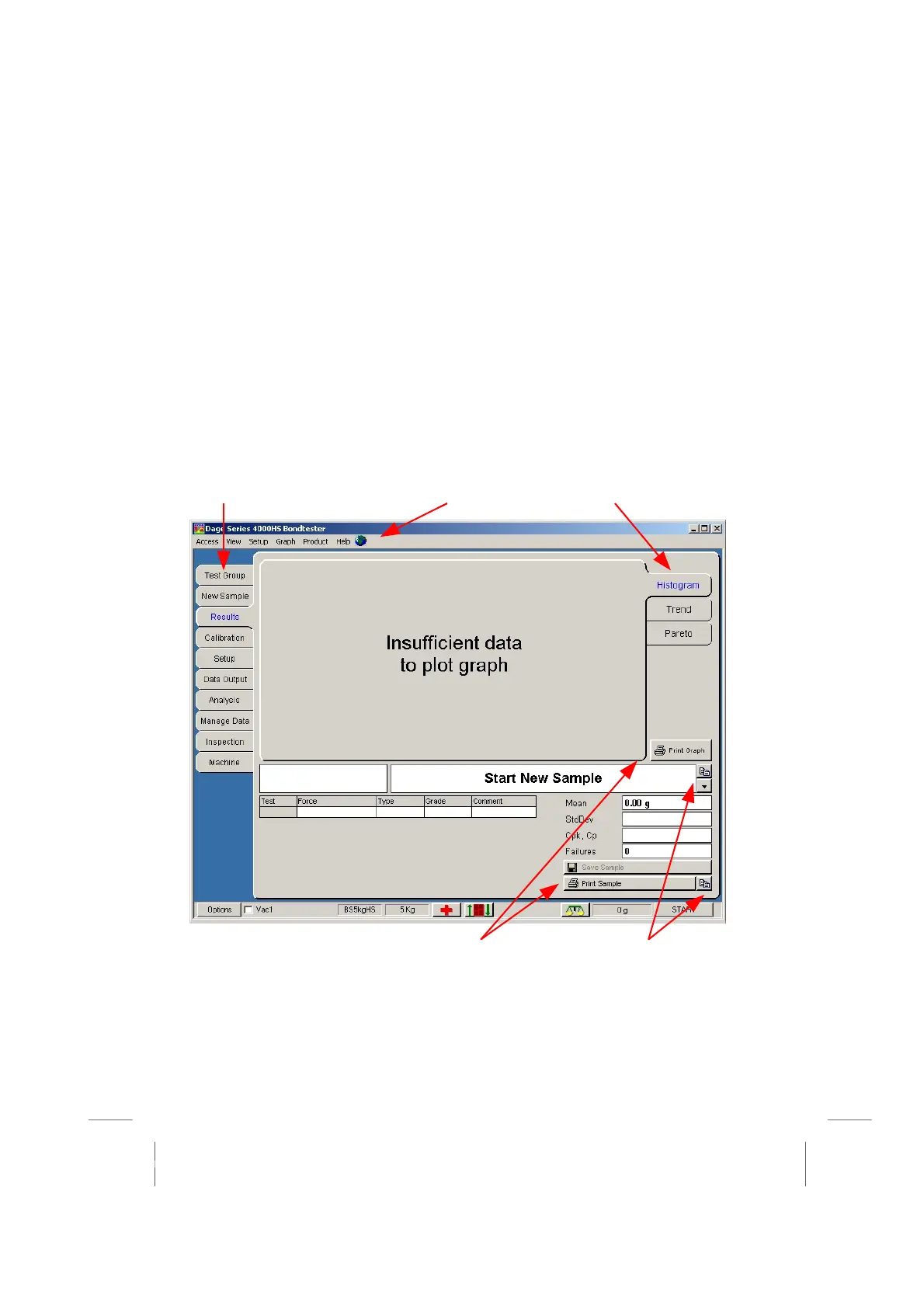
The screen shown below is typical of what you may see.
Note: Your line engineer may have given you more access to other controls, or removed access to
calibration
These buttons allow you to
choose main functions by
using the mouse
Secondary buttons allow
you to select options within
this main function
This button allows
you to change the
language used
You can preview the
printout of the results or the
graph and add your own
headings
Copy graph and
sample data to
Excel or Word



 To Next Page